


Participant
March 18, 2021
Answered

Still can't mixdown to file

  • March 18, 2021
  • 1 reply
  • 1303 views

Still having trouble mixing down to file.. Attached is what is happening, nothing seems to be highlighted. I am also using a laptop.
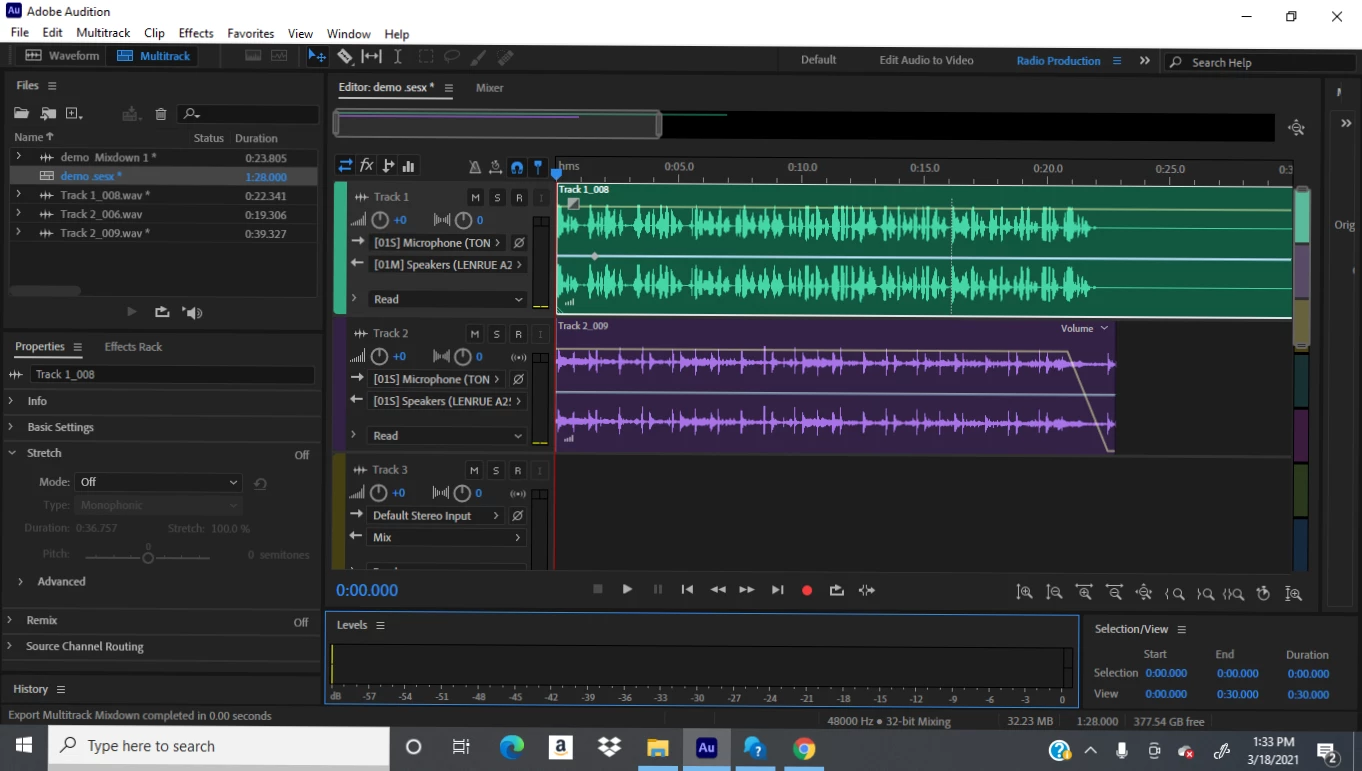
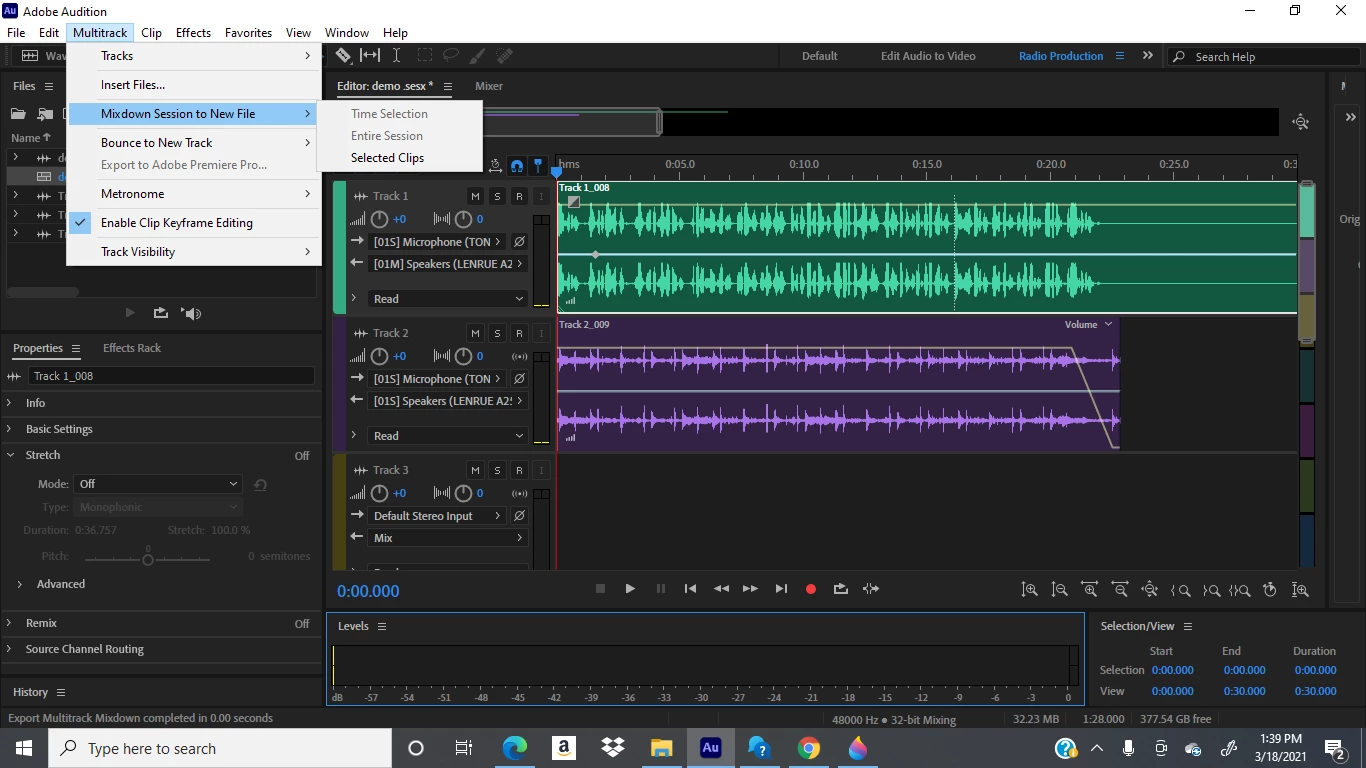
 

The "entire session" is not highlighted for me to mixdown on the second picture. I have already saved the session. How can I correct this? I'm also using the updated version of Adobe.

This topic has been closed for replies.
Correct answer emmrecs

Looking at the screenshots and comparing with a session opened on my computer, which exports the entire session without problem, the most obvious difference I see is that two tracks are set to output to "Speakers" and one is set to output to "Mix".


Should they not all be set to Master, or am I being extremely naive?

1 reply

SteveG_AudioMasters_
Community Expert
Community Expert
March 18, 2021

I agree entirely that this shouldn't be happening - I certainly can't make it do that here. What have you tried so far? There are several things that might reveal what the problem is. Firstly, if you start another session, does exactly the same thing happen? If it does, then it's unlikely to be a corrupted session file. If it doesn't, then that's what it is. The next thing to try is opening Audition with a completely refreshed Preferences file. This is easy; just restart with the Shift key held down. Also, make sure that you are running as Administrator. If none of that makes any difference either, then reinstall the software. 


If nothing works at all, then we'll refer it to the devs.

emmrecsCorrect answer
Legend
March 19, 2021

Looking at the screenshots and comparing with a session opened on my computer, which exports the entire session without problem, the most obvious difference I see is that two tracks are set to output to "Speakers" and one is set to output to "Mix".


Should they not all be set to Master, or am I being extremely naive?

SteveG_AudioMasters_
Community Expert
Community Expert
March 19, 2021

No you're not being naive at all! If you set all of the tracks you are using to output directly to hardware, then you'll get no session mixdown choice. So I think you're correct - that's the issue.