
Question
"The audio input is not activated. Recording audio is not possible. Please check your input configuration."
Hi
Following a recent Windows 10 update I'm getting this pop up when opening Audition
"The audio input is not activated. Recording audio is not possible. Please check your input configuration."
Version 3.0
Build:7283.0
The in-built monitor mic is responding to sound (ie Cortana) but when I try to record sound in Audition this pops up:
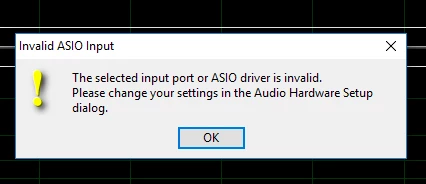
Any answers out there?
Thanks


 AdChoices