
Toggle playback auto-scroll quit working in update?
Hi all,
So basically, I edit audiobooks and podcasts, and up till now I have enjoyed the ability to play the audio and edit it in real time. I can let the audio play, select problem breaths or other issues, and deal with them as the audio continues to roll. This ability is unique to this DAW, as far as I know, which is why I love Audition. But since I updated to v12.1.1.142, when I select any range, the auto-scroll key toggles off and the cursor keeps merrily moving off the screen. I can punch A to toggle the auto scroll back on, but this is an extra step and it takes focus from the next potential issue to fix.
I don't know if this issue is related to the update, or to some setting that changed when I updated. (I had to delete everything and start over from scratch due to issues with the reinstall.) Does anyone have any ideas? Is there a way to make Audition default to auto scroll and not toggle auto scroll when I select a range? EDIT: Setting it to center the cursor in the screen doesn't solve the issue because the waveform moves too quickly for me to edit effectively in that view.
I've included a screenshot below to help you visualize the issue. I am running Audition version 12.1.1.142 on a Windows 10 64-bit system.
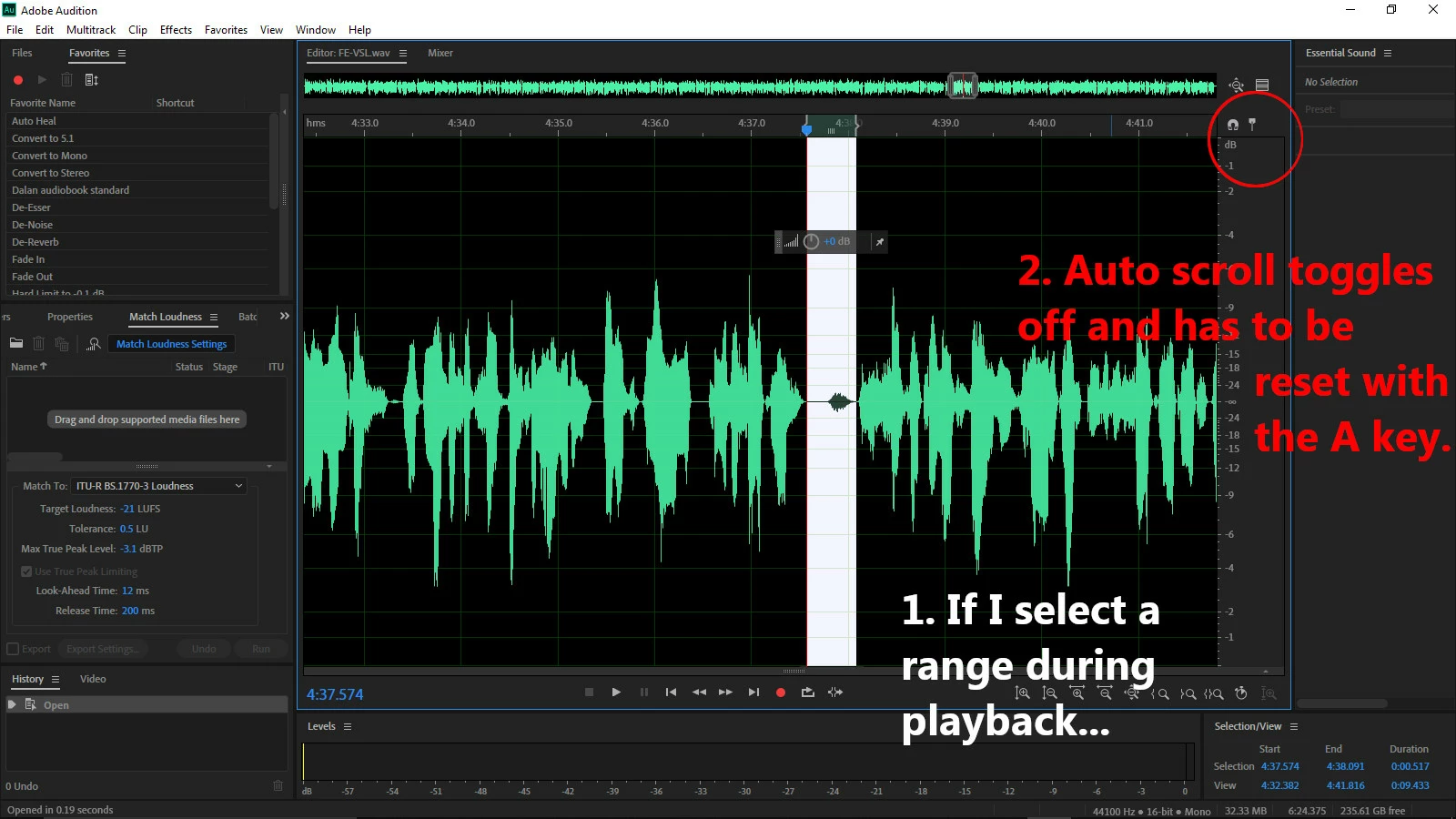
Message was edited by: Dalan Decker


 AdChoices