

nickdclements
Participating Frequently
November 15, 2019
Question

Un-cut/Un-trim, Heal, Restore, Extend clip to fill gap?

  • November 15, 2019
  • 2 replies
  • 1452 views

In multitrack, is there a way to click on a clip (that has been cut/trimmed) and, basically untrim it? Like "extend clip to full length" -- instead of having to mouse over the edge of the clip, get the "]" 'red bracket' cursor, and drag out the clip. Further more, would there perhaps be a way to basically select the whole timeline, and tell it to extend all clips to fill gaps. Like it would re extend all the clips as far as they can go, unless there is another clip infront of it, in which it would extend up to that clip. 

i.e. a more automated way to do this:
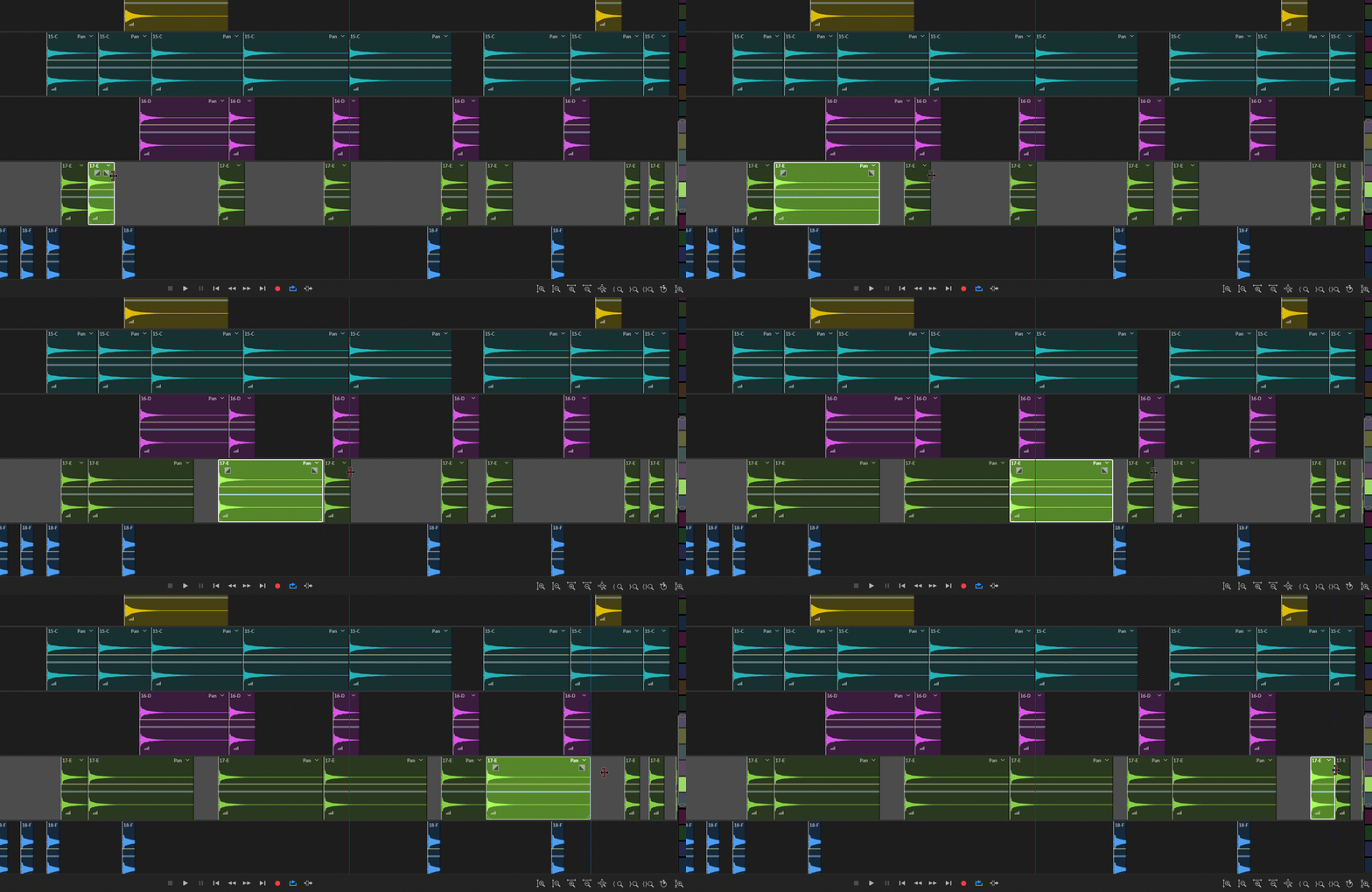
 

This topic has been closed for replies.

2 replies

Mike Russell
Inspiring
November 19, 2019

When right clicking one (or multiple) clip(s) looks for Trim and then either Trim In Point to Playhead or Trim Out Point to Playhead. Then move the playhead to the right (or left) of all the clips and select one of these options. You could also add them to a keyboard shortcut to make it even faster!

SteveG_AudioMasters_
Community Expert
Community Expert
November 15, 2019

There is no automatic way of doing this, no. Nobody's ever asked for it before! What you can do though is to use the History panel. Every time there's an item in it called 'trim clip', right-click on it and delete it. This will extend the clip back to the way it was when you inserted it.