


Participant
Aug 22, 2020 7:46 PM UTC
Question

Visual Glitches

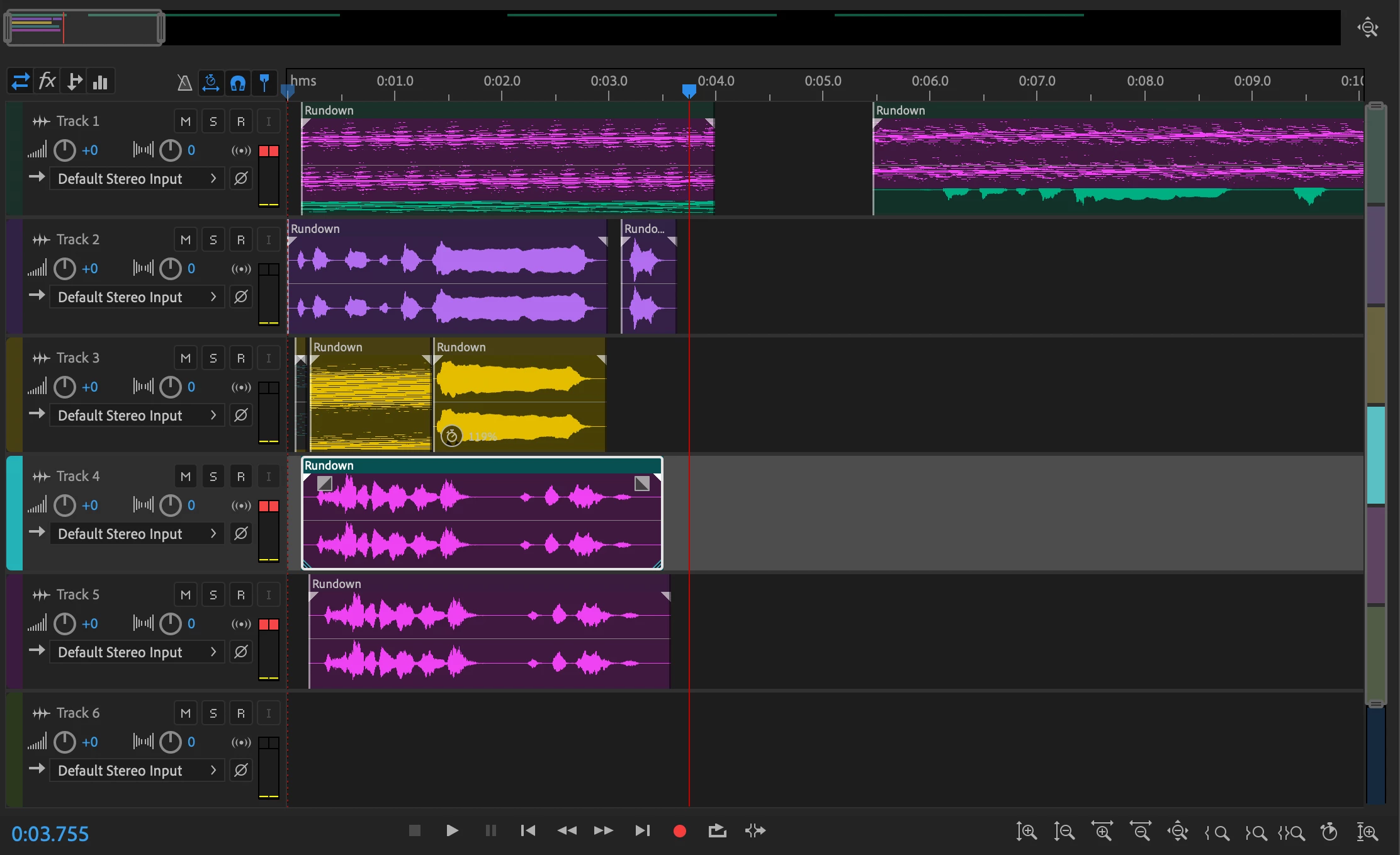
Hi, my Audition is glitching out like crazy, whenever I zoom in it copies things from other tracks and places them in other places. It isn't affecting the audio at all, it's just a visual nuisance as it won't allow me to time things correctly. photo attached. Running 13.0.9.41
This topic is closed to new replies. Start a new post to keep the conversation going.

4 replies

SteveG_AudioMasters_
Community Expert
Community Expert
Aug 22, 2020 9:14 PM UTC

Edit>Preferences>General and item five in the list says 'Use hardware acceleration for drawing (restart required)'. If there's a check in the box, remove it and restart Audition. And vice versa - it will only work correctly one way around, and it's hard to predict which it will be. But that's what causes all the glitching.

Translate
Participant
Aug 22, 2020 9:33 PM UTC

Unfortunately I'm not seeing that as an option - is there a difference between Mac/PC with this? 

Translate
TROZANME
Participating Frequently
Jun 26, 2023 7:44 AM UTC

Am facing same issues 

Translate