Inspiring
January 13, 2021
Answered

Volume keyframes vanish upon reopening Multitrack Session

  • January 13, 2021
  • 2 replies
  • 627 views

I have a Multitrack Session with several clips where I'm using keyframes to automate volume envelopes, but whenever I close and reopen my Session, the keyframes at the end of some clips completely vanish.


Some additional information on the issue:

1) It only impacts keyframes at the end of clips - all keyframes at the beginning of clips are preserved.

2) It seems to impact only remixed clips, however not all remixed clips - it's pretty random, but most do get impacted.

3) The issue occurs in every Session I create, so it's not related to corrupted Session file. It also happens with different source clip files.


I have been working with Audition for a couple of months and this has been a recurring issue. I have already tried reinstalling the application a couple of times to no avail. As of now I'm basically leaving my Sessions open all the time in order to avoid recreating the envelopes every time I reopen them.


Any help will be most welcome!
This topic has been closed for replies.
Correct answer AASantos

Very interesting ... and the randomness just makes it totally maddening also.


Neil


Ok, so I was finally able to reproduce the issue:


1 - Add a clip to a Multitrack session and Enable Remix

2 - Add 2 keyframes at the beginning of the clip

3 - Stretch to desired duration - once this task is complete, you will notice 2 new keyframes are added at each Remix section

4 - Add 2 key frames at the end of the clip

5 - Save and Close the Session

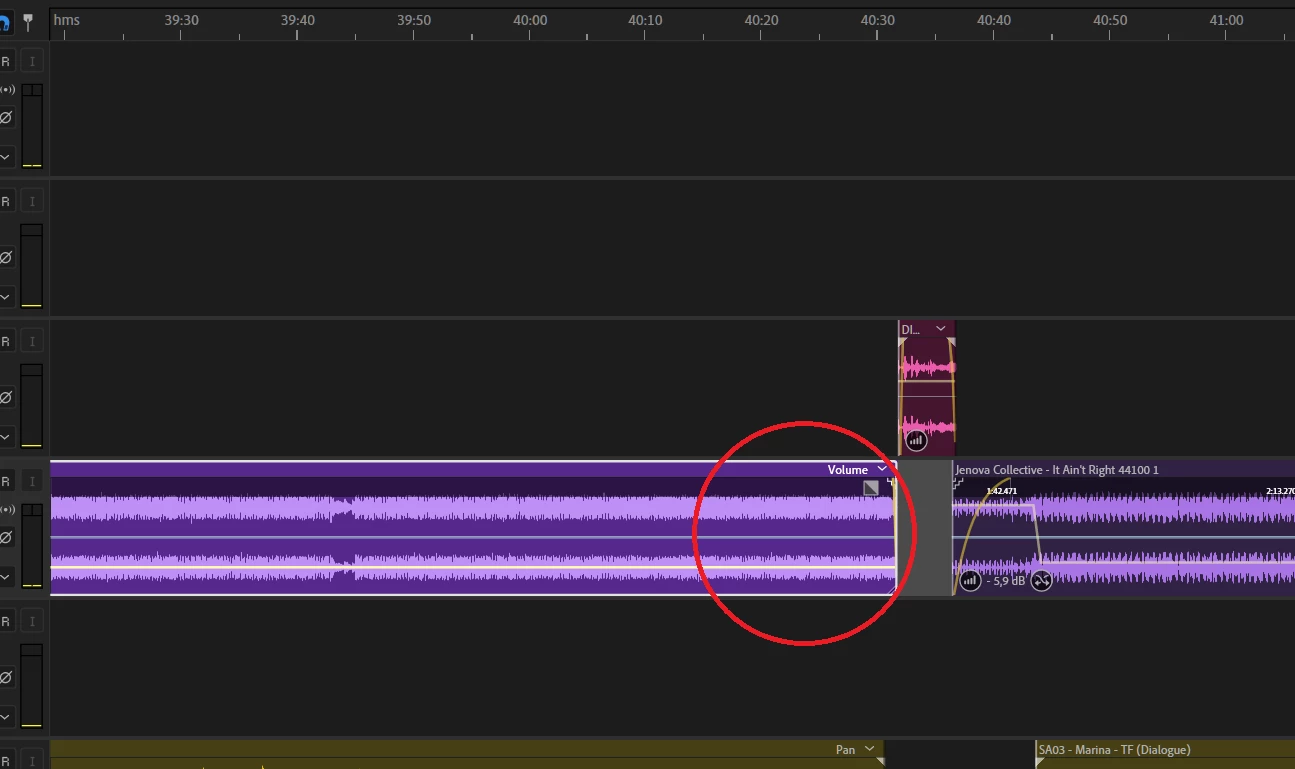
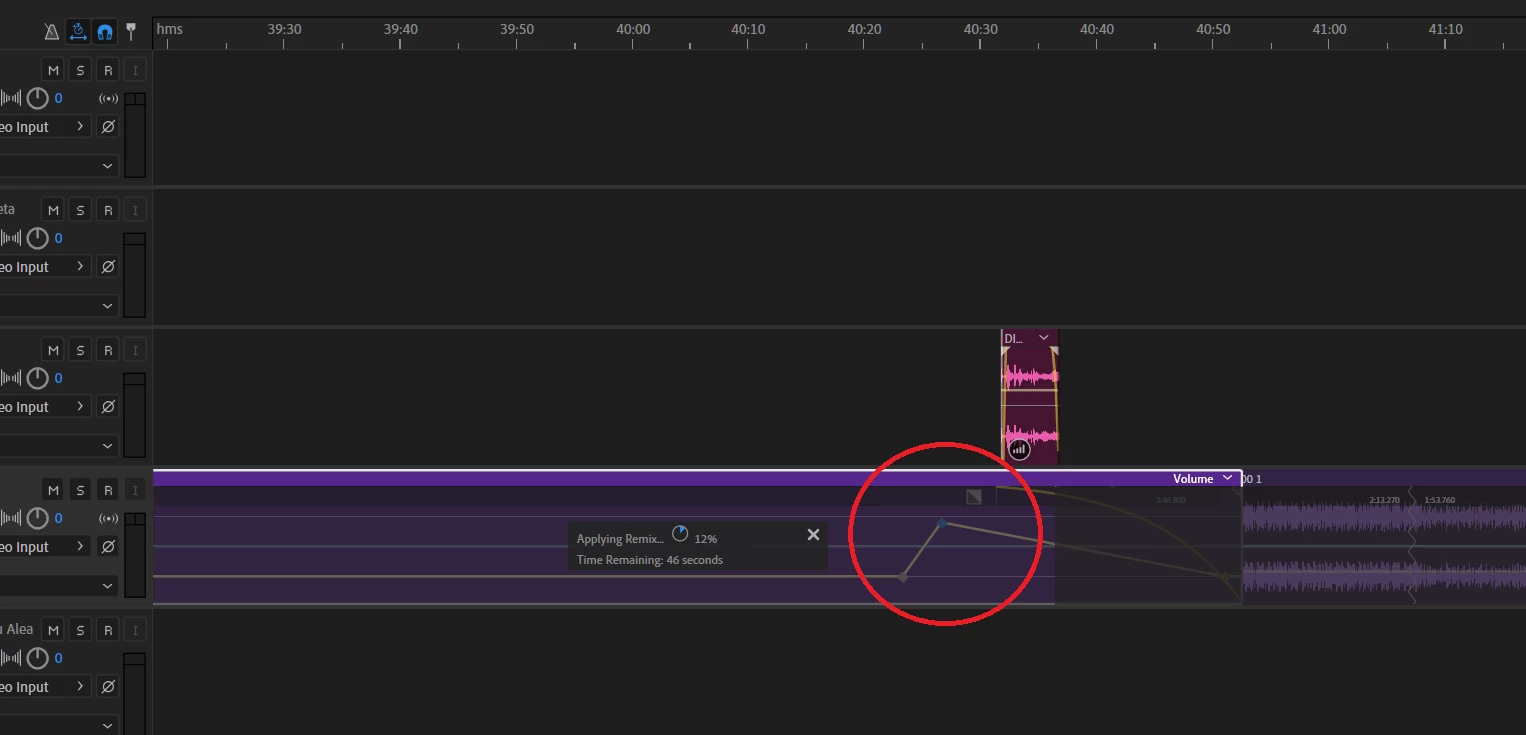
6 - Reopen the Session - assuming your Remix operation takes a few seconds to complete, you will see the keyframes at the end are still there, as per the screenshot below:

However, once the Remix operation is complete, these keyframes vanish completely:


This is an odd behavior and I couldn't find this documented anywhere, so it seems to be a bug.


There is a very simple workaround to avoid this: make sure to create all of your envelope keyframes either before or after applying the Remix/stretch operation.


In fact, I just realized why this seemed random at first. In my particular workflow I would first set the keyframes at the beginning of the envelope, then Remix/stretch, and then apply the keyframes at the end, but in a few occasions I would unconsciously set all keyframes after applying Remix/stretch, thus avoiding the issue.


Anyway, I hope Adobe will fix or at least document this behavior at some point. It would have saved me some precious time, but at least this thread may be useful to others.


Cheers,

Andre


2 replies

R Neil Haugen
Legend
January 15, 2021

Interesting result from your sleuthing. Thanks for posting!


Neil

Everyone's mileage always varies ...
R Neil Haugen
Legend
January 13, 2021

Are those end keyframes actually on the clip itself, or perhaps past the end of the clip? It can be hard to tell unless you are well 'zoomed' in. In my experience, Audition only saves the things that are on the clip. This btw is only a possible explanation.


Neil

Everyone's mileage always varies ...
AASantosAuthor
Inspiring
January 13, 2021

Hi Neil, thanks for your reply.


They are definitely on the clip itself.


My workflow goes something like this:

1 - Enable Remix (usually to stretch a clip)

2 - Adjust clip duration

3 - Insert keyframes

4 - Adjust envelopes


So I'm always working within the clip itself. However I totally agree Audition could somehow be messing up with the clip timings because of Stretch. The reason for that is I noticed, whenever I reopen my Session, Remix is re-applied on the clips. So, if Audition is inserting Keyframes before stretching maybe it's getting confused and thinking the clip is actually shorter than it should be.


Problem is, I have tried reproducing this in a controlled way but couldn't. It seems to be totally random. Or maybe there is something else interfering which I haven't been able to pinpoint.

R Neil Haugen
Legend
January 14, 2021

Very interesting ... and the randomness just makes it totally maddening also.


Neil

Everyone's mileage always varies ...