andrewb66924167
Participant
August 20, 2018
Answered

Wav form not appearing

  • August 20, 2018
  • 1 reply
  • 395 views

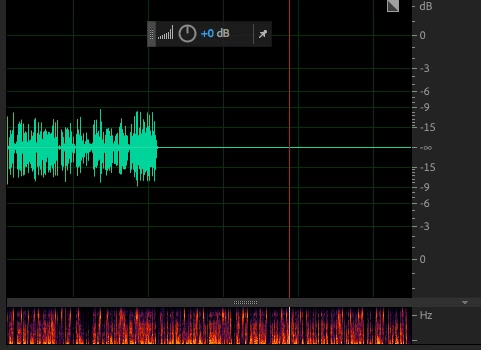
Hi, is anyone experiencing this problem when they record a track in adobe audition 2018?  The track records (as seen in the spectral display) and plays back but no wav file appears. When I amplify the file it appears.

    This topic has been closed for replies.
    Correct answer andrewb66924167

    andrewb,

    Are you still facing this issue? Let us know.

    Thanks,
    Kevin


    Yes occasionally although I have found a way around it that when I amplify where the track is then the wav file appears on the track line. Any other ideas? I am running AA 2018 on OS 10.11.6.

    1 reply

    SteveG_AudioMasters_
    Community Expert
    Community Expert
    August 20, 2018

    If this is on a PC, then very possibly you've got an out-of-date video driver. M$ keep updating the OS, and doing things that hardware suppliers have to keep up with, and unfortunately nobody warns you that this sort of thing might happen, so it creeps up on you unawares. Don't ask me how I know...

    Anyway, you need to check this out first before we look any further, I think.

    andrewb66924167
    Participant
    August 21, 2018

    I'm on a mac and my firmware is up to date. I'm still running on El Capitan though as its a late 2013 model and think the upgrade to High Sierra might make my machine to run pretty slow.

    SteveG_AudioMasters_
    Community Expert
    Community Expert
    August 21, 2018

    andrewb66924167  wrote

    I'm on a mac and my firmware is up to date.

    It's not the firmware you need to worry about - with a MAC it's the OS itself, as that has the video driver incorporated into it. What I don't know is how a later version of Audition will react to an earlier version of OS-X - you'd almost certainly need the developers to advise on that.