Not sure what you mean just drag the spectral editing screen to the bottom of the display before converting?? Could you illustrate.
That's pretty bad if Adobe knows this problem and is not planning to correct it!! It's expensive for CC . It was working in the past before any updates. Not good PR or customer service. Maybe i need to switch to another editing program!!
micheleg2685509 wrote That's pretty bad if Adobe knows this problem and is not planning to correct it!! It's expensive for CC . It was working in the past before any updates. Not good PR or customer service. Maybe i need to switch to another editing program!! |
I did not say that - I said that quite honestly, I didn't know whether they were or not - that's not the same thing now, is it? And it's not as though it's not working either - you just have to take one extra (and I grant you, non-intuitive) step:
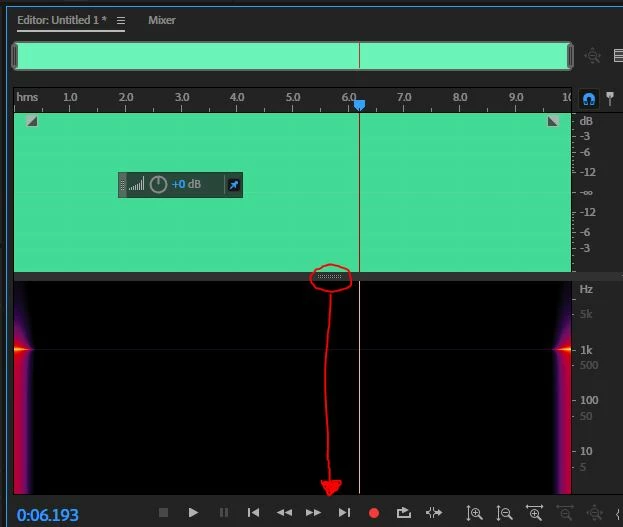
This is mono tone with the spectral display still showing. Drag the handle I've indicated to the bottom of the screen, so that just the waveform is showing, like this:
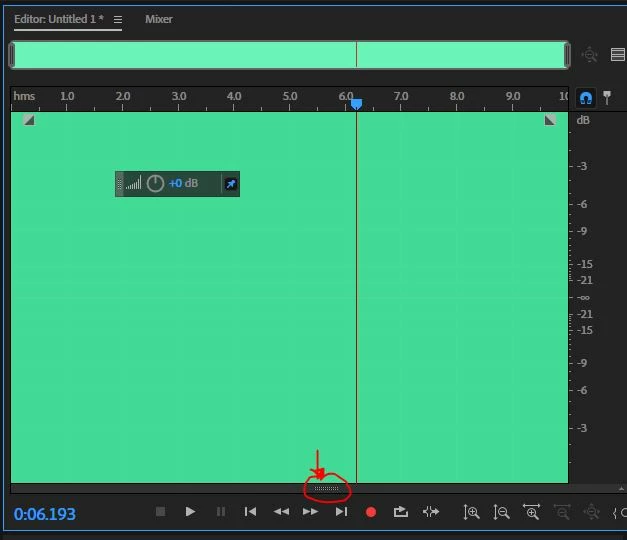
There it is at the bottom, with just the single mono waveform showing. Now when you apply Convert Sample Type:
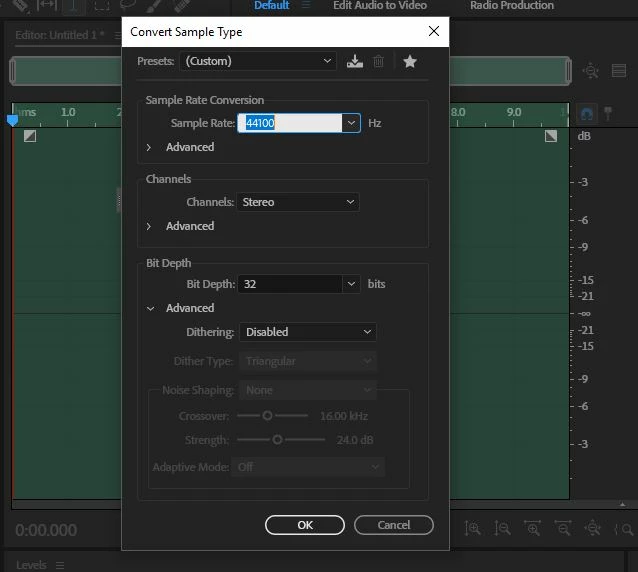
And convert it into a stereo waveform, it will work fine. All you have to do is return the spectral display screen again by dragging it back up:
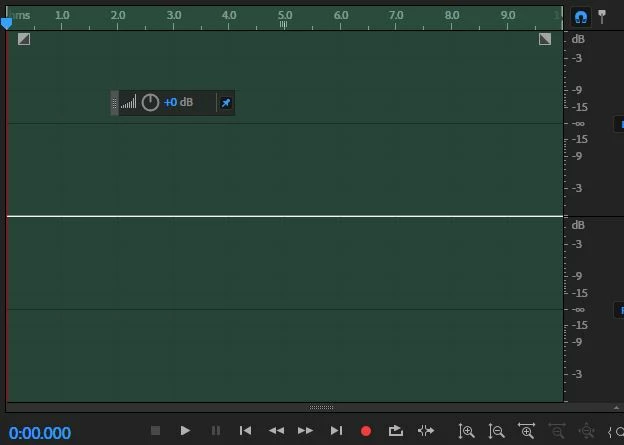
So there's the original file, now in two channels. Technically not stereo but what the BBC call 'glorious mono'!



 AdChoices