


Waveform displayed by Adobe Audtion CS6 not showing digital artefacts?
When storing audio files on my PC I always downsample 192/24 audio files to 96/24 files using Adobe Auditon CS6. Yesterday, when playing back one such file, I was surprised to discover a single loud pop/click/skip in one downsampled track when listening to it using JRiver Media Center 34.
On opening up the offending audio file in Adobe Audition CS6, I was puzzled to find that CS6 played it back without any problem. Visually, there appeared to be nothing much wrong with the waveform where the pop occurred, as can be seen here:
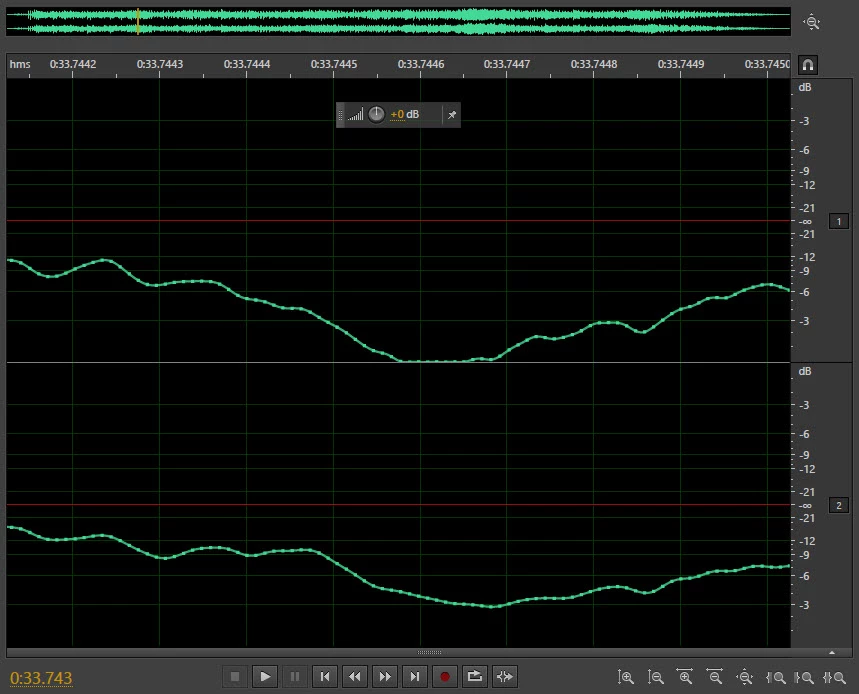
However I then opened the same file at the same point in iZotope RX5 and got a bit of a shock because this is what it showed:
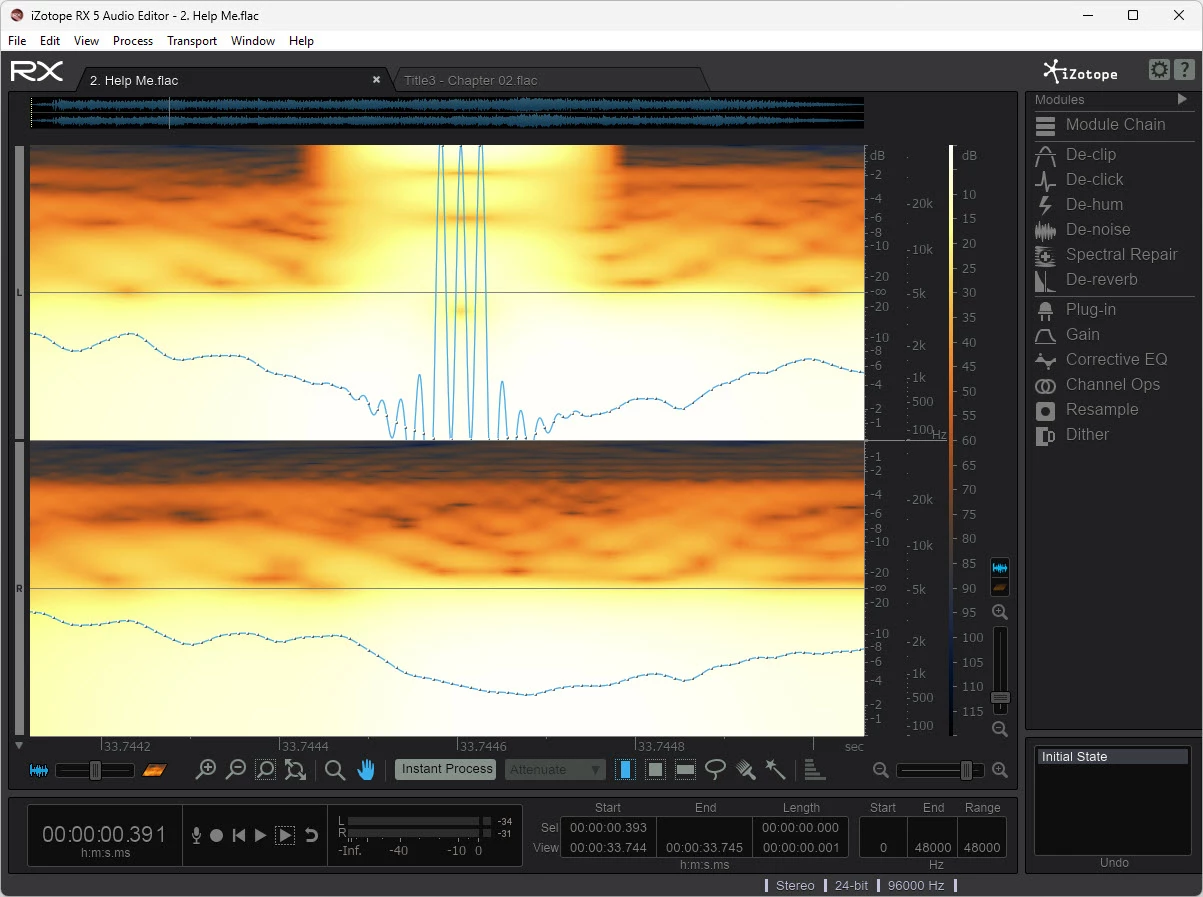
So I have two questions. First, how can Adobe Audtion CS6 and iZotope RX5 give such remarkably different renderings of the same part of the same audio file? And second, if the iZotope RX5 rendering is accurate (as suggested by the pop/click/skip), how could a high quaity and trusted piece of software like CS6 introduce such artefacts?

 AdChoices