
Participant
July 6, 2022
Question

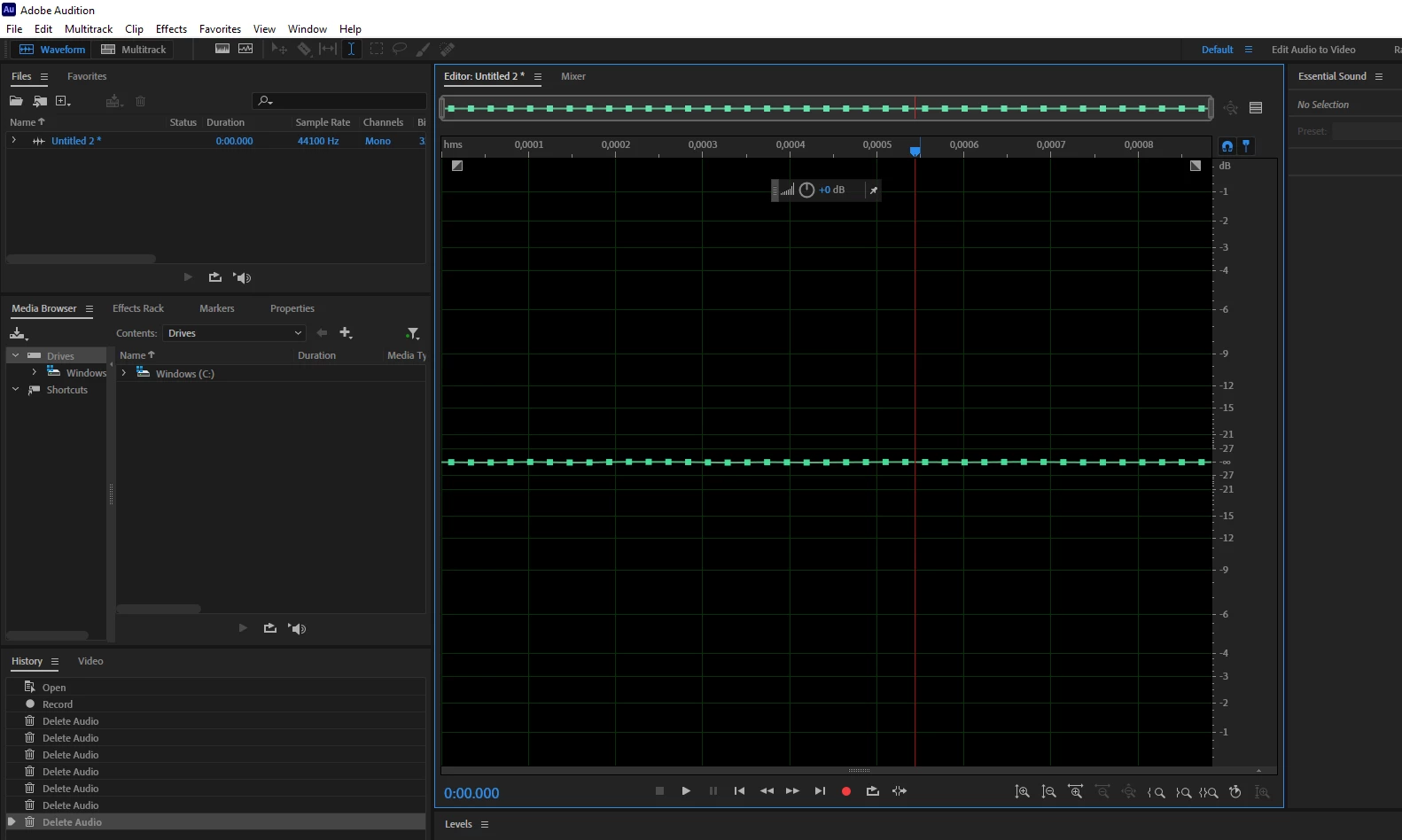
Weird squares appearing into audio waveform

  • July 6, 2022
  • 1 reply
  • 222 views

I've been using adobe audtion for a while now, but recently I've had these weird little boxes appear in to my track when I start editing. I have no idea what these are and why they've appeared, but they are really annoying. I am using a Motu M2 audio interface and a rode procaster mic.


I've tried reinstalling audition, but the squares still appear
 

This topic has been closed for replies.

1 reply

SteveG_AudioMasters_
Community Expert
Community Expert
July 6, 2022

Hehe! Those are a display of individual samples - you've got the display zoomed in so far that you can see them. If that's your entire recording (which from the file duration it appears to be) then that display is correct. Really, you should try this with a recording that's more than 39 samples long! If you zoom right in on any recording, you'll see the individual samples like this.

Participant
July 7, 2022

Oh wow, well today I learned something new! Guess I never zoomed in so much before. Thanks for the quick answer to my silly question 🙂