
adammcgurk
Participating Frequently
February 15, 2017
Question

Weird static being added after saving

  • February 15, 2017
  • 1 reply
  • 2361 views

So I'm working with a multi-track for that has about 3 voice tracks and 3 music beds on it. When I go to save the whole session, two really weird things happen with the music beds.

1. The left channel loses the original audio and is replaced just with a LOUD, constant static noise. Like when you would find a channel on the television that wasn't tuned to anything and it just showed the "white snow" screen. That kind of static sound. In the picture below, the red horizontal line in the left channel is where the static comes in. So you can tell it's not constant, only where there is audio present in the right channel.

2. It deletes some of the original audio in both channels. I've provided a picture to show this. The audio should be constant. It is a music bed. Also, I didn't add those green lines in the left channel. I have no idea where they came from either.:
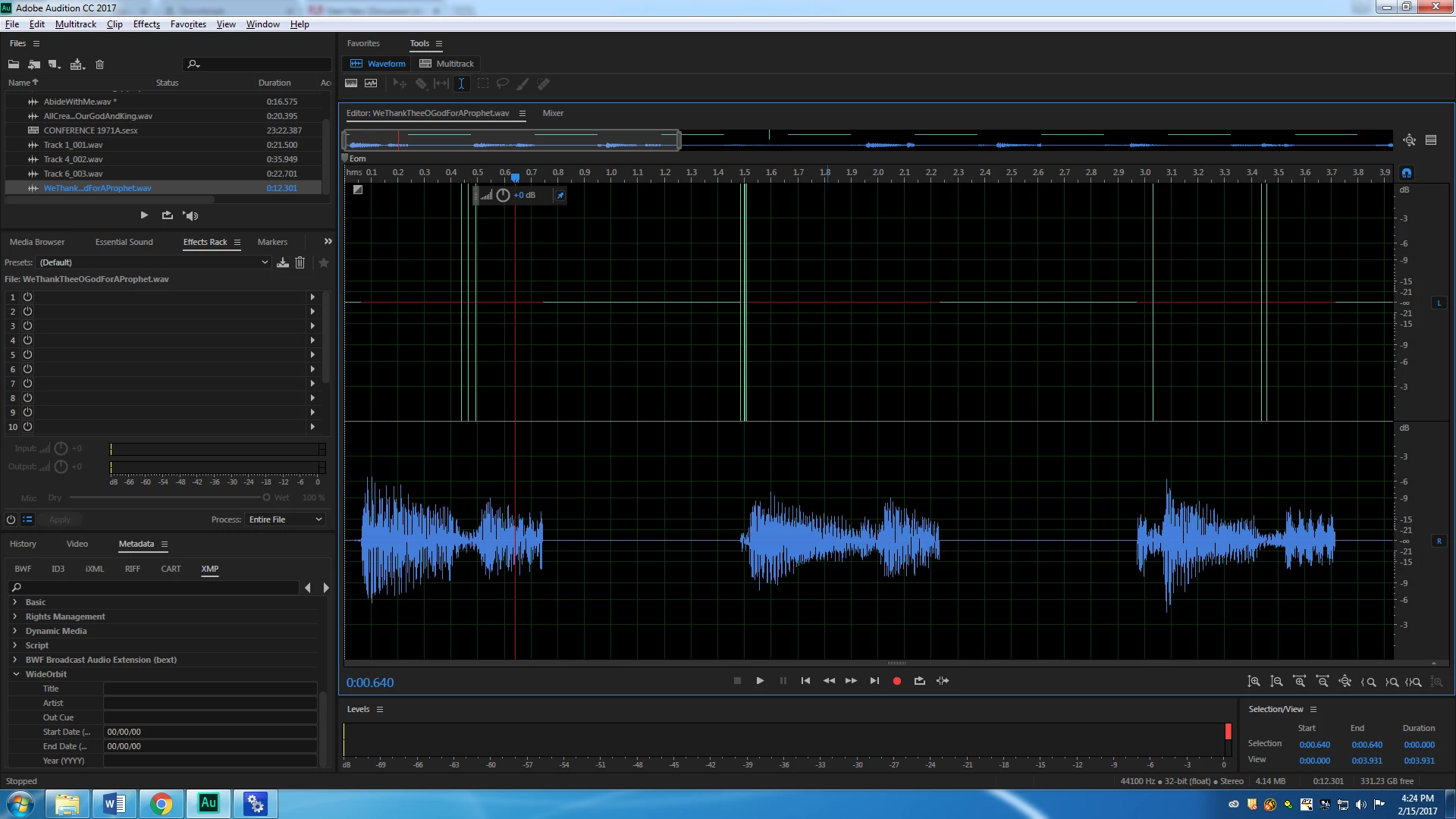
As you can tell, I don't really know how to explain the problem. Much less fix it. Has this been a problem for anyone else? We are running Adobe Audition 2017.

This topic has been closed for replies.

1 reply

SteveG_AudioMasters_
Community Expert
Community Expert
February 16, 2017

Well I can tell you what that indicates - especially as it has red lines in the LH channel - and that's sample loss on saving. I've seen it happen when disk drives are failing, but this looks a little different...

You have to consider here how a stereo signal is saved to see what's happening. Basically, the sample values for the two channels are interleaved, and what appears to be happening is that this process has failed somehow, and quite drastically. But to get any more clues about this, we'd really need more information; Was this a stereo or a mono signal to start with, and did it play correctly before being saved? What was the original format of the file?

adammcgurk
Participating Frequently
February 16, 2017

It was a stereo signal to begin with, and it was performing fine before I saved it. But the second I saved it, the music bed (and only the music beds) did this weird thing that I saved in the screenshot above. It was saved as .wav 44.1 sample, and that's what it was when it came into the multitrack originally and I made no changes to its format.

ryclark
Participating Frequently
February 16, 2017

Do the music beds open and play OK outside Audition ie. in Windows Media Player.