


Inspiring
Oct 30, 2023 8:00 PM UTC
Answered
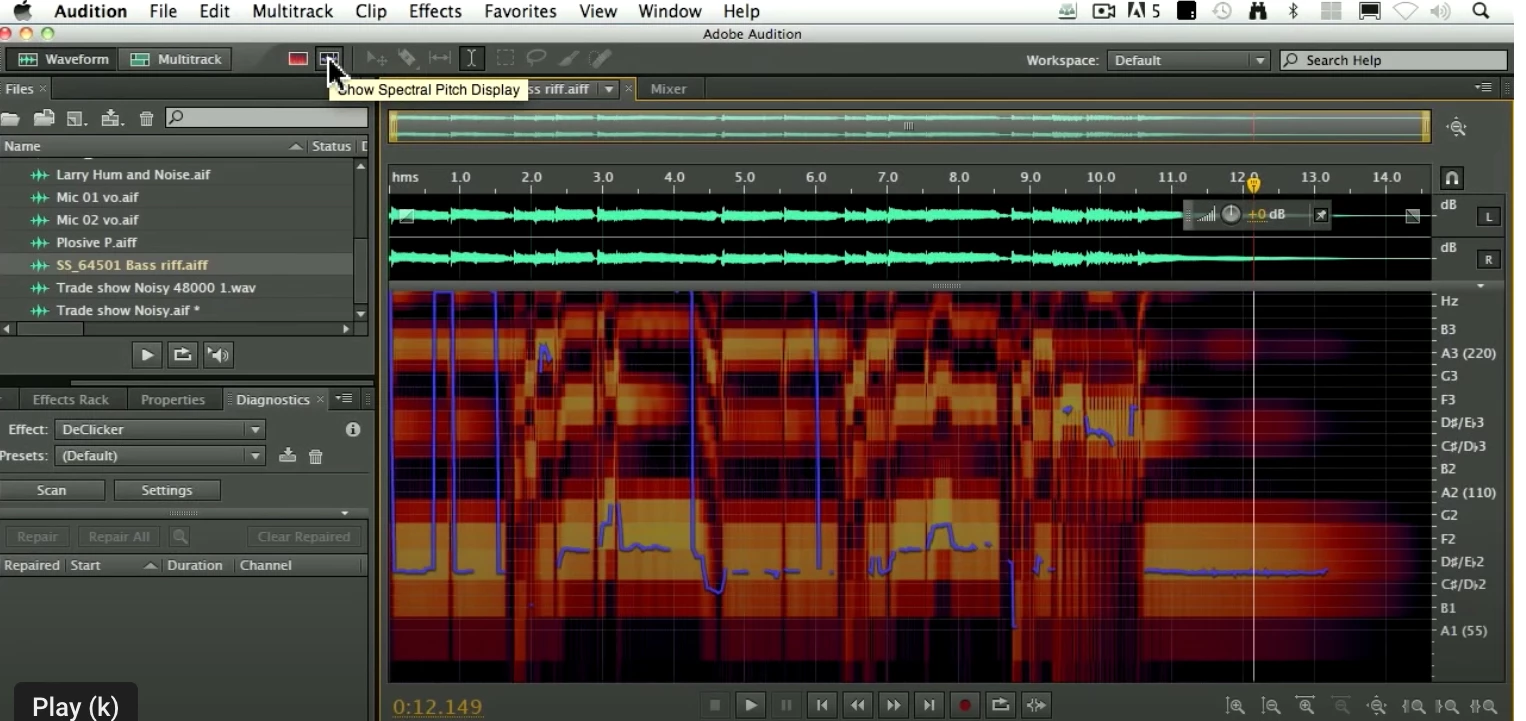
What do the purple squiggles in a Waveform Spectral Window indicate?
- 2 replies
- 474 views
- Translate
Hello, (Newbie here)...
Audition Build 24 / MacOS 12.6. / Focusrite Scarlett 2i2 3rd Gen / Shure MV7X
I recently recorded myself biting into an apple for a podcast. I am going to discard and re-record it due to background noise, but I noticed, for the first time, these purple squiggles in the Spectral window and am wondering what they indicate, and why they suddenly showed up in this recording of the waveform? Is it because I was clipping on the recording? Probably not, as they don't appear where the clipped audio is.
Is there a way to control their appearance/disappearance?

 AdChoices