
What happened to the Amplify widget in 2017...?
Does anyone know where the Amplify widget went in the 2017 release?!
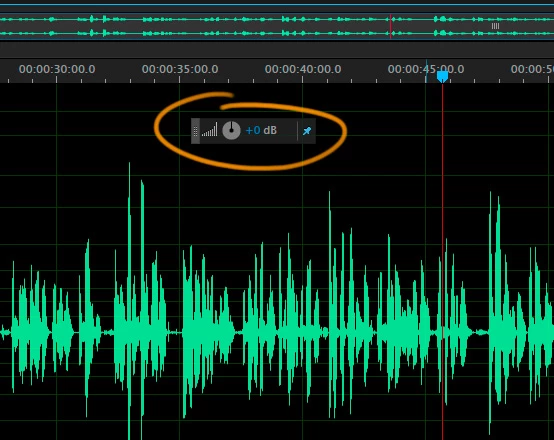
Just updated to 10.1 from 7.2, and can't find the Amplify widget in Waveform view. This is a huge part of my workflow --- I bounce projects into Audition from Pr, open up each clip in Waveform view, adjust the level as needed, run a custom preset I've built, and move onto the next clip; I'm not sure if it's the "correct" way to work, but it's super fast and efficient, and I've got it down to a science.
Am I missing something? I've combed over every logical part of the UI, looking for a way to restore/activate/open the widget, but can't find anything...
Near as I can tell, the only workaround is to go to Menu > Effects > Amplitude & Compression > Amplify > enter the value > hit Enter
Is that for real?! With the widget, I just hit CTRL + A to select everything, type the value, and go. Having to navigate through the menu literally a hundred times during a project is a HUGE waste of time. This can't be right... I have very little confidence in Adobe's ability to create efficient, well-thought-out apps, but this takes it to a whole new level... Surely even Adobe couldn't fart something up this badly (?!?!?!!!?)
Can anyone shed some light on this?


 AdChoices