
Question
When exporting from Premiere to Audition, the audio clips are longer than they should be.
I'm not sure how to properly explain this.
I am editing a video in Premiere. I want to do some audio post-processing in Audition. I hit "Edit sequence in Adobe Audition" from Premiere. And the problem is, I don't just get the sound that I left in the video, I also get some of the sound I cut out. See image below.
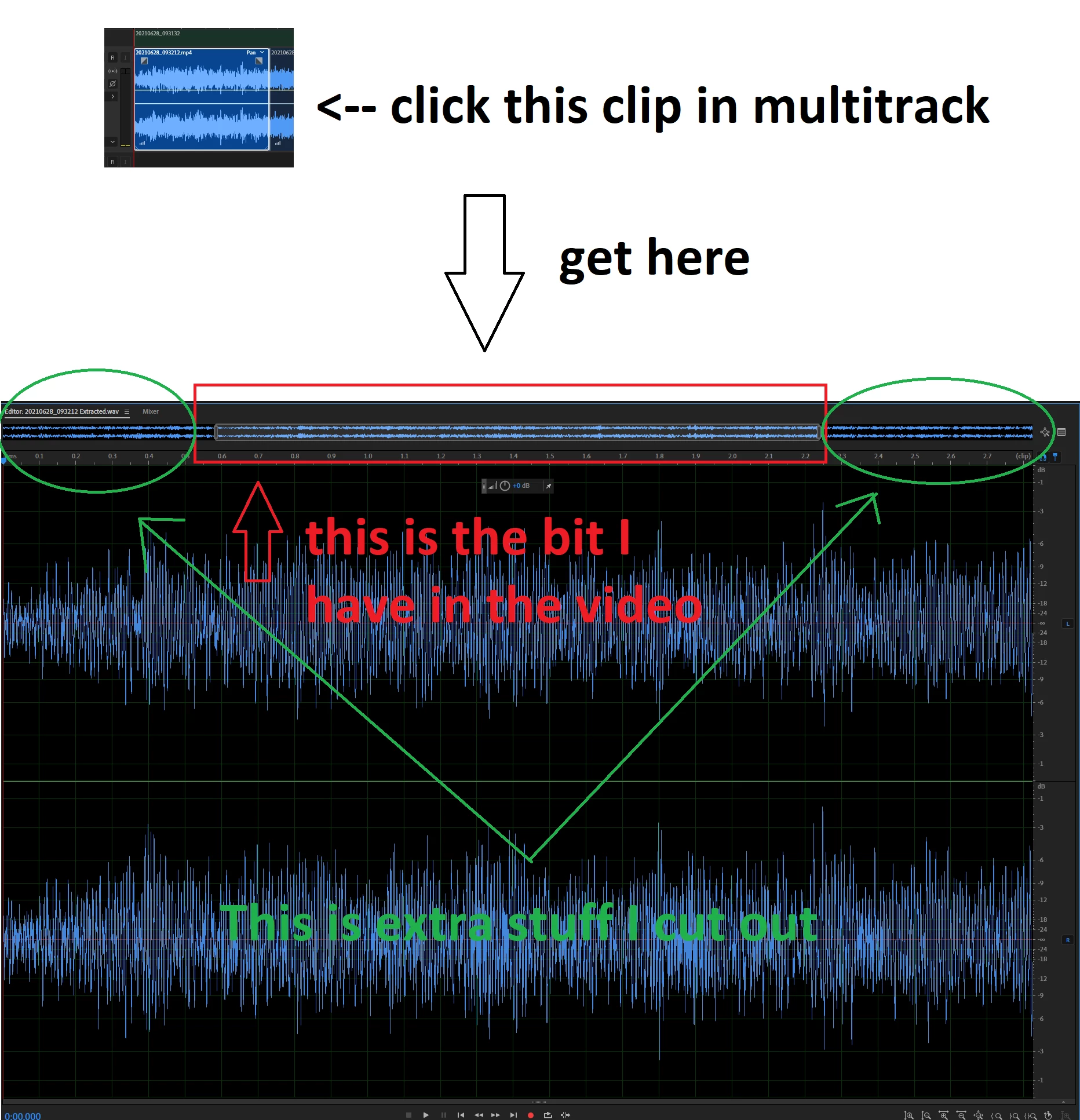
I don't want the bits that I cut out to be present. They don't show up in the end product, only when I edit each clip individually. But I don't want them affecting my editing (for example, if I use Normalize, I don't want that extra sound to be considered in the normalization process).
Is there any way to fix this?
Thanks!


 AdChoices