
krystalh42580040
Participant
September 27, 2018
Answered

When I export or save my recording,the recording is distorted.

  • September 27, 2018
  • 1 reply
  • 446 views

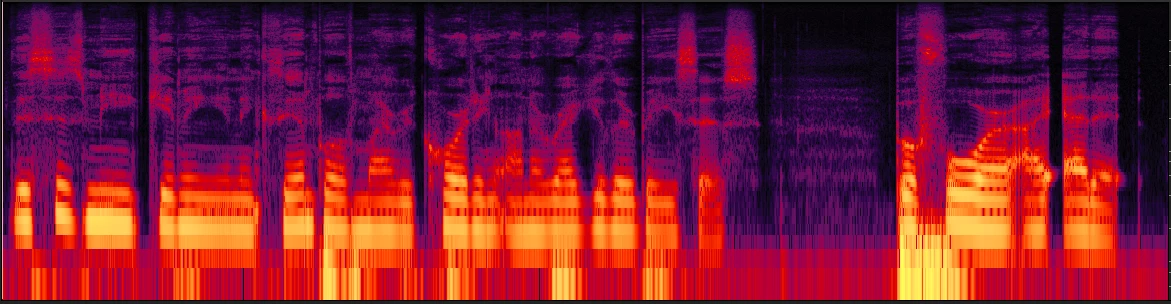
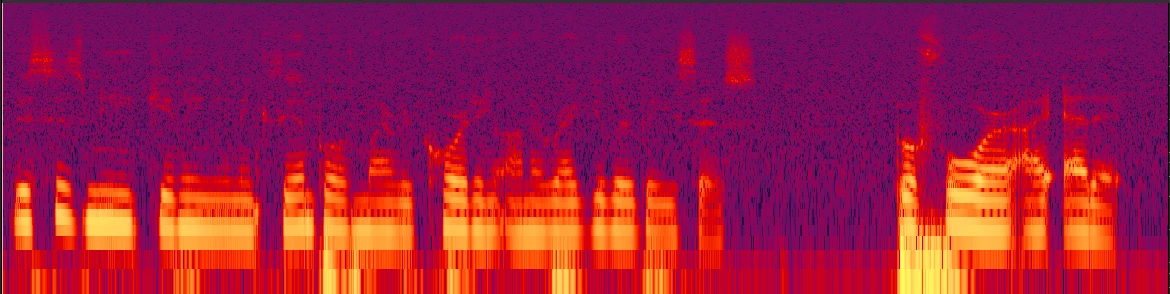
Hi, so recently, anything I have recorded seemed fine when I start. I edit it and everything is fine, but then if I save it or export it there is this haze over the recording. These are the same clip. I literally just saved and this is what happens afterword. Can someone please help me?
This topic has been closed for replies.
Correct answer SteveG_AudioMasters_

I will do that, but does that have to happen in the beginning of the recording? I tried to save it as a 16 and it didn't allow me.


When it says 'new file' then yes, you should select it there - at the start.

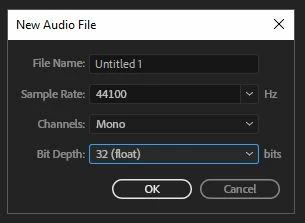
If you create a new file with only 8-bit depth, then that's pretty much what you're stuck with. If you are going to make a mono recording, then ideally the new file box should look like this:

Yes, set the bit depth to 32 (float). That means that if you need to scale or adjust the file's amplitude, you can do it without loss. Then, when you save the result, all save options will be open to you. At that point, saving as a 16-bit file will be fine.

1 reply

SteveG_AudioMasters_
Community Expert
Community Expert
September 27, 2018

Well, that's noise - so what save settings are you using? Generally anything less than a 16-bit save will result in this happening, simply due to the laws of physics!

krystalh42580040
Participant
September 27, 2018

This is what it is. The only reason i'm asking is because i have never had this happen before. Every other recording I have exported before this never had that has over it. Also, why is that sound not there in the first image? That is what I'm trying to understand. Or how do I fix this? I have a sound treated area that I record in. 

SteveG_AudioMasters_
Community Expert
Community Expert
September 27, 2018

Like I said - it's an 8-bit file. That inevitably gives you a noise floor of about 48dB, and that's what you can see. You need to change the sample type to a 16-bit one.