
Participant
January 8, 2020
質問

why audition lost the head of the audio file(the format is mp3),is there any solutions?

  • January 8, 2020
  • 返信数 1.
  • 251 ビュー

  i import an audio file into audition(the format of the audio file is mp3), i find the front part of audio is lost, only see  the remaining  waveform,hear the remaining audio.it is not the whole of the original file.
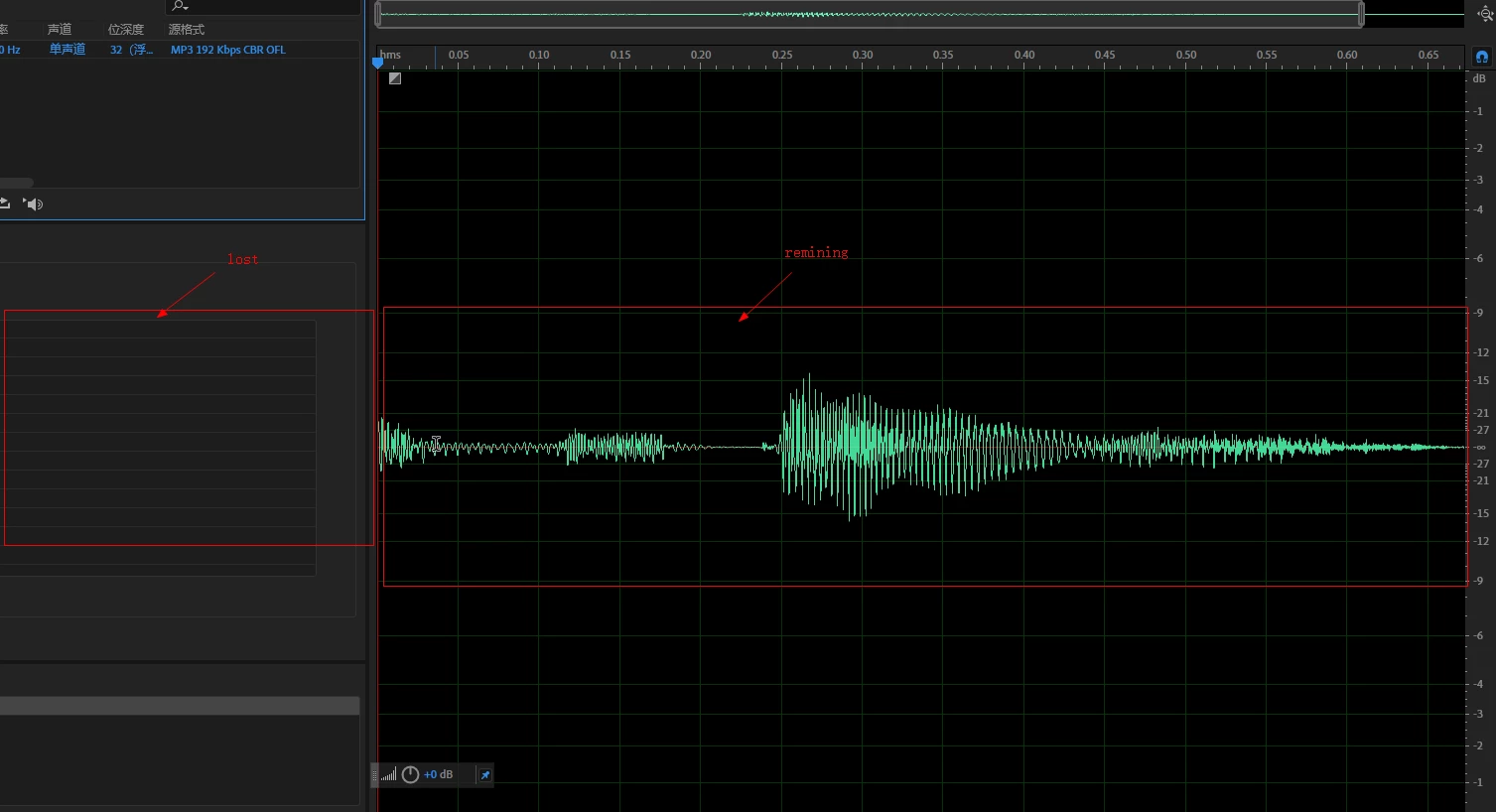
 i import the same audio file into other daw,such as reaper,goldwave,etc. it works well. i can see and hear the whole audio.

 i guess , the phenomenon may due to audition cut the header file of the mp3 coding file automatically??


whatever, is there any solutions can solve my problem about this which maybe important,thanks!


ps: here is my audio file.

https://1drv.ms/u/s!AoqP5VckTZWCgSjPrr0ed9BrTXl6?e=aEFu11 

このトピックへの返信は締め切られました。

返信数 1

SteveG_AudioMasters_
Community Expert
Community Expert
January 8, 2020

Everything in Audition to do with MP3 - which it does not natively handle at all - has come direct from Fraunhofer. Although that said, they've had to integrate what comes from the decoder and for all I know, that may well be chopping bits off, and yes, this may be to do with the metadata - I don't know but it certainly chops it off!


But here we are dealing with a file that's only 1.5 seconds long in the first place and Audition effectively cuts it in half, losing about 3/4 of a second. There's nothing in Audition that you can change that will alter this - everything's hard-coded. I do have a fix for you though, and it's free. Download mp3DirectCut and open the file in that. Now, if you copy the whole file and paste it next to the original, you have two copies of it. Save that, and when you open it in Audition you'll have 1 1/2 copies of it - but the second half will be the whole file.  https://www.techspot.com/downloads/530-mp3directcut.html


Meanwhile, I shall make enquiries as to whether there really is a minimum length MP3 file that Audition is supposed to handle...