
Participant
January 19, 2023
Question

working with keyframes

  • January 19, 2023
  • 1 reply
  • 340 views

Hi,

I have a multitrack that Im trying to add an intro to: 
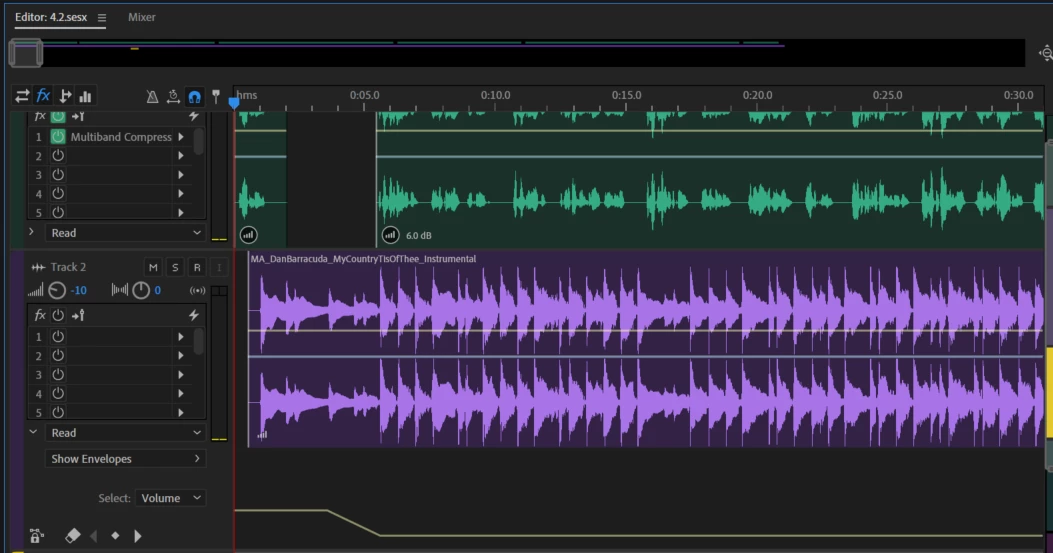
The problem is that I added keyframes to track 2 and when im trying to move all the trackes forward the keyframes don't move with them:
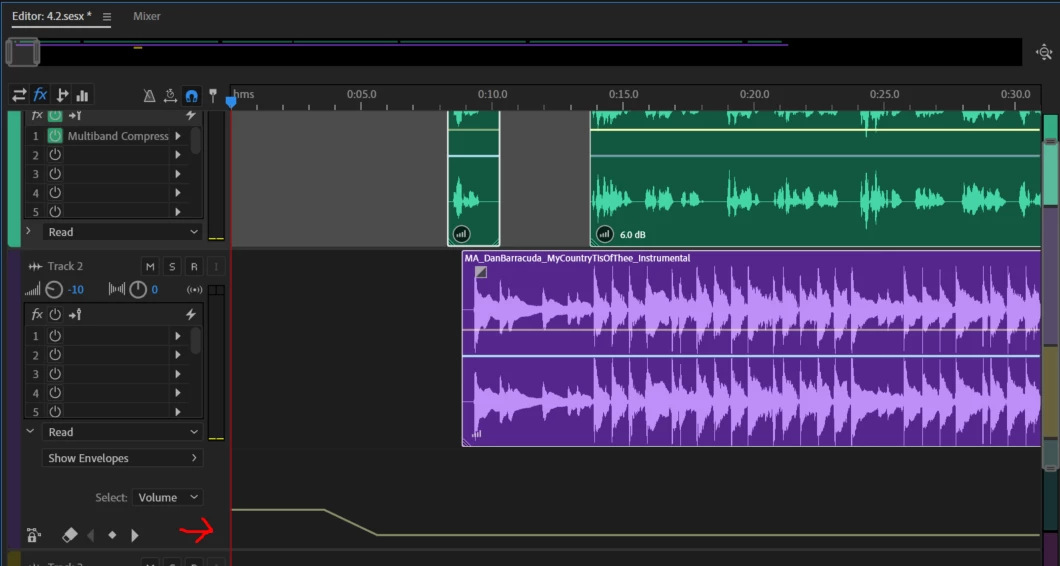
Does anyone know how I can move all the tracks forward and have the keyframes move in sync with them?

This topic has been closed for replies.

1 reply

SteveG_AudioMasters_
Community Expert
Community Expert
January 19, 2023

Put the cursor at the start of the session, right-click and select 'insert silence' - this will do exactly what it says, and will add time to the keyframes too. The only keyframable things available within in a clip that will move with it - i.e., if you use clip effects rather than track effects - are the clip's volume and pan settings.

Participant
January 22, 2023

Thank you!

what do you mean by "The only keyframable things available within in a clip that will move with it - i.e., if you use clip effects rather than track effects - are the clip's volume and pan settings."

SteveG_AudioMasters_
Community Expert
Community Expert
January 22, 2023

Isn't it clear? You can add effects to a clip, as opposed to a track, but you can't keyframe them within the clip. The only aspects of a clip that you can keyframe specifically within the clip are the volume and pan settings. Those keyframes will remain with the clip and move with it, but that's all.