
Participating Frequently
October 25, 2019
Question

2019 move or duplicate in group

  • October 25, 2019
  • 1 reply
  • 309 views

This missing functionality has been unavaliable in all versions of Captivate, but all other Adobe products is work fantasitc. This is basic functionality and along with many other basic functions, I do not know why it is not included in Captivate.


To work around this problem so I can add an item to a group. I have to perform these steps

1) Select all item in the group

2) Remove the items from the group

3) Select all items that were previously in the group

4) Include the new item in the selection

5) Group the items

6) Rename the group to the previous name, because that group does not exist

Just to add an item to a group......


Why can I not duplicate an item inside a group?
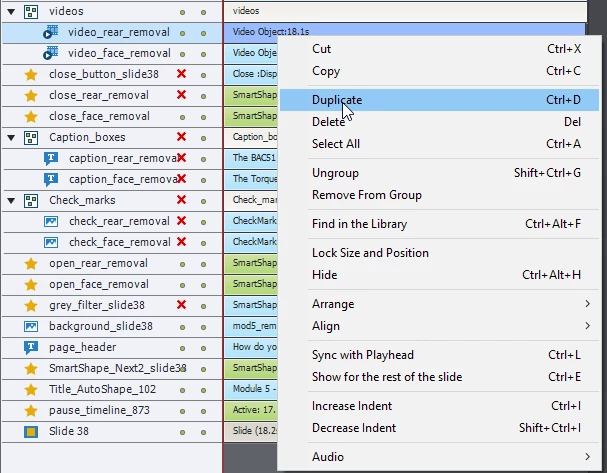
 

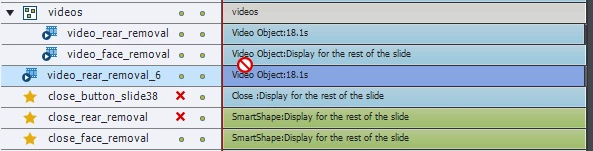
Or move an item inside a group


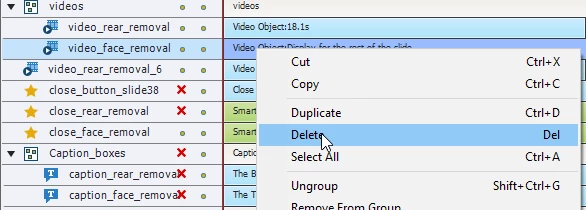
But I am able to delete an item from inside a group
 

    This topic has been closed for replies.

    1 reply

    Lilybiri
    Legend
    October 25, 2019

    Your workflow to add an item to a group is not what I use, this is mine:

    • Select the group
    • Add the item to the selection
    • Group with the right-click menu or the shortcut key

    I don't know why this is not working for you, has always been the normal way since object groups were introduced.

    Participating Frequently
    October 25, 2019

    and that works fantastic, now that I know that, but if you are working in any other Adobe products that functionality will not work.

    Here I am selecting the group and another layer, when I click Ctrl + G (to group) it makes a group in a group


    When I drag a layer inside a group, it gives me a indicator, asking where do I want to place the layer in the group


    Lilybiri
    Legend
    October 25, 2019

     Activate has only one level of grouping, contrary to other Adobe applications. That type of differences is not only existing in CP, many differences between tools in AI and PS as well.