
momolipson
Participating Frequently
July 26, 2013
Question

A Fatal Error Has Occured - Captivate 6

  • July 26, 2013
  • 1 reply
  • 1259 views

Hi there, I have seen some threads on different error issues of Captivate, but mine is worse.

Since the Captivate 4 installed in my office PC, it never ran smooth. Our IT purchased version 6 for PC with hope to improve performance. But since day one, it has never worked.

First, it refused to boot, because the folder 'My Adobe Captivate Projects' was set to be installed in 'user's documents' folder, as by default. There wasn't much space in that folder because our company PC was set to limit the users' personal space, and I wasn't able to ask it to install in another folder (such as C drive, which would solve my problem). This folder wasn't installed at first. My Captivate opens then quits instantly. Our IT came and manually copied the 'My Adobe Captivate Projects\Layouts' folder from another computer which has it installed. Now I have one file named White.cptm in the folder named 'My Adobe Captivate Projects\Layouts\6_0\en_US'. That's the only Captivate file I have under Documents.

After adding the 'My Adobe Captivate Projects' folder, it can be opened. But as soon as I set to 'capture', it quits with fatal error message within 6 seconds into capturing. The temp folder, the export folder and cache all set to D drive (local drive). I can not open someone else's project files, I can not record, or any other operations.

Our IT came in again, we did a major clean up of all temp files, cache, etc... Still no luck, same fatal error. The message look like this (classical, like many users')
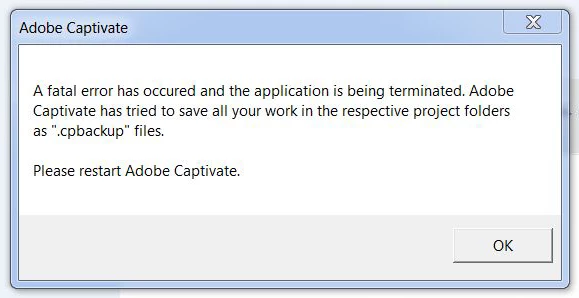
Could anyone tell me where has gone wrong? How can I ask Captivate to NOT READ FROM MY DOCUMENT FOLDER, instead I move everything to C drive (where rest of Captivate programme files are located)? Or there is a problem somewhere else?

I would be very greatful if someone can give a hint...!

OS: Windows 7 Enterprise. Intel Celeron 2.5GHz. Ram 8GB.

This topic has been closed for replies.

1 reply

RodWard
Community Expert
Community Expert
July 26, 2013

In Captivate 6 you cannot change where it will want to find the Layouts folder. That's what will kill your plans here. 

You can configure the Default Location for Project Cache and for Publish Folder and for the FMR temp folder by changing field values in your Preference settings.  But Cp6 provides no way to change where Captivate will insist on having the Layouts folder that contains your Themes.

Captivate 7 has addressed this issue by offering that as a preference too.  My suggestion is that you upgrade immediately to Cp7.  In your particular environment, with the way your network and My Documents folders are set up by your IT department, you will have ongoing nightmares with Cp6.

Another thing you will need, even with Cp7, is to have IT configure your system so that you always launch Captivate using the Run As Administrator permission.  They don't need to make you an administrator on your entire PC.  They just need to configure the permissions for Captivate so that your profile is always allowed to run CP using Run As Administrator.  If they don't know how to pull that off, they don't deserve to get paid.

momolipson
Participating Frequently
July 26, 2013

Thanks very much for your speedy answer! I tried hard to change it without any result, so I expected it could not be done...

Since I cleaned up my personal space just for Captivate, I will not store anything in my document, to make space. Now technically there is enough space to work with.

I have already set my preference settings to export/save/cache/whatsoever into D drive. It was the first tihng I attempted. I think the problem lays deeper though.

Now when I open the programe, it refuses to show me more than the welcome screen.

I can click 'blank project', then click on one of the default values, then OK. Nothing happens, I am back at welcome screen.

The only button actually can perform is the capture (software stimulation). If I start capture, it will show me fatal error instantly.

Everytime I open it, I would get stuck in one of the steps, today here, tomorrow there...I dont think I can have IT upgraded it very soon. So I try to solve this problem in the meantime... I will ask them to make it Admin for me, and see how it goes.

Do you know if there could be other things I could try?

Thanks a million.

RodWard
Community Expert
Community Expert
July 26, 2013

Are you running Captivate at present using the Run As Administrator command?  (It does not sound like you are.)