Inspiring
April 27, 2022
Answered

Accessibility is not working properly

  • April 27, 2022
  • 1 reply
  • 645 views

I would like to make our course as accessibility complaint. After enabling the accessibility object wise and slide wise, no visuals are showing while previewing the output in HTML5 and in LMS.

I followed the same procedure as mentioned in the below forum: https://helpx.adobe.com/in/captivate/using/creating-accessible-projects.html

I am not sure why I am getting blank slide after adding the accessibility for the objects. But, I am able to see the visuals and accessibility when I preview the course locally in Captivate: Preview -> Project.

To precise,

1) Accessibility and slide visuals are not showing when I preview the output in HTML5 and LMS.

2) When I preview the output locally in Captivate, object interaction is not behaving correctly as per the script added after applying the accessibility to object wise.


Thanks for your answers please. 
    This topic has been closed for replies.
    Correct answer Velayutham23207238m26x

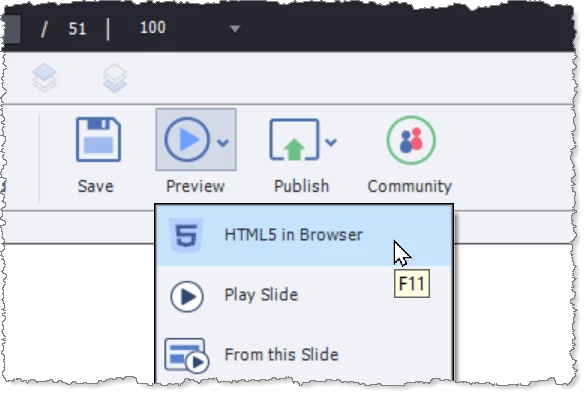
    You do not need to upload your project to an LMS if all you want to do is see how it looks in HTML5. You can use Preview > HTML5 in Browser as shown below.

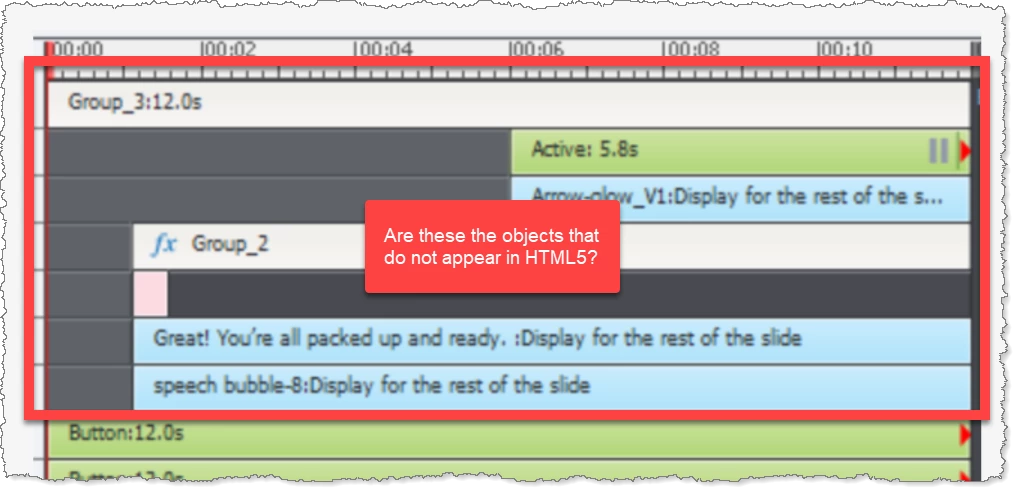
    Quick question: Is it the objects in Groups 2 and 3 (as shown in your Screenshot1.PNG) that are not appearing on screen when you play in HTML5?

    If so, please do a test by moving their starting points to the very beginning of the slide and see if they then are visible in HTML5.  Let me know the results.


    Hi, 

    Thanks for your detailed answers!

    I got it. 

    1 reply

    RodWard
    Community Expert
    Community Expert
    April 27, 2022

    Captivate's Preview Project option is not showing you what the project will look like in HTML5.  It's actually using an SWF player to preview.


    If you are not seeing any objects appearing on screen when viewed as HTML5 in a browser, one likely reason is that you have interactive objects on your slides that are pausing the timeline. Take a look at your timeline in Captivate's and see whether you have buttons with pausing points like these.

    If your timeline is being paused BEFORE objects are due to appear on screen then you will not see them.


    I am suggesting the issue here may be due to buttons because only interactive objects (such as buttons) will respond to tab navigation.

    Inspiring
    April 27, 2022

    Thanks for your answer!

    I confirm to you that there is no pause before object appears, screenshot attached (Screenshot 1).

    And, to follow your steps:

    -> I have created one empty slide, added & enabled all the accessibility object wise and slide wise, screenshots attached step wise. No accessibility interaction is appearing in HTML5 browser when I press TAB key after updating accessibility slide wise and object wise. But, I could see the yellow interaction when I preview in Captivate (screenshots updated). 

    I am not sure why this is not working in HTML5. We have to make our course as Accessibility complaint ASAP. I don't know why it is not working properly as we have these accessibility functionalities in Captivate. 


    Thanks for your answers. 

    Inspiring
    April 27, 2022

    Adding a screenshot of the HTML where there is no accessiblity interaction.

    Please guide me if I miss something to update in order to make our course as Accessibility complaint. 


    Thanks