Known Participant
January 21, 2023
Question

Acciones avanzadas

  • January 21, 2023
  • 1 reply
  • 280 views

Buen día.

Alguien tiene idea de porque al utilizar las acciones avanzadas me sale esto.
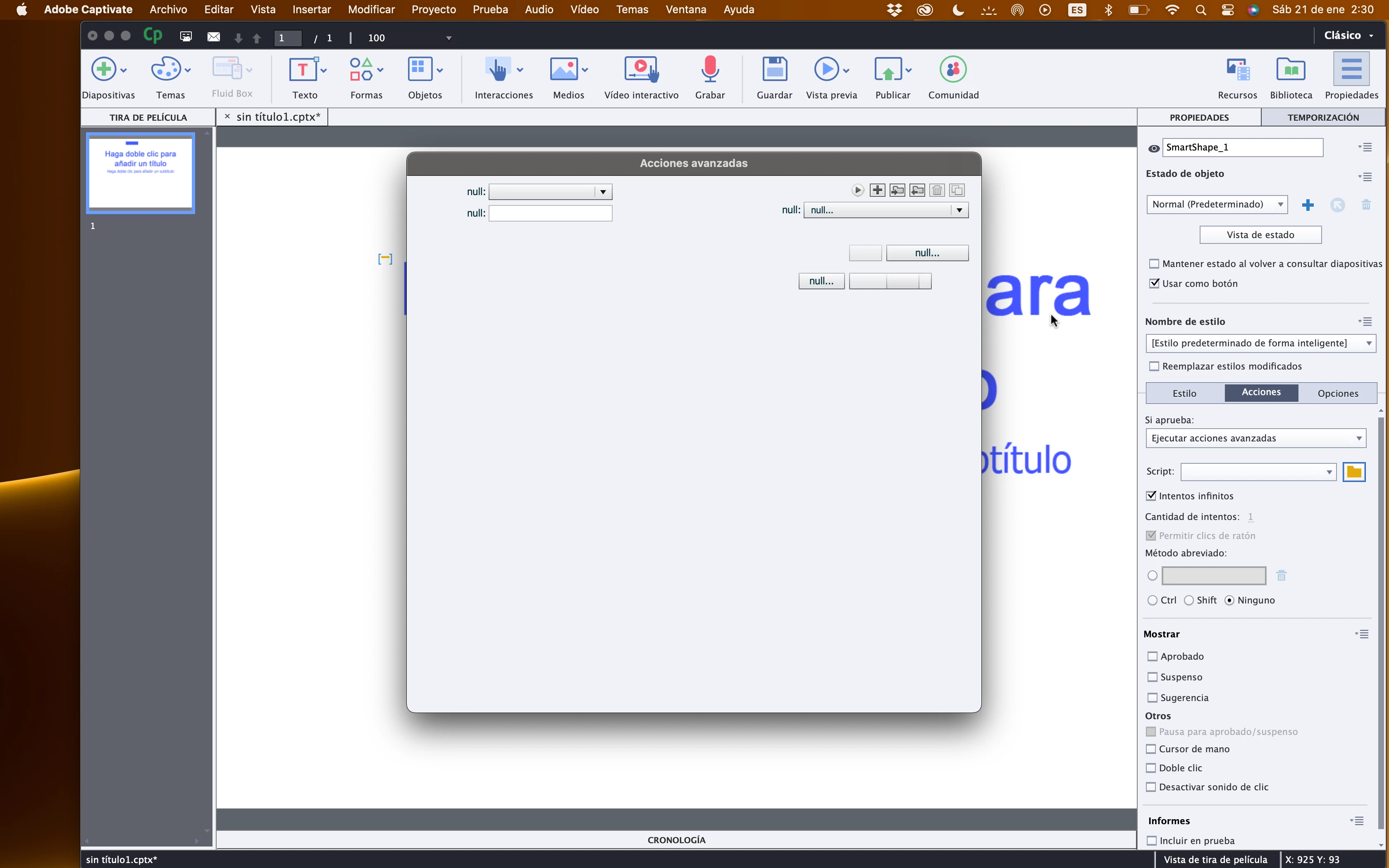


Tendre que instalar algo más antes de instalar Adobe Caaptivate.


Gracias.

    This topic has been closed for replies.

    1 reply

    Lilybiri
    Legend
    January 21, 2023

    Something is definitely wrong. Can you try first of all to do the usual troubleshooting actions:

    • Clear the cache (Preferences, General Settings has a button to do that)
    • Clean the Preferences: find the subfolder 'utils' under the installation folder and run the file 'CleanPreferences...' appropriate for your OS while Captivate is closed. Restart Captivate and check if the issue is solved.

    More information in this blog post:

    https://blog.lilybiri.com/tips-for-troubleshooting


    Known Participant
    January 28, 2023

    Muchas gracias Lilybiri, por la solución que me diste, creo que ha de ser algo mas complejo ya que sigue igual.


    Saludos.

    Lilybiri
    Legend
    January 28, 2023

    Worth trying anyway.

    Can you check the exact version you are using? The full version number can be found under Help, About Captivate. Which OS do you use? 

    Did you install the application on a local disk? Are the folders under Preferences, General Settings (Publish at and Cache) pointing to your local disk as well? Captivate doesn't like external storage nor networked storage.