


Accordian interaction will not center or size, plus a dead Next button
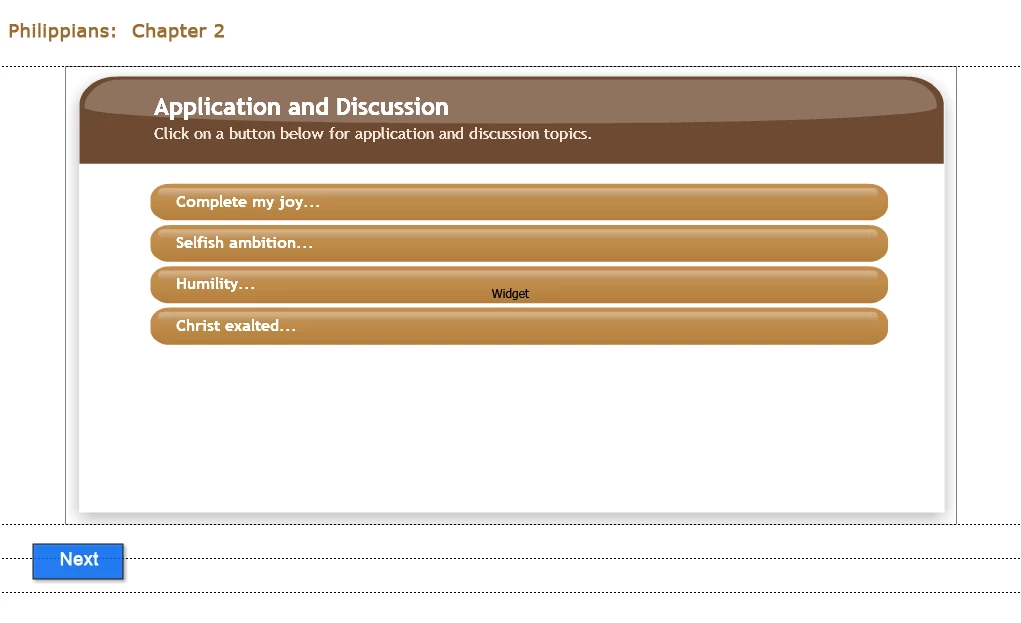
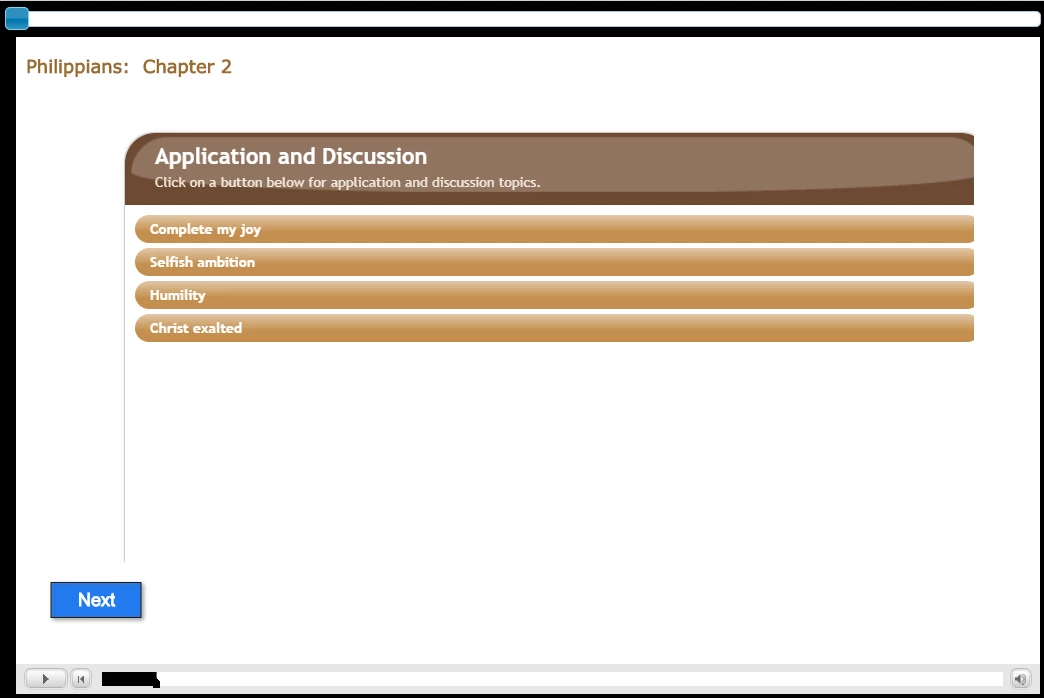
I have added an accordian learning interaction to a fluid box on a responsive slide. When editing, the accordian widget shows in its entirety and is centered in the fluid box. However, when I preview it, the right side and bottom of the widget are cut off. I have lost track of all of the different attempts at changing height, width, padding, fluid box positioning - after 3 hours of this I am stumped. Also the next button, though active for the entire slide, will not jump to the slide specified in the action. I am previewing in the latest version of Edge, which has the most recent Chromium updates, so I don't think it is an HTML5 issue. Would anyone have any ideas as to how I can fix the positioning issue with the accordian widget, and why my Next button appears to be dead?
Here is the view when editing...
And here is the view when I preview...
 AdChoices