
Accordian widget broken after latest update?
So I'm hoping someone can help me fix this, or knows of a workaround for what appears to be a glitch in the According Interaction. (Interaction/Learning Interactions). At first I thought maybe it had something to do with the way I was sizing or styling it, so I tried several stock themes and did not change a single thing. I did not even resize it. 
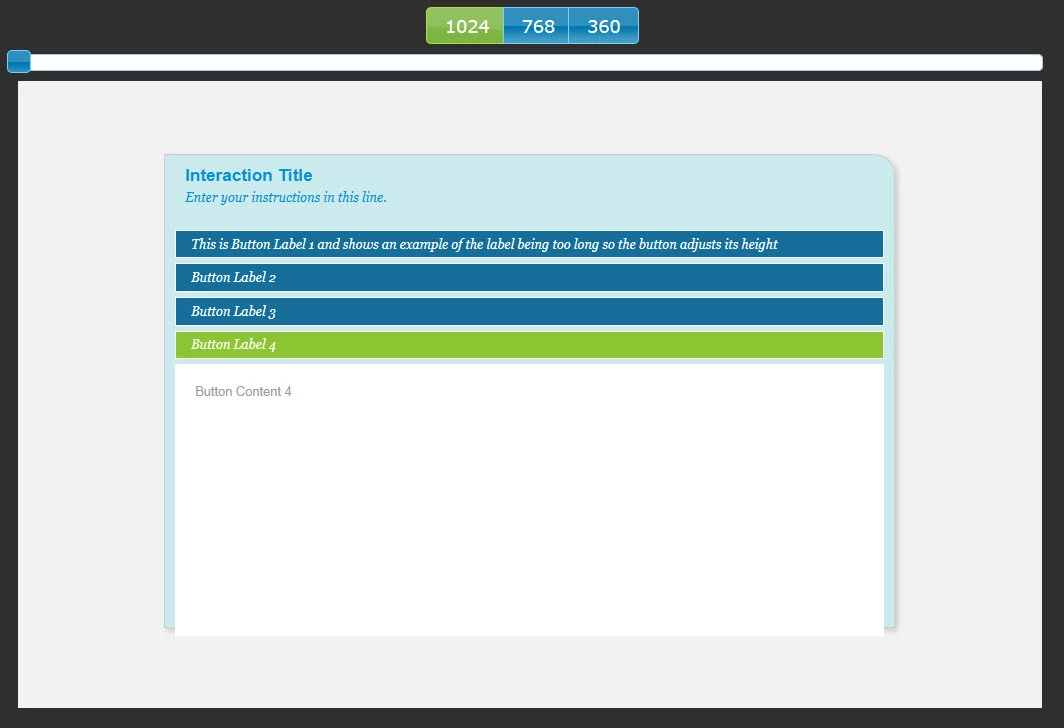
The text and buttons hang off the bottom edge, until the page is resized. The series of images below show this effect, and you will notice it fixes itself when I switch between views. This "self correction" happens when fully published (resizing the browser window), or just previewed, (switching views).
First view at 1024, notice the page and buttons over hangs off the lower edge.
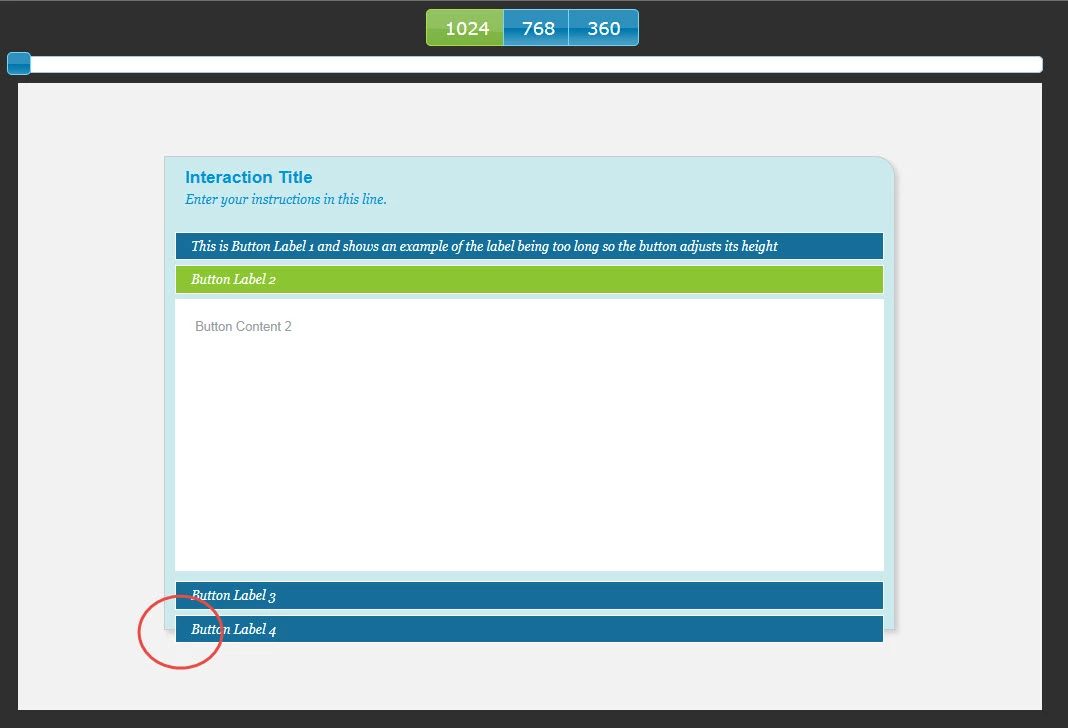
Second view: All I do is switch the window (preview) or resize the window a little smaller (full publish)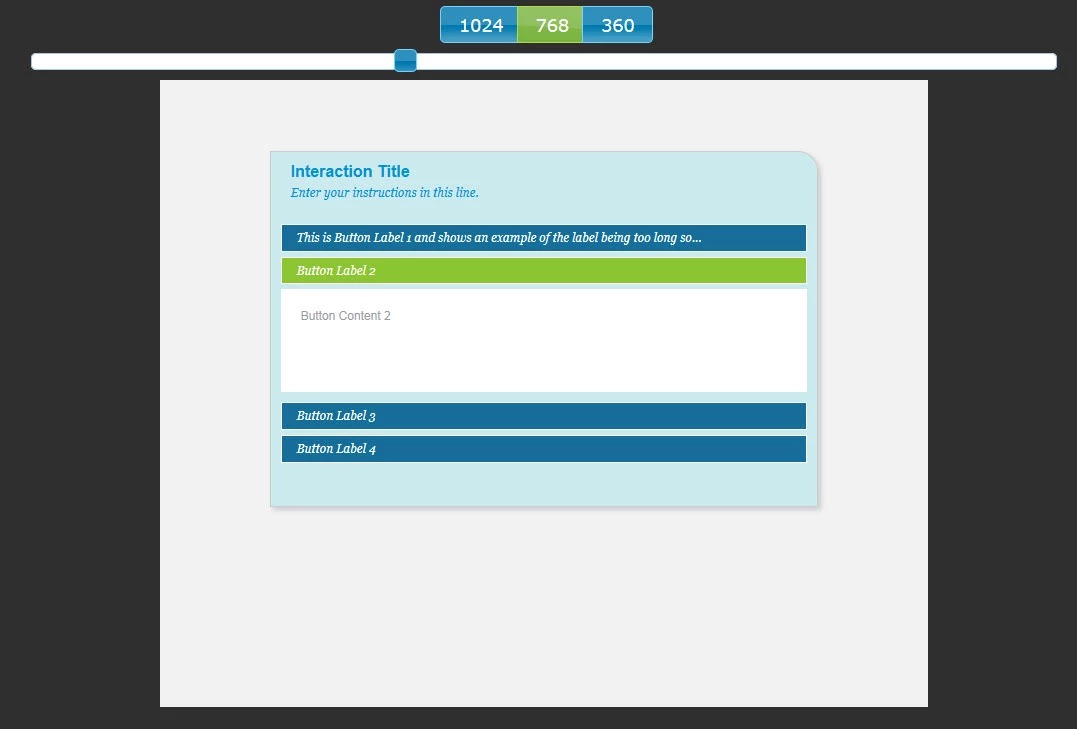
Now the buttons do not overhang off the bottom edge and it looks decent when I switch back to the original view:
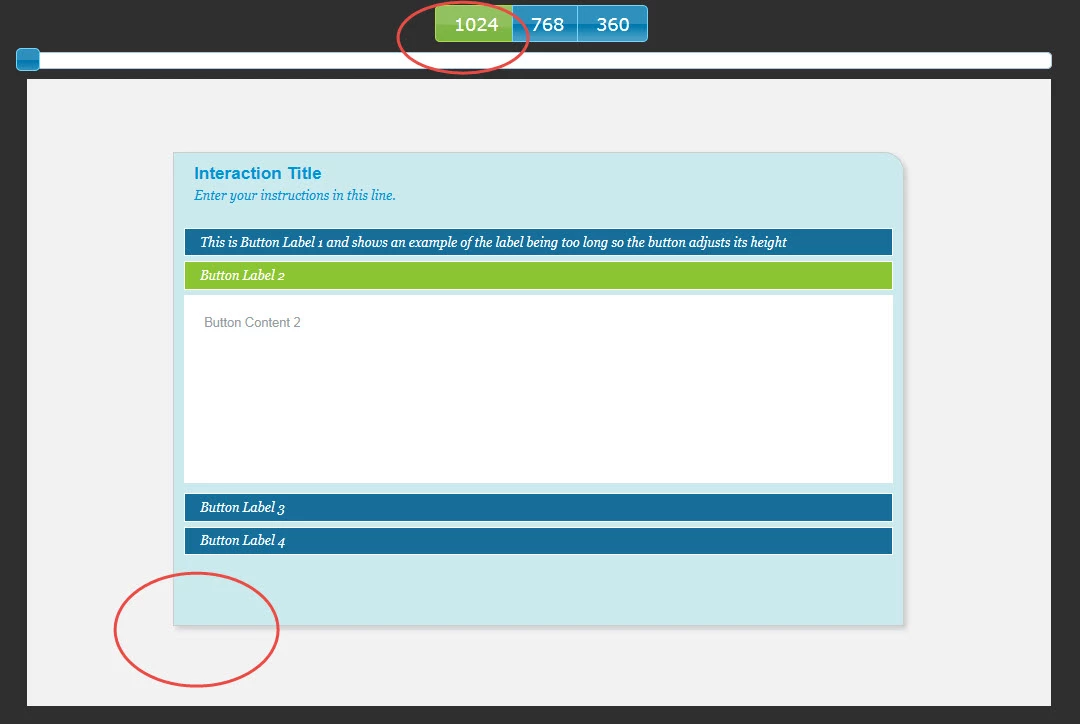
I would really like to use this interaction if possible. Does anyone know why this is happening and/or how to fix it?
(I even attempted to place a smart shape on top of the widget (like a footer bar) in order to hide the "ugly", but no matter how the orders are arranged, the interaction always appears on top. Is this another bug as well? Can this be fixed too? (I'm thinking a z-order fix perhaps)
P.S. It looks even worse if don't select "Scale Text": (but it does still correct itself when switching views.)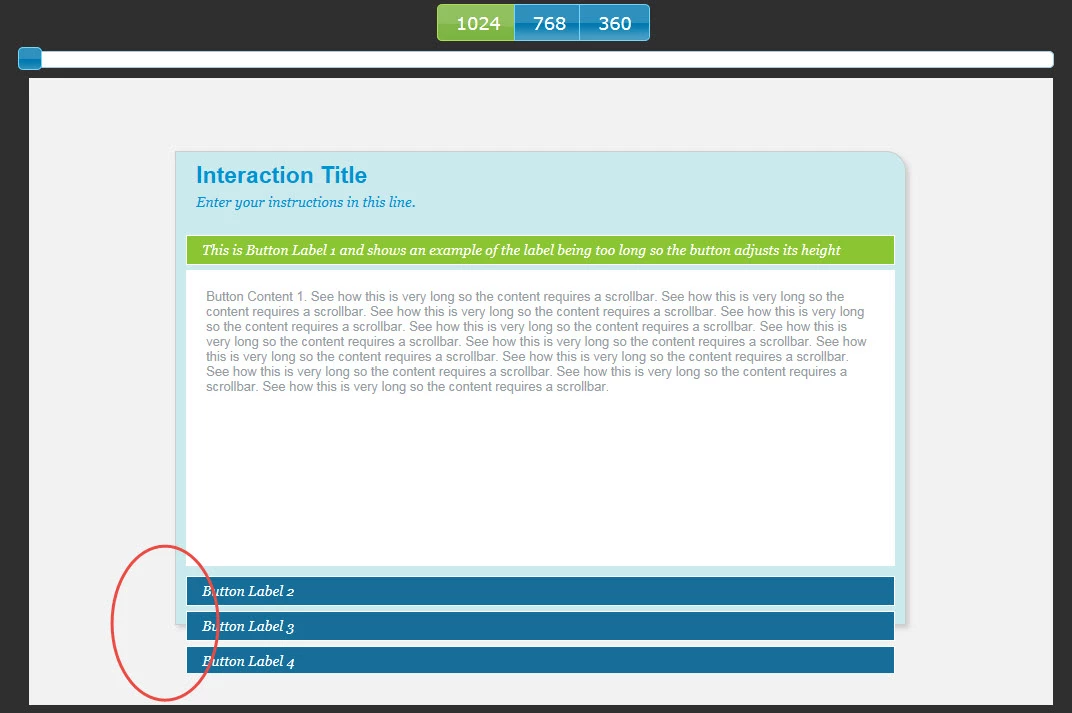
I appreciate any help I can get on this. Thank you!


 AdChoices