


Participant
November 9, 2021
Answered

Activate 2019 crashes if I add a Matching question slide

  • November 9, 2021
  • 1 reply
  • 229 views

Hi!


I work on Captivate 2019, version 11.5.5.553. I have a problem with the Matching question slide. Everytime I add one, Captivate crashes automatically.


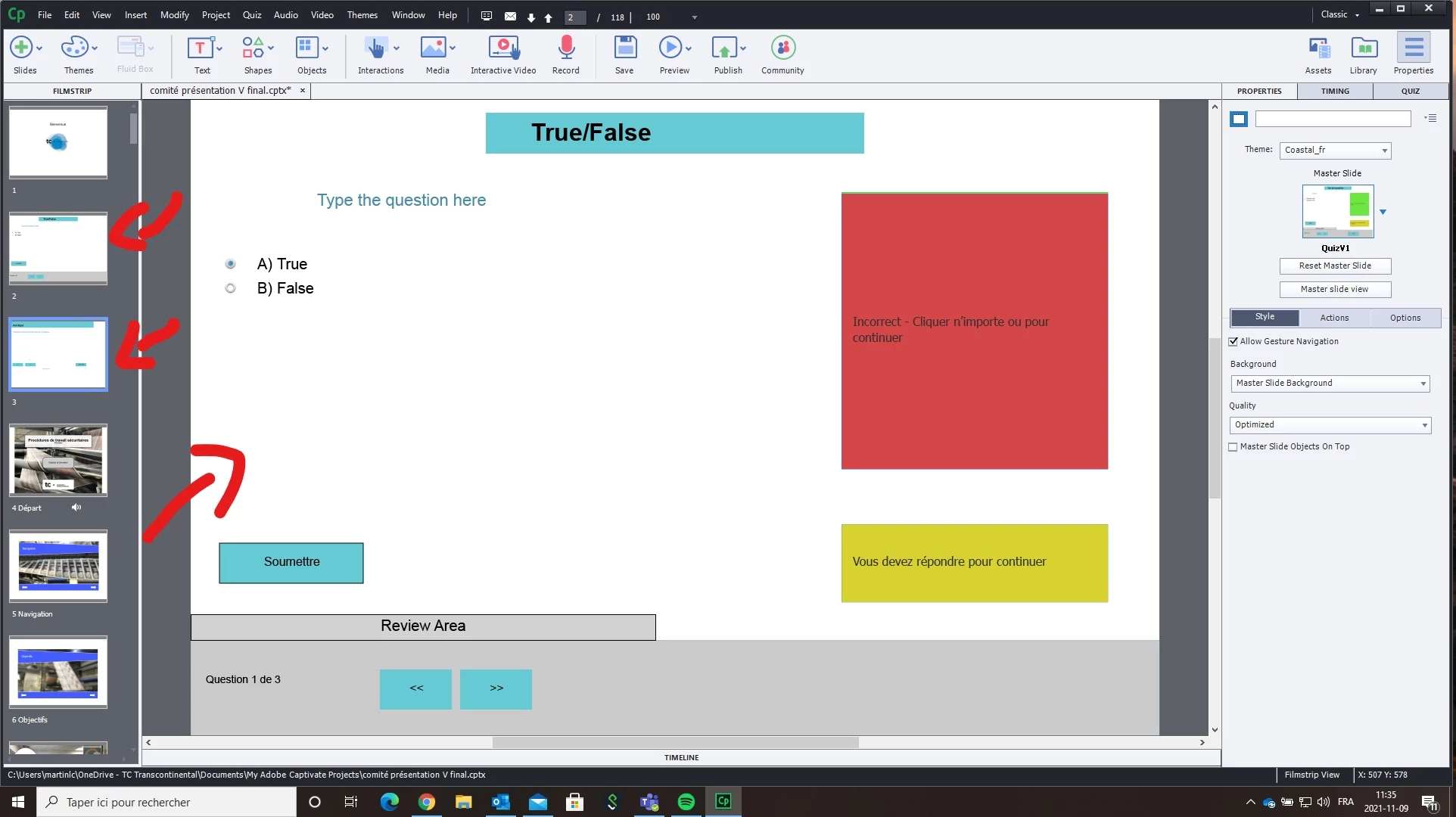
If I try and add a matching question slide and another question slide, it doesn't crash, but I cant view the matching question slide. If you look at the picture joined with this post, I have the Matching question slide selected on the left side of the screen, but I still have the True False question slide on the right side of the screen and it never changes. (I sometimes have a similar problem with result slides in other projects)


Anyone ever had that problem? What should I do?


    This topic has been closed for replies.
    Correct answer Lilybiri

    Yes, I did see that the content was French and Captivate English. You really have to check the theme. Some of the quizzing objects are localized (Quiz Preferences, Default Labels). However it is more the version of the theme which could be the problem. In 11.5 themes have changed quite a bit.

    1 reply

    Lilybiri
    Legend
    November 9, 2021

    You are using a custom Theme. Is this a theme created in this version or is it an older theme?

    Can you show a screenshot of the Matching Quiz master slide?

    Participant
    November 9, 2021

    I can't see the Matching question slide, even if I select it in the Master slide view. That's probably it.


    The theme was created a while ago, when I was using the french version of the program when I first tried it out. I now have the english version. That might be the reason. I'll try and see if I have that problem when I use new theme. Thanks.

    Lilybiri
    LilybiriCorrect answer
    Legend
    November 9, 2021

    Yes, I did see that the content was French and Captivate English. You really have to check the theme. Some of the quizzing objects are localized (Quiz Preferences, Default Labels). However it is more the version of the theme which could be the problem. In 11.5 themes have changed quite a bit.
