Known Participant
January 16, 2017
Answered

Add ability to move slide to advance

  • January 16, 2017
  • 2 replies
  • 660 views

Hello Folks,

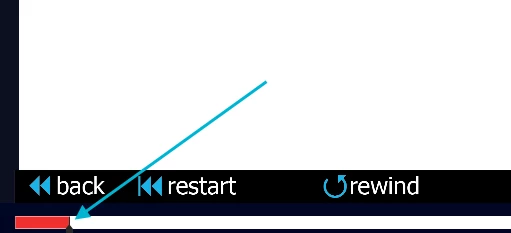
What option allows a user to drag the slider to advance during a slide?  Screenshot attached.
This topic has been closed for replies.
Correct answer Lilybiri

Yes, we have that enabled too so they are able to jump in and out of a section and have grouping enabled.  Some of these slides are a few minutes long (5-10), scrubbing helps to skip to an already viewed section rather than forcing the user to view all of the slide which may not be of use to them (from a referential standpoint).


I never have slides that long, not good practice. Much better to have shorter slides IMO.

You would better have a progress bar for each slide in that case. Have a look at Michael's tutorial:

https://elearning.adobe.com/2016/10/per-slide-progress-bars-for-captivate-tutorial/?query=progress%20bar

2 replies

stagprime12394478
Participating Frequently
January 17, 2017

While this may not directly answer the question, it may provide another method of achieving your goal.


In a project of mine one time, I desired a similar format where after completing the course the first time the navigation was unlocked to allow for review as often as the learner desired.


I did this using variables and advanced actions.


I created an open menu and hid the buttons and assigned to them a variable of '0'. Once the course was completed, (i.e. making it to the final slide), an action was done to set the variables of the corresponding menu buttons to '1' which allowed them to quickly jump to any section they chose.


Hopefully this is some useful food for thought.

Lilybiri
Legend
January 16, 2017

User can always drag the progress bar in the default playbars.  If you show the progress bar, it can be scrubbed to advance throughout the course.

Known Participant
January 16, 2017

Not fully understanding, could you clarify with some steps or screenshots?

Lilybiri
Legend
January 16, 2017

Trying for the third time to upload the dialog box of the Skin editor (under Project menu):

Forums are acting very weird today.
