



Adobe Captivate 9 not publishing in HTML5 to computer folder
Hello fellow learners,
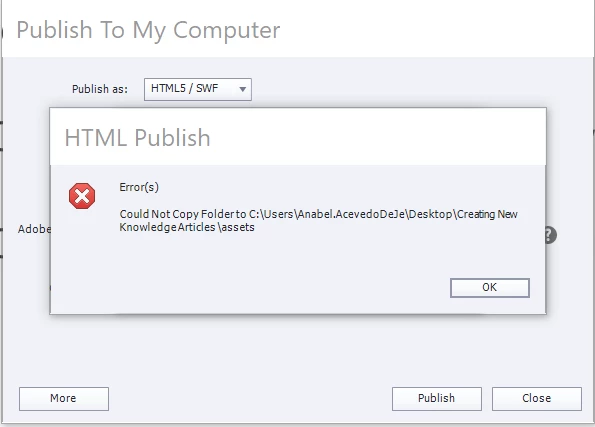
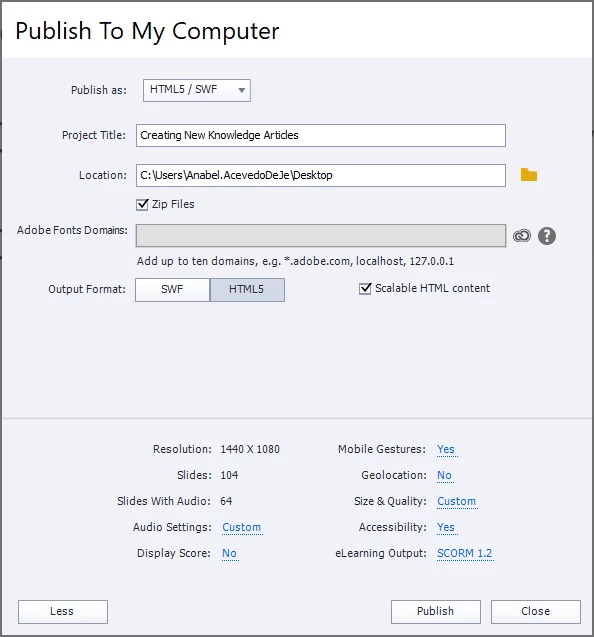
I just finished a Captivate 9 course that I need to publish in HTML5. When selecting <Publish To My Computer>, specifically the HTML5 output format, I am getting the error below.
"Could not copy folder to C:\Users\Anabel.AcevedoDeJe\Desktop\Creating New KnowledgeArticles\Assets".
I haven't had this issue with previous Captivate versions, and not sure why I would not be able to save a file into my own computer folder created on Desktop. Would this error be related to a Captivate 9 setting or computer permissions? Please advise! My only option for now is to publish in HTML5 to run the course into the Rustici SCORM Cloud and then pass it on to my colleagues for courseware testing. The course will be eventually published in Cornerstone LMS.
Thank you,
Anabelle Acevedo

 AdChoices