


Question
Adobe Captivate performs slow on Mac Retina displays
NOTE: As of Captivate (2019 release) Update 4, this issues has been fixed. Please see the release notes.
Adobe Captivate performs slower than expected on Mac Retina High Resolution displays, for examples, iMac 4K/5K.
We are working on fixing this issue and meanwhile, as a work-around, run Captivate in a lower resolution.
Perform the steps below
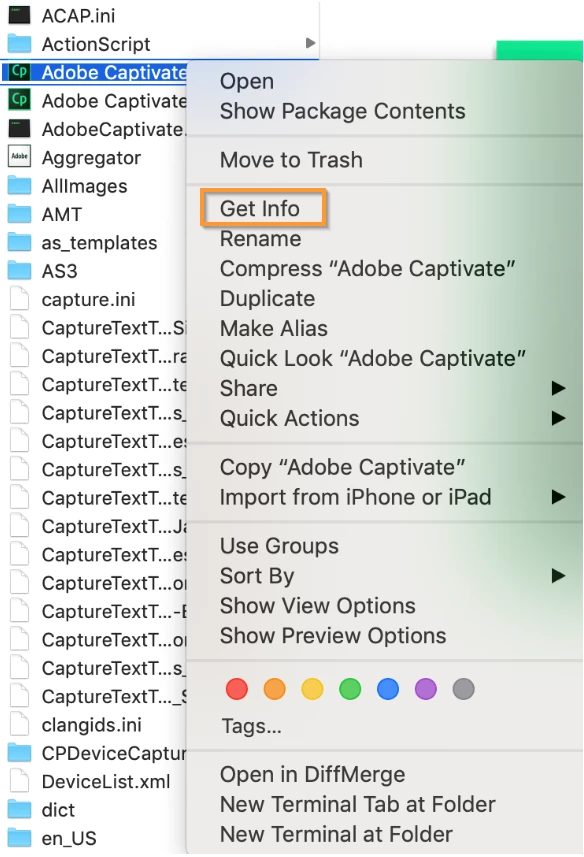
1. Right-click the Adobe Captivate app and click Get Info.
2. Enable the option Open in Low Resolution.
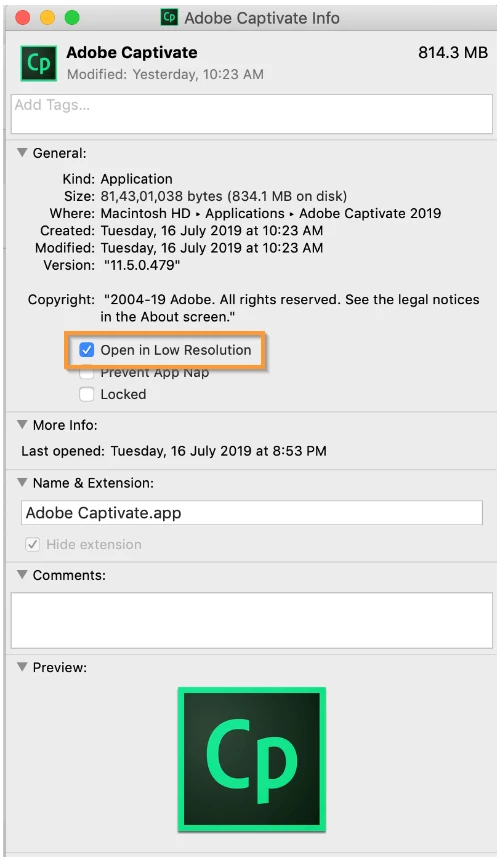
3. Restart Adobe Captivate and open the project.


 AdChoices