KevinACarter
Inspiring
November 22, 2015
Question

Adobe Captivate Segmented Cycle Chart

  • November 22, 2015
  • 2 replies
  • 472 views

Is possible to recreate this PowerPoint Segmented Cycle Chart within Adobe Captivate 9 without creating a separate image for every wedge / slice?
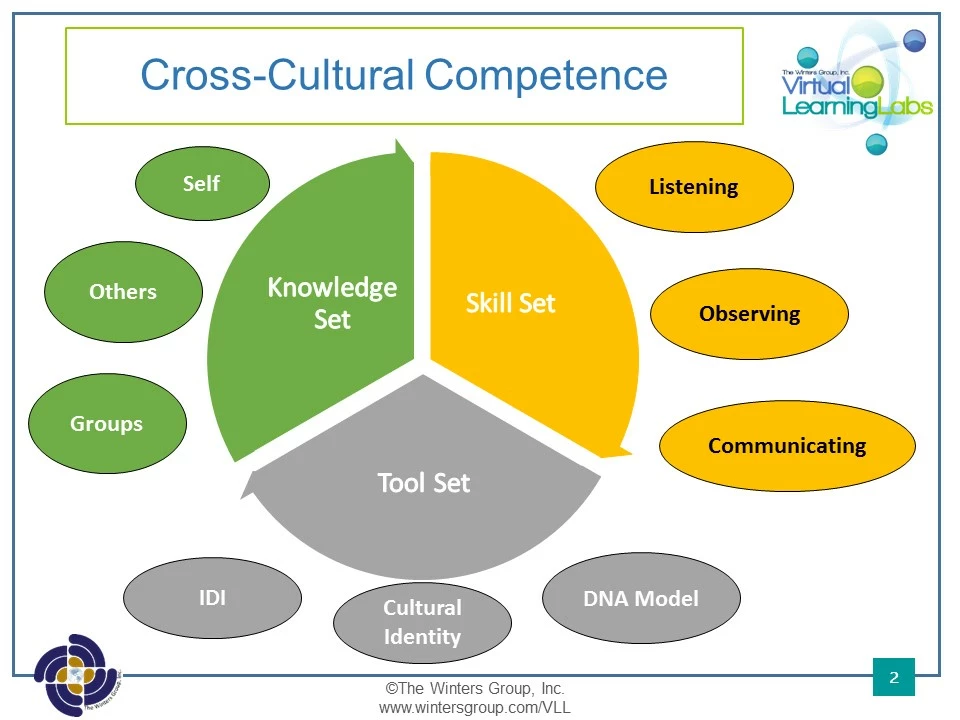

This topic has been closed for replies.

2 replies

Lilybiri
Legend
November 22, 2015

What do you want to do with it? Captivate is not a graphical application. I would use either Photoshop layers or create SVG's from Illustrator layers. My question is: do you want to use those wedges as buttons? They need to be separate in that case. You can use shapes, but will have to turn them into freeform shapes to create the look, it is possible but much easier in a dedicated application.

KevinACarter
Inspiring
November 22, 2015

Actually wasn't that big a deal. I created 3 images with each image having two slices white or transparent and then laid then on top on each other in Adobe Captivate 9. Was this the easiest method?

Lilybiri
Legend
November 22, 2015

I repeat my question: what do you want to use them for?

KevinACarter
Inspiring
November 22, 2015

Hi , the wedges show up on the screen as I discuss the three sections of the course. I want them to transition as I speak about them. What I did was time my narration and had the shapes appear at the appropriate times. It actually worked well. Again, I made the shapes in PowerPoint and just inserted them as image media.