
Adobe Presenter 11 Problems on Windows
Using Windows 7 Enterprise, Microsoft Office 2010 and Adobe Presenter 11.
Just installed new version of Presenter 11, yes it has product code, had Presenter 8.1. Uninstalled 8.1 then installed full version of 11.
8.1 worked great but need HTML5 publishing.
When version 11 was first installed it work great and was able to publish in any mode.
Second day of installation could not publish or get into Themes without error messages. Error message for publishing below.
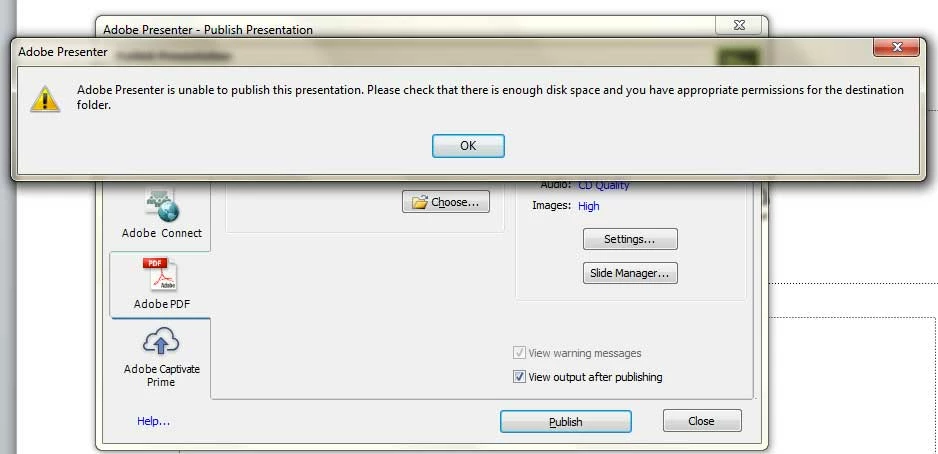
There is over 130 Gig of hard drive space and even after reboot the error happens, everytime.
I have done a clean re-Installation twice with NO success.
Have had corporate IT department manually look into the computer issue and basically came to the conclusion it is an Adobe issue.
NEED HELP with this issue PLEASE. If you need any other information contact me.
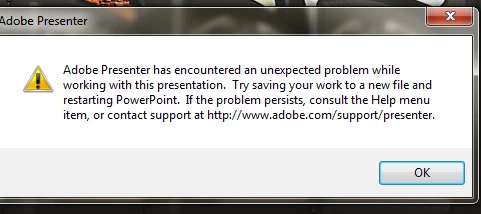
I forgot to add the error message when trying to click on Themes. This message pops up.
I have saved the file in different names and folders with NO success.
Thanks
Message was edited by: John Myers
 AdChoices