



Advanced action breaks when clicking "updating action"
Hello there fellow Captivate users.
I am running into an issue with my advanced action breaking, and thus my slide is not working, so hoping someone can help me!
I am running Captivate 11.8.3.8 on Windows 10.
I have a slide with 8 click objects, 8 indicator arrows working with those objects, and one text multistate object which interact with an advanced action:
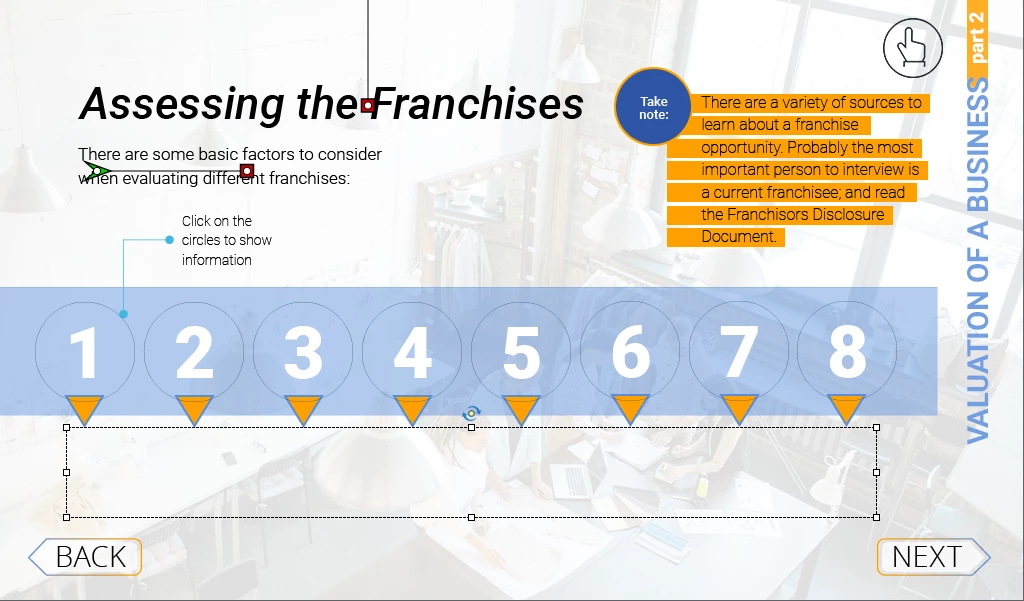
I renamed all of them so that I can find the objects and build the advanced action, which does the following:
- Change the state of the text object to one of its 8 states
- Change the state of the current click object to selected
- Reset the state of the other 7 click objects to normal
- Show the indicator arrow of the current click object
- Hide the other 7 indicators
BUT when I save the advanced action, the names of Indicators 6, 7 and 8 change to 2, 3 and 4!
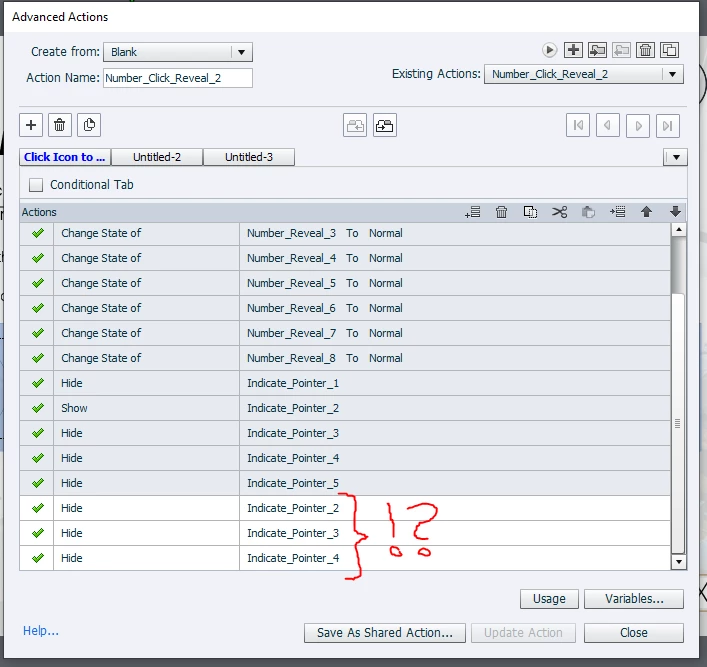
(I was even sometimes struggling to find number 8 from the list available, and had to type out the name in order to get to it, not sure if this is a bug or just the limited space of the drop down and my action being so long - possibly the second, since I could easily see it in the second tab).
This same action is renamed and applied to each of the click objects, and the relevant changes made so that each click object reveals its arrow and changes the state of the text object.
The interesting thing is, the higher up in the number sequence I go, it resets one less number when I click "update action" - and so for number 8, it looks the way it should:
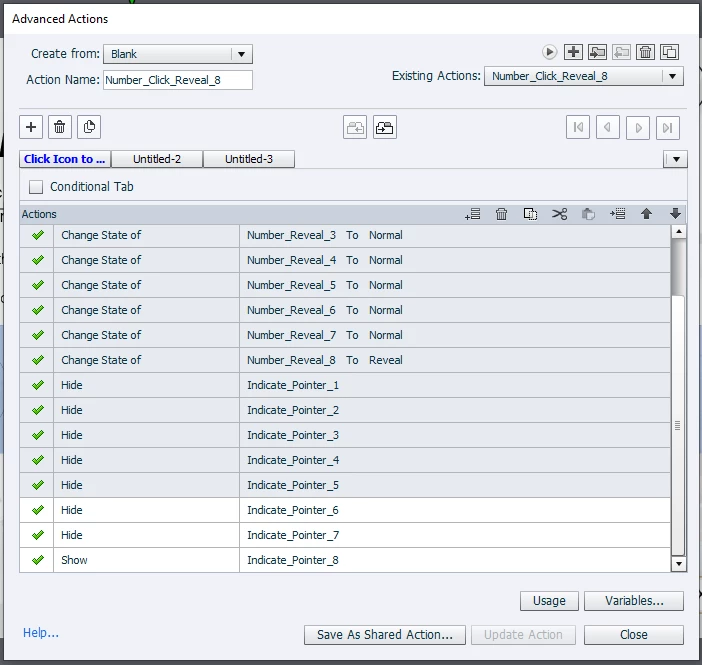
I previewed the project, and it does not work the way it should, it is broken, with the last 3 indicators not hidden when clicking on numbers 1-5.
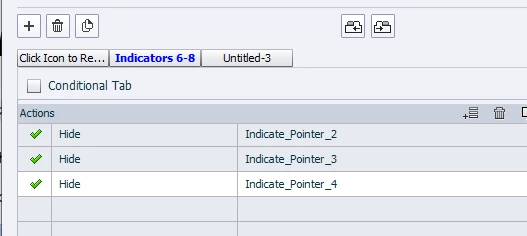
I tried splitting the action, by adding points 6-8 in a second tab, but it still resets the names!?
If someone can please tell me what I am doing wrong, I would appreciate it very much!
Thanks in advance

 AdChoices