danielb51742821
Inspiring
March 3, 2018
Question

Advanced action is not working in published html5

  • March 3, 2018
  • 1 reply
  • 1278 views

Captivate 9 - all updates

Hi,

Very strange behavior. I've created 7 very basic standard advanced actions for one slide, to show one object text box object at a time, apply an effect to it the one object and hide the remaining objects on the slide. The is a non-responsive captivate project.

Example:
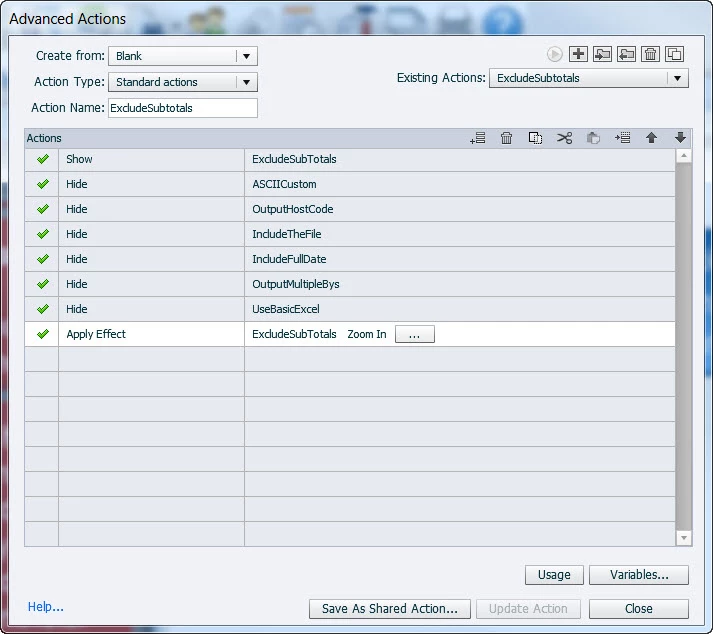
Each red box is a smart shape used as a button with the appropriate standard advanced action applied to it.
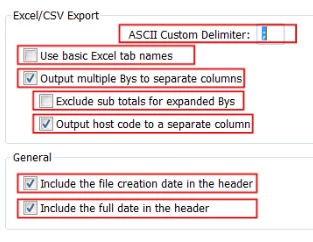
Result:

In html 5 preview in browser, the first click of any box is unresponsive. After the first click, all of them work as expected.

After published to html5, none of the red boxes are responsive to any clicking.

With the html5 preview behavior, it tells me the advanced action is created correctly and this is another issue. Ive rebuilt this slide, changed the background, and a few other tricks, but no luck.

    This topic has been closed for replies.

    1 reply

    Lilybiri
    Legend
    March 3, 2018

    First of all, never use the same name for two items. In this case I see that you use the same name for the advanced action as for the shape button. It may work, if you first label the shape button, but otherwise it is guaranteed to give issues.

    Secondly I would like to see the timeine, because you don't tell anything about the pausing points of those shape buttons. Can you please post a screenshot of the Timeline.

    Just one more tip: I would have used a shared action in this case for all shape buttons, after having grouped them. It would be a rather short one:

        Hide Group       Gourp being first parameter

        Show  SB_ExcludeSubTotals        the shape button will be the second parameter
        Enable SB_ExlcudeSubTotals            to make sure the button is active

        ​Apply Effect....

    danielb51742821
    Inspiring
    March 3, 2018

    Hi.

    Thanks!

    Your "First of all" - Is this a good practice or will it really break something. Will the name of The Advanced Action interfere with the name of the object?

    Here is the timeline. N pauses in any of the objects in the AA. Only on an object in my custom nav bar.

    Lilybiri
    Legend
    March 3, 2018

    Indeed, I had advanced actions broken because I didn't respect the general rule that you never can resuse any label. As I mentioned, there are some exceptions: it will be OK if you first labeled the button, before creating the advanced actions, but you'll get in trouble if label the button after having created the advanced action. Because there are so lfew exceptions, in any training I recommend to set up a labeling system that will avoid duplicate use of names. You could see that  I use one or two characters at the start of each labe: v_ will always start a variable name, SB wil start a Shape Button name etc. Better get used to that practice as well in order to avoid future porblems.

    Why is that slide so long, since there is no audio? You cannot group the buttons since you already have an effect applied to each individual button, what type of effect is that?  And when clicked you have another effect? The only pausing button has the end of its timeline linked to the end of the slide timeline, why?

    If I understand well from your advanced action, the only reason of the existence of a button is to have it hide other buttons and then Zoom in? That meand to me that only one button can be clicked on that slide. Can you explain the real goal, becaues I don't understand it.  After that unique click, the user can only use that navigation button? If all buttons are visible when the slide starts (since you have effects on them), you don't need the show command at all. I just tested that action, with Preview HTML in Browser (no Show) and it works fine. That means that it is due either to the setup of the other buttons or to the effects that happened before. Personally I would have kept a pausing point for the buttons, maybe before the pausing point of the Next button.