
courtneyd60754464
Participant
July 7, 2017
Answered

Advanced Action issue when text box input is 0

  • July 7, 2017
  • 1 reply
  • 322 views

I am designing a crossword puzzle in Captivate 9 and have been experiencing an issue with the text boxes that comprise the puzzle.  Everything in the advanced actions work great except for a few spots where the user needs to input a 0 as the answer.  No matter what comparison operator I use in the action (tried contains, equal to, etc.) or what value I start the user variable at it does not seem to register the text boxes where the user is supposed to enter 0 as incorrect.  Is there any work around as I cannot change what the user needs to enter in the box since it is medical coding information?
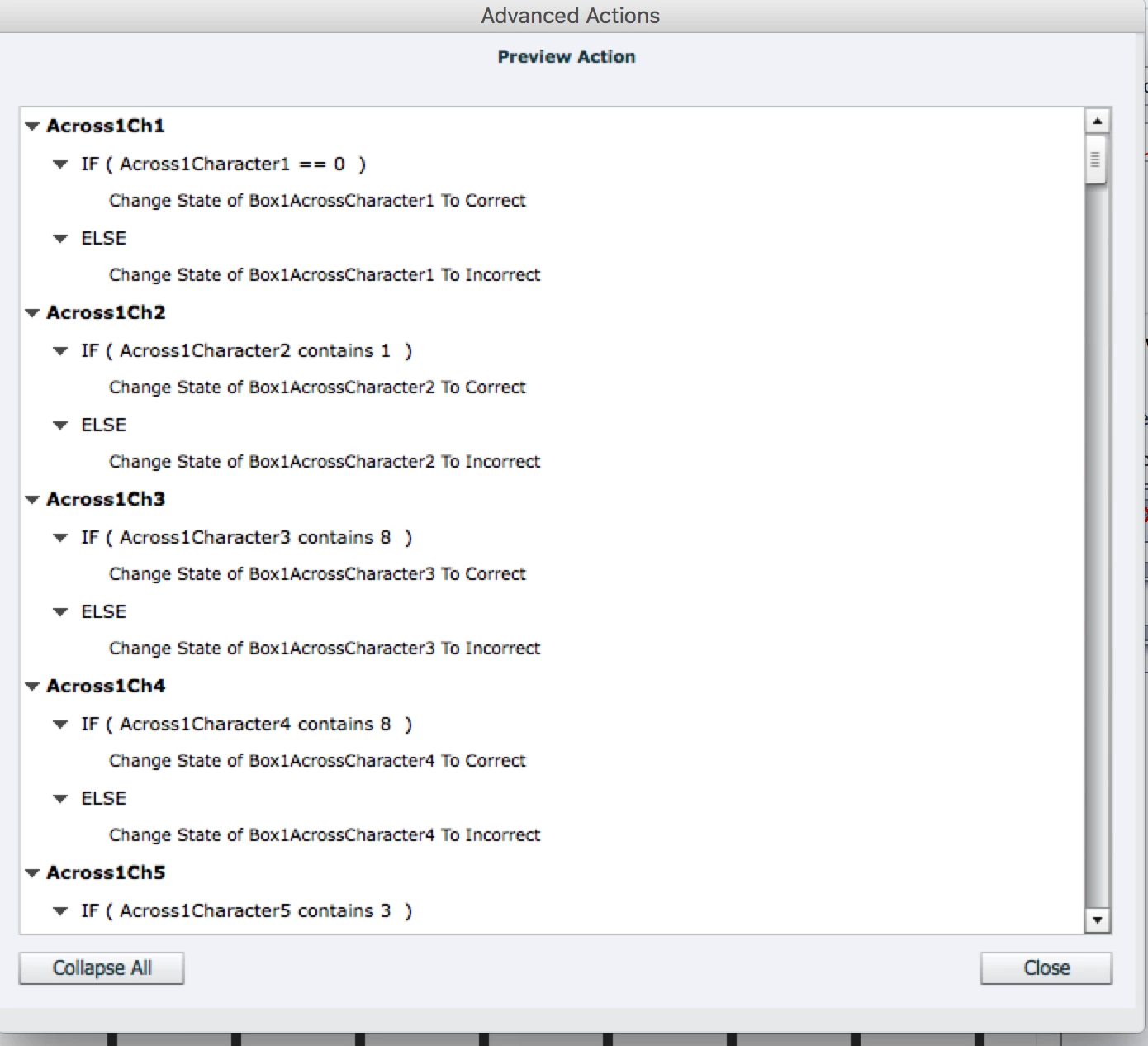
Thanks for any ideas!

This topic has been closed for replies.
Correct answer Lilybiri

That is the problem with Captivate, there is no easy way to distinguish the number 0 from an empty field or a text field.

The best way would be to replace the advanced action by JS. Long time ago i pbulsihed a post to find a workaround for an 'empty' value. Maybe you could try something similar?

Where is Null? - Captivate blog

1 reply

Lilybiri
LilybiriCorrect answer
Legend
July 7, 2017

That is the problem with Captivate, there is no easy way to distinguish the number 0 from an empty field or a text field.

The best way would be to replace the advanced action by JS. Long time ago i pbulsihed a post to find a workaround for an 'empty' value. Maybe you could try something similar?

Where is Null? - Captivate blog

courtneyd60754464
Participant
July 8, 2017

Thanks so much for your help!