
Participant
May 18, 2016
Answered

Advanced Action Scripts not loading in Advanced Actions window

  • May 18, 2016
  • 1 reply
  • 327 views

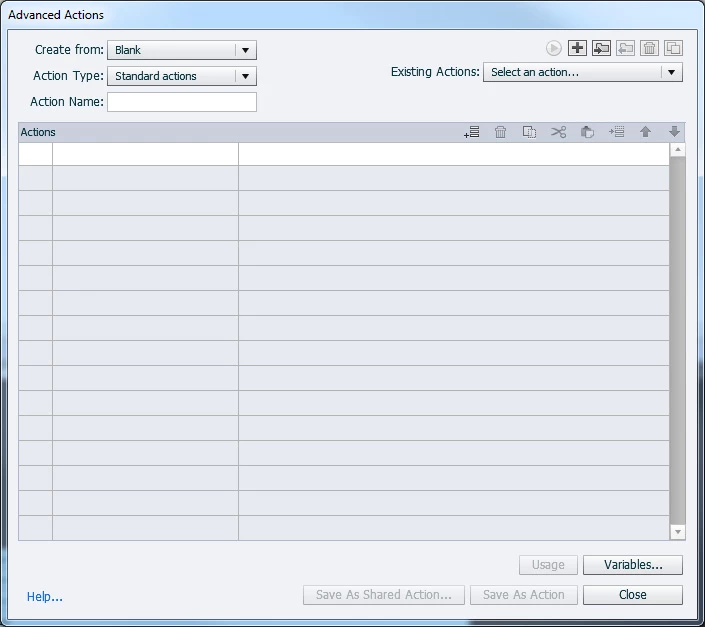
I have no idea how or why this happened, but on some scripts that I have applied to certain buttons, when I click the folder icon to open the script in the Advance Actions window, the script doesn't load. It just shows up blank like this (screenshot below). If I try to select it from the Existing Actions dropdown, it doens't load. If I try to make a new new script, it will work initially, but the same thing happens if I try to open it again. Any idea how to fix this?
This topic has been closed for replies.
Correct answer Lilybiri

It looks like corruption of the file. Are you careful with naming of the actions/decisions? Never use a name that has already been used for another object.

If you copy an interactive object to a new project, the action attached to it will be copied (at least if you are on CP8 or 9).  Normally copy/paste slides to a new project could help, only bit worried about copying with the actions.

Did you already restart Captivate and maybe your system as well? Worth trying.

1 reply

Lilybiri
Legend
May 18, 2016

Did you try to clean the Preferences? There is a file to be run in the subfolder 'Utils' under the Captivate installation folder.

It looks like a corruption. Does it also happen in a new project, or only in a specific project?

dcil_bobAuthor
Participant
May 18, 2016

Cleaning the Preferences didn't help. It's working fine in a new project. I did notice that when I update an action and then click close, it still asks me if I want to save my changes even though I did already. Whether I click yes, no, or cancel, the action doesn't load afterwards.

I guess there's nothing I can do about a corrupt file. Should I copy and paste the slides into a new project and start over on the scripts?

Lilybiri
LilybiriCorrect answer
Legend
May 18, 2016

It looks like corruption of the file. Are you careful with naming of the actions/decisions? Never use a name that has already been used for another object.

If you copy an interactive object to a new project, the action attached to it will be copied (at least if you are on CP8 or 9).  Normally copy/paste slides to a new project could help, only bit worried about copying with the actions.

Did you already restart Captivate and maybe your system as well? Worth trying.