
Participating Frequently
October 25, 2019
Question

advanced action typing bug

  • October 25, 2019
  • 2 replies
  • 478 views

When I try to type in the middle of text for a row there is crazy behavior with the cursor position.


Want to finish typing the word video in the middle of this name
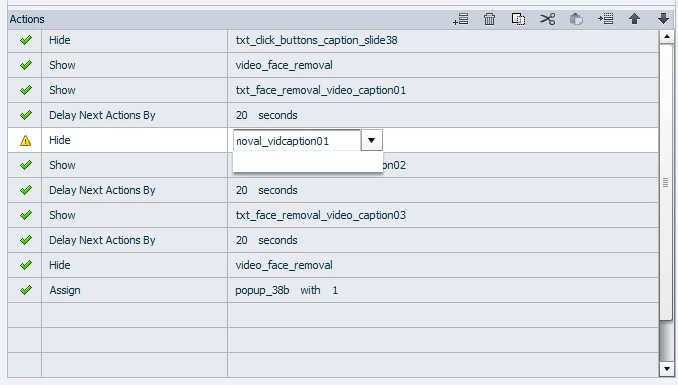
 

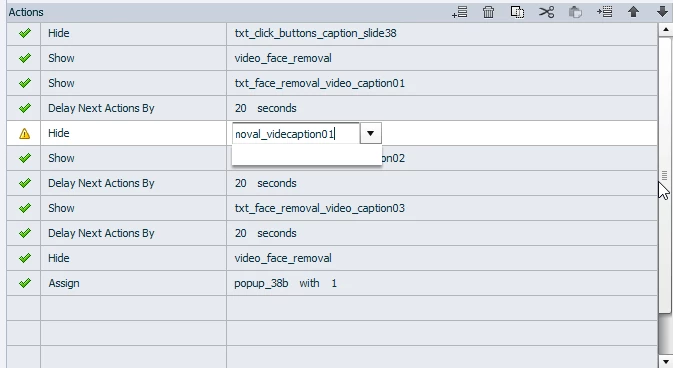
When I type the "e" the cursor goes to the end of the text, why????


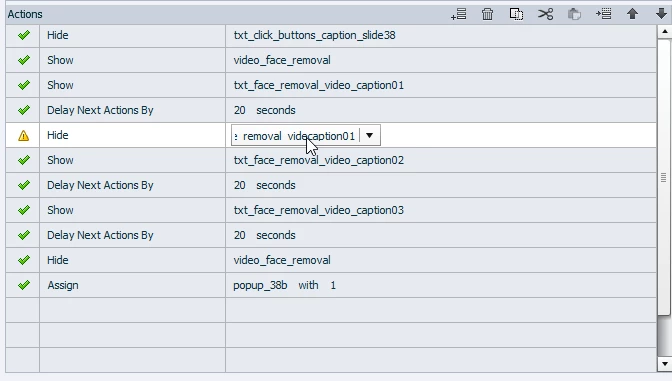
When I click in the text it takes me to the "view only" state of the text box. I really do not understand the logic of the programming that has gone into text entry of the advanced action interface.
 

    This topic has been closed for replies.

    2 replies

    Lilybiri
    Legend
    October 26, 2019

    What Rod has probably explained better (was sleeping), is that you miss the Filtering option which automatically is available for most dropdown lists, since CP6 (if my memory is correct). Type in a sequence of characters and you'll see only the names with that sequence. Very handy, if you have a consistent labeling system as I recommend to all my trainees. You are never supposed to type in the whole name of the parameter. If you had typed 'vid' all items with that sequence would be in the list and you choose the appropriate one.

    Participating Frequently
    October 28, 2019

    As Rod explained using a naming convention is very convient. But that means as you move around in a couse you will need to type a different part of the naming convention in the middle of the phrase you have chosen to use. The biggest problem is the dropdown does not show all of the characters in name if it is long. This causes you to have to type the whole name. It is smilar to going back to the ancient times before long file names. I could make my convention fit in the dropdown number of characters, but they would not make sense after awhile.

    I just think the behavior of sending the cursor to the end of the text string after a on release event is strange. If you are typing your cursor should stay in the area you are typing. The home, end, ctrl + >, etc. are used to navigate around a text string. 

    Thanks for the assistance, I certanilly agree with the methodology, just not with the functionality of the text entry.

    Lilybiri
    Legend
    October 28, 2019

    In my view, a good training convention means always short names as well. May be due to my DOS past... I find the filtering methodology really very useful, compared with what we needed to do before. Advanced and shared actions are based on point-and-click. It has never been meant to type in names, that is what you do while defining and labeling objects. Originally you chose an item from the dropdown lists. In older versions you could only scroll quickly by typing the first letter eventually multiple times. Having the possibility to filter on a sequence of a couple of letters is a big timesaver, once you get it...

    Just FYI have created and debugged tons of advanced/shared actions.

    RodWard
    Community Expert
    Community Expert
    October 26, 2019

    I think you may misunderstand what you are seeing and that is why it doesn't make sense to you.


    The drop down menu is showing you the actual names of objects that exist in the project and are able to be selected.  The field allows you to type something there only as a way to search the list and find possible matches.  You are not supposed to type the entire name, just some letters that can be used as a seach parameter to shorten the list down to something more manageable.


    It helps a lot if you have some kind of naming convention established so that all buttons begin with the letters 'btn_' and all text captions begin with 'cap' or 'txt', and all Text Entry Boxes begin with 'TEB' or similar, etc.  Then when you are searching the list for a particular type of object, all you need to do is type a few characters and scroll through a much smaller list.