


marionc51061854
Participant
April 16, 2021
Answered

Advanced Action - Used on Text Box Entry(s) not working

  • April 16, 2021
  • 1 reply
  • 491 views

Greetings Gurus - 


I am assigning an advanced action on three separate text_box_entry fields on three separate slides to validate the entry made matches a specific generic phone number. When I preview the project none of the advanced actions are working. I am adding screenshots to help explain my attempt. I am a beginner with captivate. Please forgive any lack of knowledge. Your help is very much appreciated.


A screen shot showing the selected text_box_entry selected, the text_box_entry properties and the advanced actions settings. 
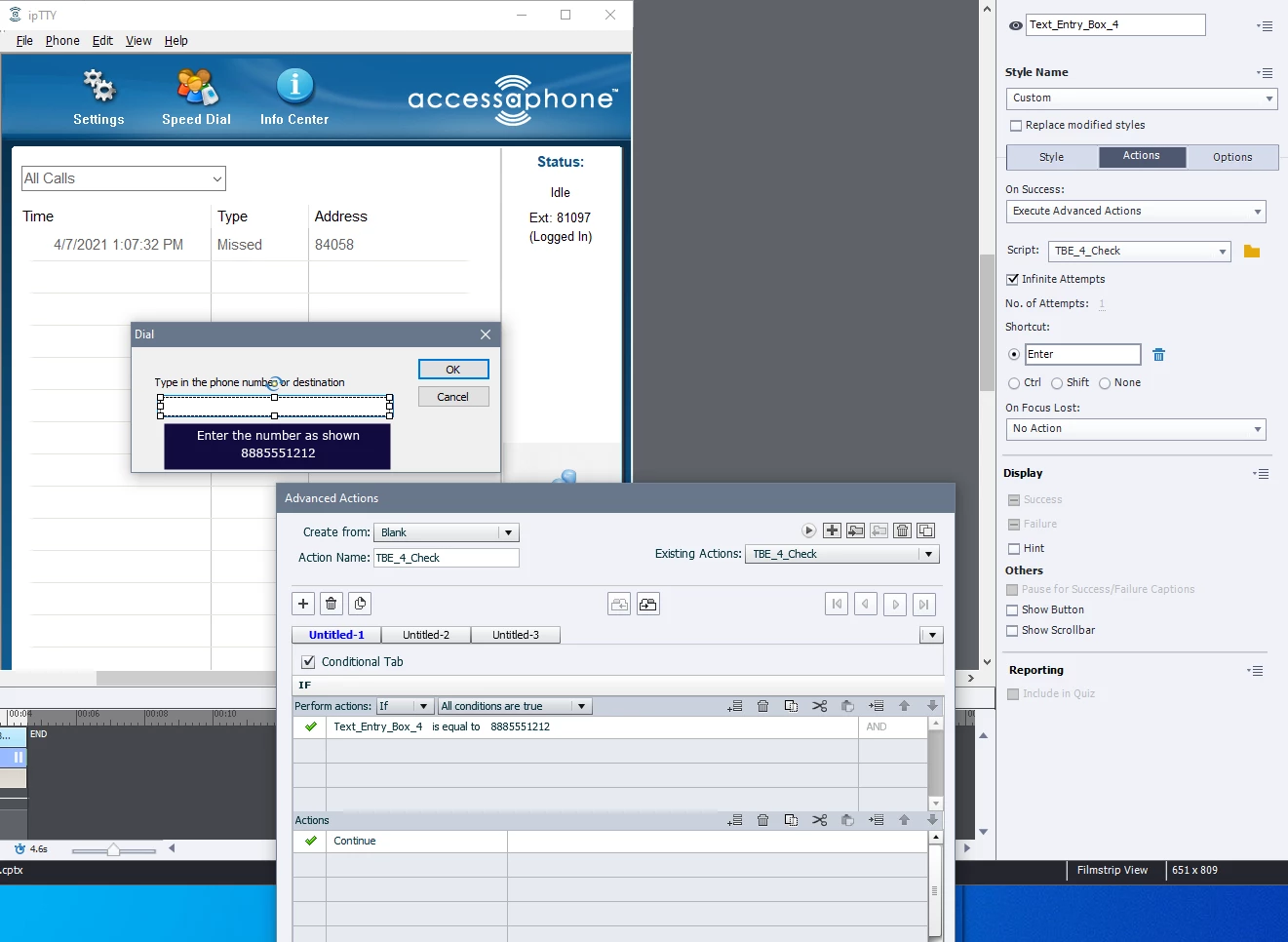


Again - thank you for your help!


Howard

This topic has been closed for replies.
Correct answer Lilybiri

Hi Howard, I cannot see if the Text Entry Box is validated, because you don't shoa the Style tab?


You just want to Continue when the variable has the correct phone number, no need for an Advanced action in that case. Just validate the TEB on the Style tab, enter the phone number as correct answer, set the Success action of the TEB to Continue. I don't know why you would need an advanced action.

Maybe have a look at this blog about basics for Text Entry Boxes:

http://blog.lilybiri.com/text-entry-boxes-back-to-basics


1 reply

Lilybiri
LilybiriCorrect answer
Legend
April 16, 2021

Hi Howard, I cannot see if the Text Entry Box is validated, because you don't shoa the Style tab?


You just want to Continue when the variable has the correct phone number, no need for an Advanced action in that case. Just validate the TEB on the Style tab, enter the phone number as correct answer, set the Success action of the TEB to Continue. I don't know why you would need an advanced action.

Maybe have a look at this blog about basics for Text Entry Boxes:

http://blog.lilybiri.com/text-entry-boxes-back-to-basics


marionc51061854
Participant
April 16, 2021

Hi Lily -


Thank you for the response. Using the Style 'Validate User Input' was the first option I tried - it does not work. That is why I attempted Advanced Actions. 


Any other ideas I could try?

Lilybiri
Legend
April 16, 2021

That should work perfectly, I am 100%sure. Did you read the blog post for which I sent a link?

Which action did you choose for the validated TEB On Success?  I just did see 'Continue' which is normally the default Success action for a validated TEB.  What do you exactly expect?

Can you also post a screenshot of the Timeline please?