August 17, 2014
Question

Advanced Actions - Stop triggered audio

  • August 17, 2014
  • 3 replies
  • 462 views

Hello,

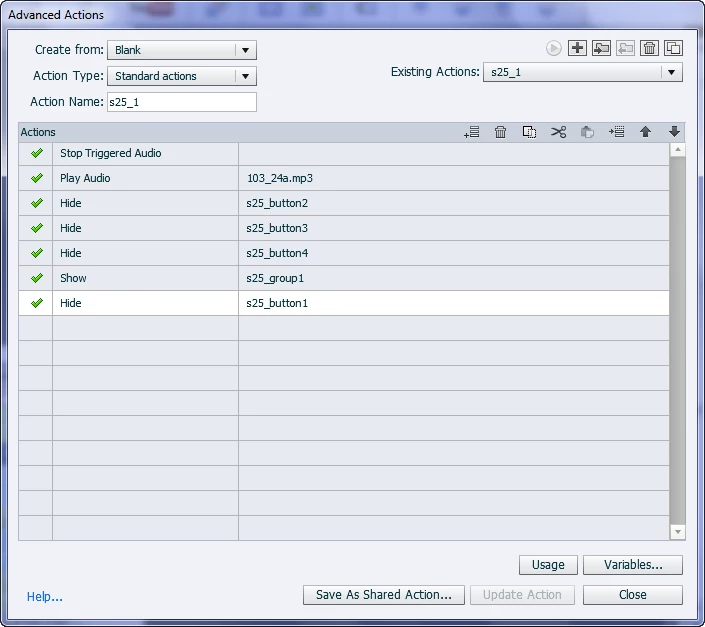
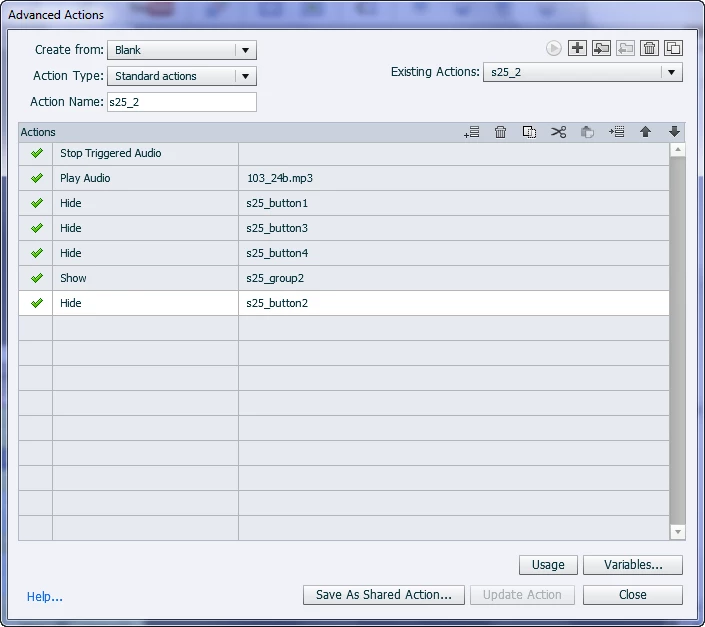
I am trying to set up a click-to-display type activity. For each clickable, different text will appear and audio will play. I set up the advanced actions to stop triggered audio and play audio that corresponds to the text that was selected. 

The play audio works properly for each button, however the stop triggered audio does not. If I click on a button, the correct audio plays, but if I click on another button, the triggered audio does not stop. The new text will appear, but it continues to play the previous audio file. It does not stop old file and play new file.  I was able to set this up before, but recently installed the latest CP7 patch.  Any ideas on how to fix this?

Thanks

    This topic has been closed for replies.

    3 replies

    September 4, 2014

    Thanks Rick and Lilybiri.

    This turned out to be a user issue (i.e. ME). I had a number of interactions set up and was using the wrong ones. Thanks for trying to help though! I really appreciate it

    Captiv8r
    Legend
    September 4, 2014

    LOL, reminds me of my tech support days.

    We called those a number of things.

    ID Ten T errors ( ID10T )

    or PICNIC errors ( Problem In Chair Not In Computer )

    or PEBCAC errors ( Problem Exists Between Chair And Computer )

    And I can gleefully say that I'm personally guilty of repeated offenses of EACH of these! Welcome to the club and the best school in this realm!

    Cheers... Rick

    Lilybiri
    Legend
    August 17, 2014

    Normally you don't even need the Stop triggered audio, because using the Play audio command a second time will automatically stop the first audio clip that was started with the same command. Something is wrong, and I cannot see that in the advanced actions.

    Rick describes the alternative which was the only way possible for versions before those two commands. Audio Objects: Control them! - Captivate blog

    Just a tip: group those buttons, so that you use one command to hide them .... Captivate 6 - Advanced Actions - Captivate blog

    Captiv8r
    Legend
    August 17, 2014

    Hi there

    What if instead of playing audio, you instead attached the audio to a transparent object such as a Transparent Text Caption with no text, a Click Box with no action or an invisible Smart Shape. Then see if the audio stops playing when you hide the object.

    Cheers... Rick