
Advanced actions w/ State Changes, Tracking Variables, etc. difficulties . .
Hi,
I'm creating a responsive project in Captivate 9 and I'm having some issues getting my buttons to work the exact way I'd like them to.
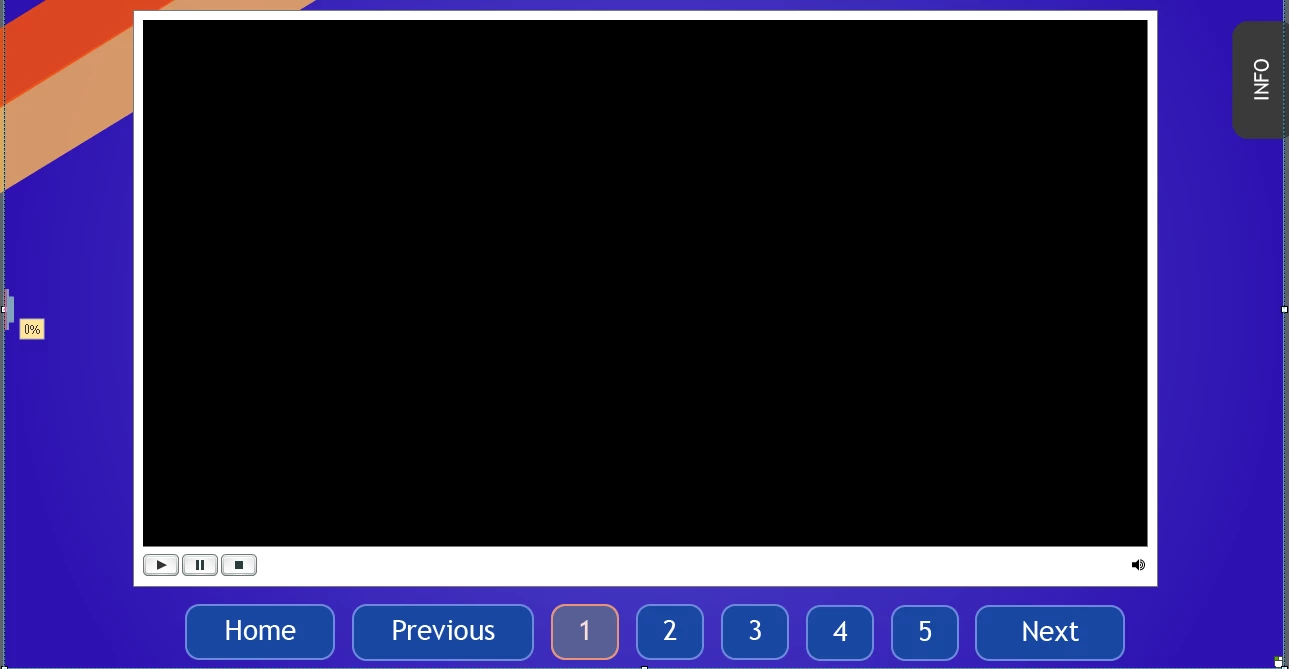
My setup is this: A single slide with an embedded video object in it, the video object has several different states (five in this instance) and for each state there is a different video embedded. The navigation I have set up underneath the video object goes as follows:
- A home button to take back to main slide (one previous title slide before the main slide)
- A previous button to move backwards in the state rotation of the video object
- A next button to move forwards in the state rotation of the video object
- Numbered buttons, 1-5, to skip to whichever state of the video object you'd like to see (different videos)
- An Info tab button which will trigger to a different state of itself with information about the current video being displayed
It's a lot of state changes going on and sort of confusing, but I almost have it to where I'd like it. Basically I'd like for the user to be able to use either the numbered buttons or the previous and next buttons to move through the different videos, and then on each video I'd like them to be able to hit the info button to see extra information about the video. I have created a sort of highlight/overlay over the numbered buttons within the states of the video objects so the user has some feedback as to which video they are currently on.
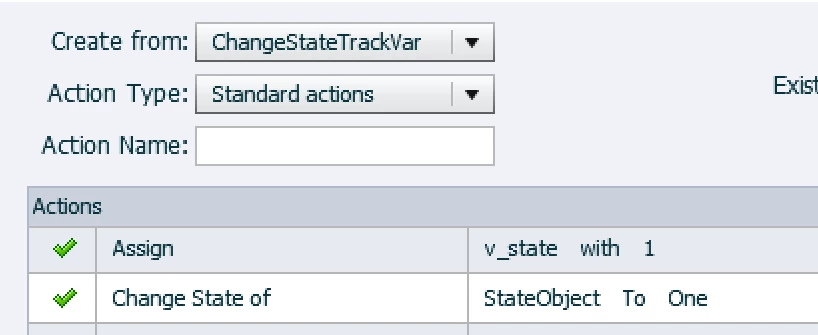
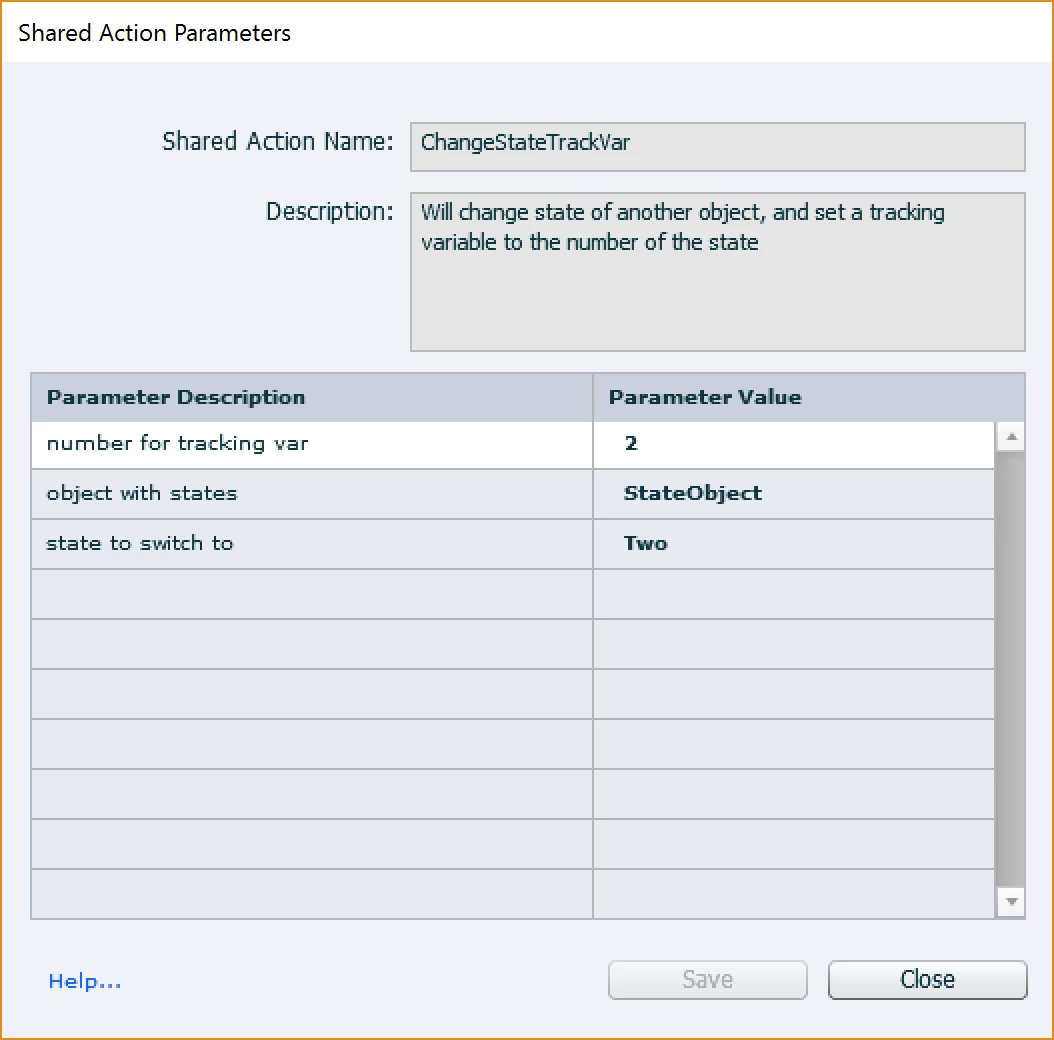
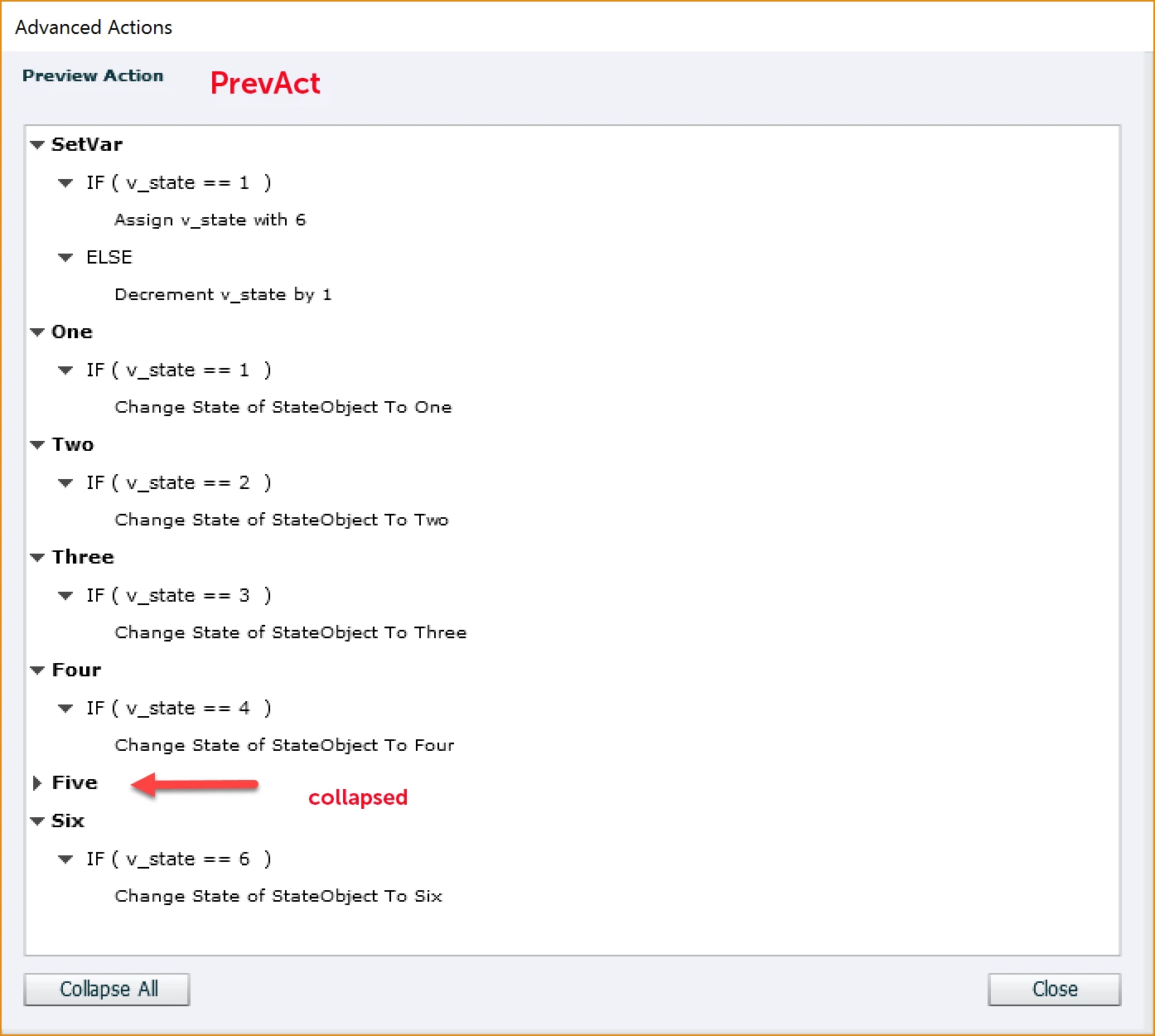
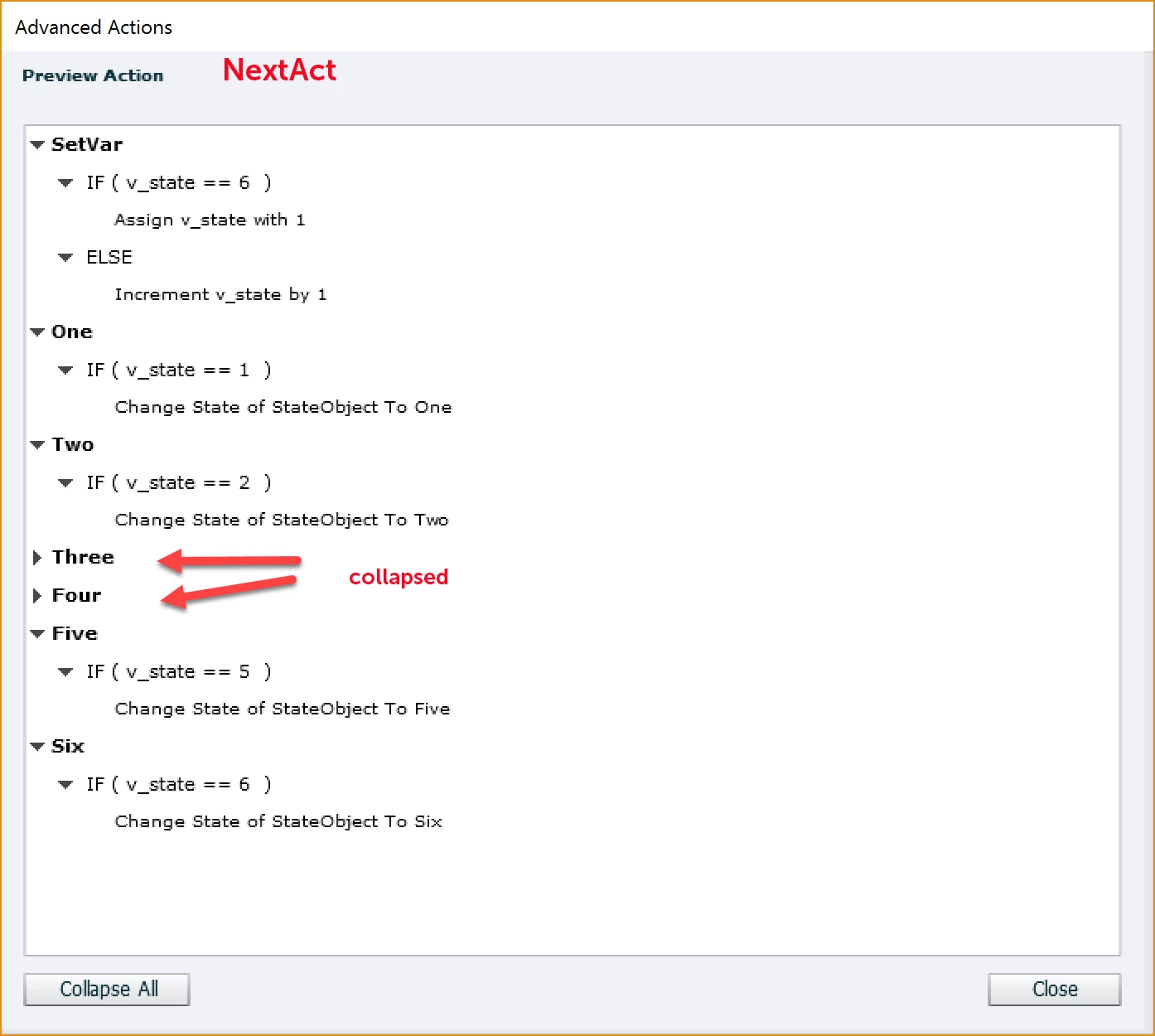
I got the project working to the point of where the user could navigate the states of the video with the numbered buttons, then by using a tracking variable which changes as each numbered button is pressed the info button would know which state to change to based off of the current state of the video object. (I hope I'm explaining this well). I came into difficulties when I realised that by using the next and previous buttons to change the state of the video it wasn't triggering the tracking variable change which happens when the numbered buttons are pressed so the info button would not respond correctly when the user used the next/previous buttons. I tried making it so that the tracking variable would change with the press of the next/previous buttons as well by assigning in the appropriate number, however I ran into the issue then where all the actions of the advanced action would be true so when you hit next it would run through all the numbers and end up back at one (I'm assuming that's what happened, it would just stay on the first state of the video object). So I read one of Lilybiri's blog posts (Blog after Posterous? - ClickClick - Captivate blog) and have been attempting the incremental method she describes in the post, which worked with the next button for moving through the video states one by one, however, it resulted in a new issue - the tracking variable number is getting off somehow and so the info button isn't always triggering to the state it should be. And another issue - I can't seem to replicate this method with the previous button by decreasing the tracking variable number. With my previous button it is skipping over states.
Sorry this is such a long post, and I may need to provide more information to get help, but if anyone has an idea of how to get the navigation I'm trying to achieve, your help would be awesome. I've attached a screenshot of my interface to help visualize what I'm working with:
Thanks!
 AdChoices