trevorh27446796
Participating Frequently
February 19, 2019
Answered

Advanced Function Error

  • February 19, 2019
  • 1 reply
  • 400 views

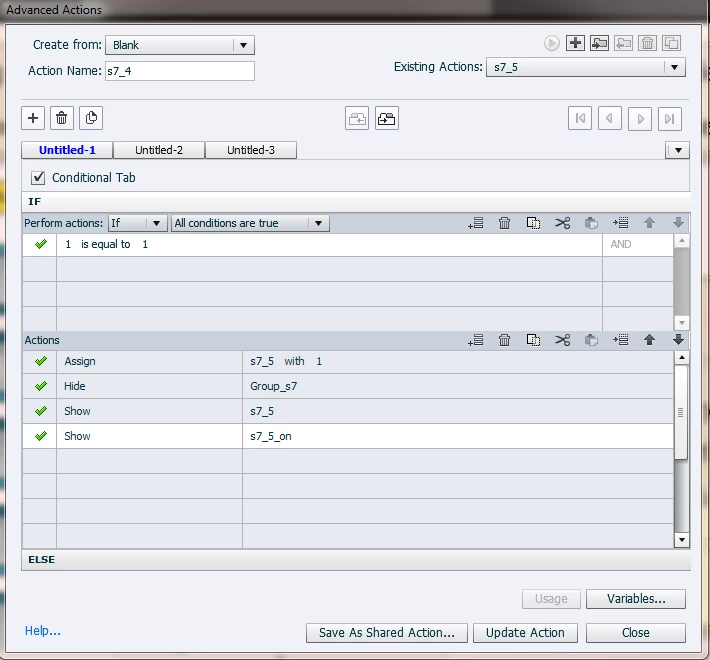
I am creating an advanced action as per belo however it will not let me update the action.

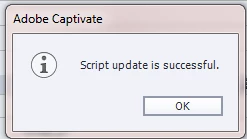
It comes up with this message

But will not update the action. I have cleared preferences a few times but still no luck

I am using Adobe Captivate 2017 10.0.1.283

any ideas?

    This topic has been closed for replies.
    Correct answer Lilybiri

    I suspect you mean 10.0.1.285.

    Why do you use conditional decision for a standard action? That is 'old-style' but totally unnecessary in the new Advanced Actions dialog box. Have a look at:

    Advanced Actions Dialog box in Captivate 2017/2019 - Captivate blog

    Uncheck the option 'Conditiona Tabl'.


    This may not solve the problem you are posting, just a good practice tip.

    The situation you have appeared for me only when a label has been used for two different items. I suspect ths to be the case: you use a name like 's...' for both the action and a variable. That will probably be the origin of not being able to update. Try a different name for the action, please.

    1 reply

    Lilybiri
    LilybiriCorrect answer
    Legend
    February 19, 2019

    I suspect you mean 10.0.1.285.

    Why do you use conditional decision for a standard action? That is 'old-style' but totally unnecessary in the new Advanced Actions dialog box. Have a look at:

    Advanced Actions Dialog box in Captivate 2017/2019 - Captivate blog

    Uncheck the option 'Conditiona Tabl'.


    This may not solve the problem you are posting, just a good practice tip.

    The situation you have appeared for me only when a label has been used for two different items. I suspect ths to be the case: you use a name like 's...' for both the action and a variable. That will probably be the origin of not being able to update. Try a different name for the action, please.
    trevorh27446796
    Participating Frequently
    February 20, 2019

    Thankyou, i had a look at your link, its very interesting.


    What would you recommend for my action . I want it to perform like it used to

    Lilybiri
    Legend
    February 20, 2019

    Biggest problem is the labeling. You need to change the label of either the advanced action or the variable or the object to show, you cannot use the same name to three different items.

    If you don't check the option Conditional Tab you don't need to add any condition, IF 1 is equal to 1 was necessary in older versions to combine a standard action (which is this type) iwith conditional decisions (now indicated as tabs).

    Watch my naming discipline: I start each variable with v_, something which I never do with other items. The actions starts with Act (but sometimes I use Enter for a slide action On Enter), teh two items start with SS (stands for Smart Shape);and I have renamed the group as well, although you'll never have issues if you keep the generic names.