AIR error message while previewing
Hi,
I am using Captivate 5, running on Windows 7 (32-bit) OS, with 4 Gigs RAM.
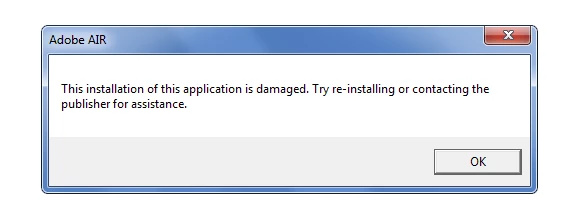
When previewing a Captivate moview, by pressing F4 key, Captivate throws an error in a pop-up window, titled "Adobe AIR". The message reads: This installation of this application is damaged. Try re-installing or contacting the publisher for assistance. (Screenshot attached below).
This has started to appear since past two weeks. Before that Captivate was working fine. I didn't install ANYTHING, or did not do any type of hardware/software modifications. It started all of a sudden. However, preview in browser (F12) works OK.
I tried re-installing Captivate, it worked. After 2 days, the Captivate installation was again back to same error.
Even tried un-installing ALL Adobe software, used the "Adobe Cleanup" utility after that, and then re-installed everything back again. This worked, but again after 2 days, the same problem persists.
Tried updating AIR from adobe's website, but of no avail.
With this error appearing, Captivate hangs during screen capture too, and the welcome screen does not appear even though the option is checked in "Preferences".
I guess the only thing left out is to re-format my machine and re-load everything. But, unfortunately I am already in middle of some very tight timelines and don't have the time to spend a day in re-configuring the machine.
Will appreciate any / all helps. Thanks in advance!
Saurabh
 AdChoices