
Participant
May 18, 2020
Question

Aligning objects from slide to slide in Fluid Boxes

  • May 18, 2020
  • 2 replies
  • 561 views

Hello all...


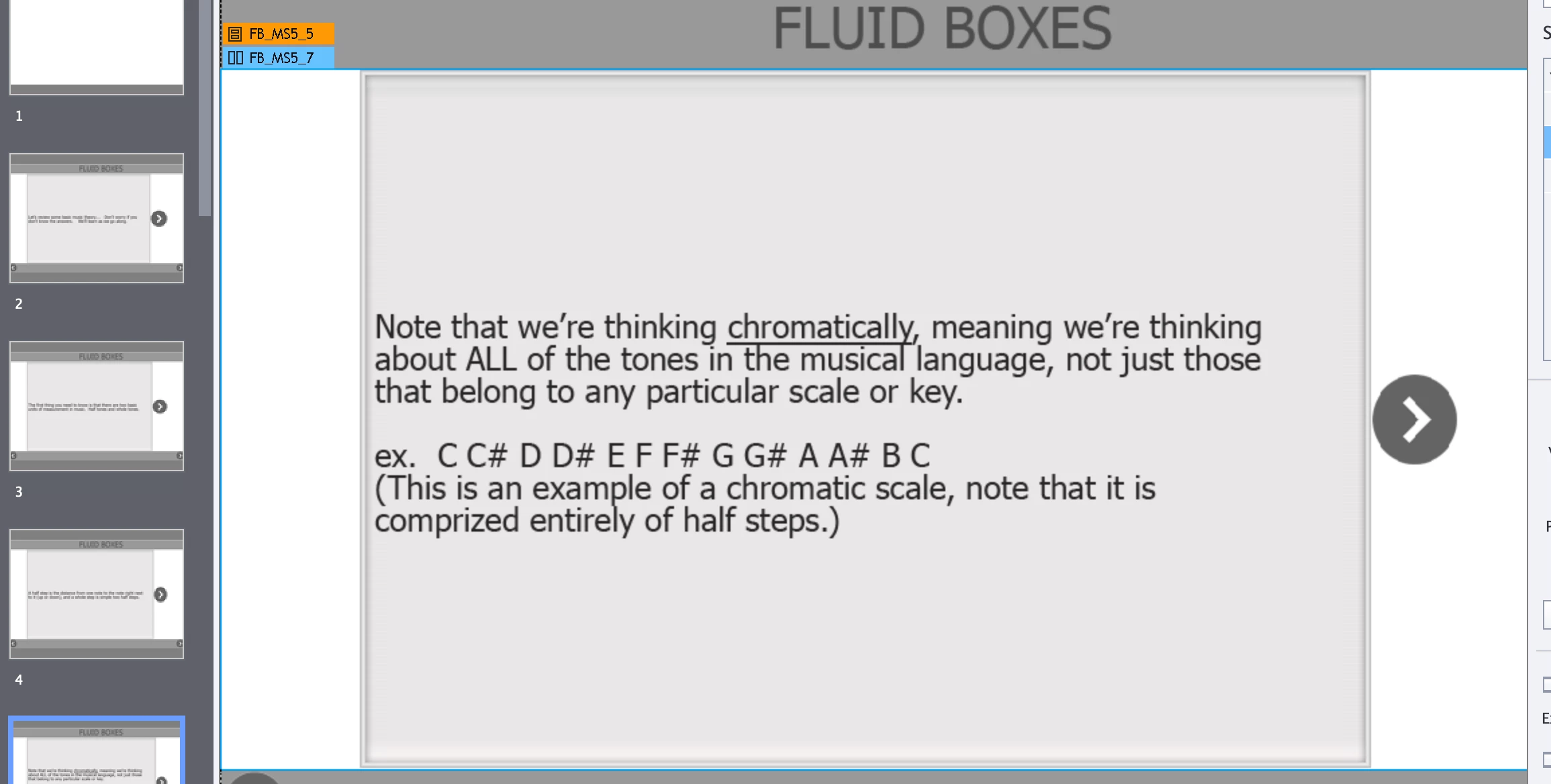
Embaressed to have to ask this, but suppose I want the arrow on the right to appear in just about every slide same size and same position.   Is there a way to do this after the fact? 


Eddie Landsberg


This topic has been closed for replies.

2 replies

RodWard
Community Expert
Community Expert
May 19, 2020

Put the arrow object (I am assuming it is a Smart Shape button) on the Master Slide and set the Property for it to be on top of all other objects.

Lilybiri
Legend
May 19, 2020

Careeful with master slides having Fluid boxes. You cannot use the Main master slide, because it will mess up all slides.  Just wanted to specify. Master slides having fluid boxes can also allow the arrow to move around if you don't set up the fluid box properly. Timing for the rest of the project is theoretically not possible, but works sometimes when you use the same master slide (not the main master slide) for all slides.

I would prefer to use the Position Properties to anchor that arrow to two sides of the slide. You don't show the Fluid boxes setup of that slide. If you have Three horizontal fluid boxes, where the arrow is in the third one, use 'Squeeze in a row' and it will always remain to thr right slide. It depends on the other fluid boxes whether it will reamin in the center verrtically...

Participant
May 20, 2020

Thank you so much.  I'm going to have to experiment with this!

Lilybiri
Legend
May 18, 2020

Can you please insert the images, instead of attaching? I spend a lot of time trying to help users, but do not want to download attachements. You probably will need to use Position properties, but all depends how you did set up the fluid boxes.