
Inspiring
April 23, 2021
Question

Always on top command changes Z index on different slides

  • April 23, 2021
  • 2 replies
  • 463 views

Hi

I have a menu and a X button for closing the menu that will show when clicking the menu button.
The menu and x botton are placed on the second slide and set to show for rest of project.
On the third slide the x button is positioned over the menu as I like. On the rest of the slides its placed behind the menu?

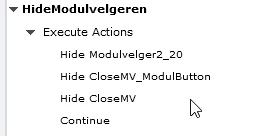
This is the script for the onload function that hides the menu and x botton (CloseMV)
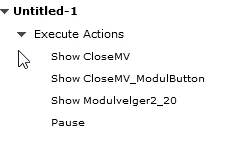
Thsi is the action for the menu button that opens the menu and the x button (CloseMV)
 

Here u can se whats happening

Slide 2
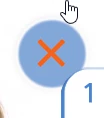
 

Slide 3 and the rest

    This topic has been closed for replies.

    2 replies

    Lilybiri
    Legend
    April 23, 2021

    When timing for the rest of the project, in most situations you better check the option 'Always on top' in the Timing properties panel. But if you have two or more items timed for the rest of the Project, the stack order in the Timeline panel is important. 

    Just a tip. If you have several items to be displayed for the rest of the project, group them and check if they are stacked correctly. Then time the group for the rest of the project.

    TLCMediaDesign
    Inspiring
    April 23, 2021

    On the timing tab you should select Place Object on Top for all of your menu items and the close button.