sam_amara
Known Participant
August 23, 2023
Answered

Animated .gif Playing on One Slide Only...?

  • August 23, 2023
  • 1 reply
  • 1556 views

Good moring, all; 


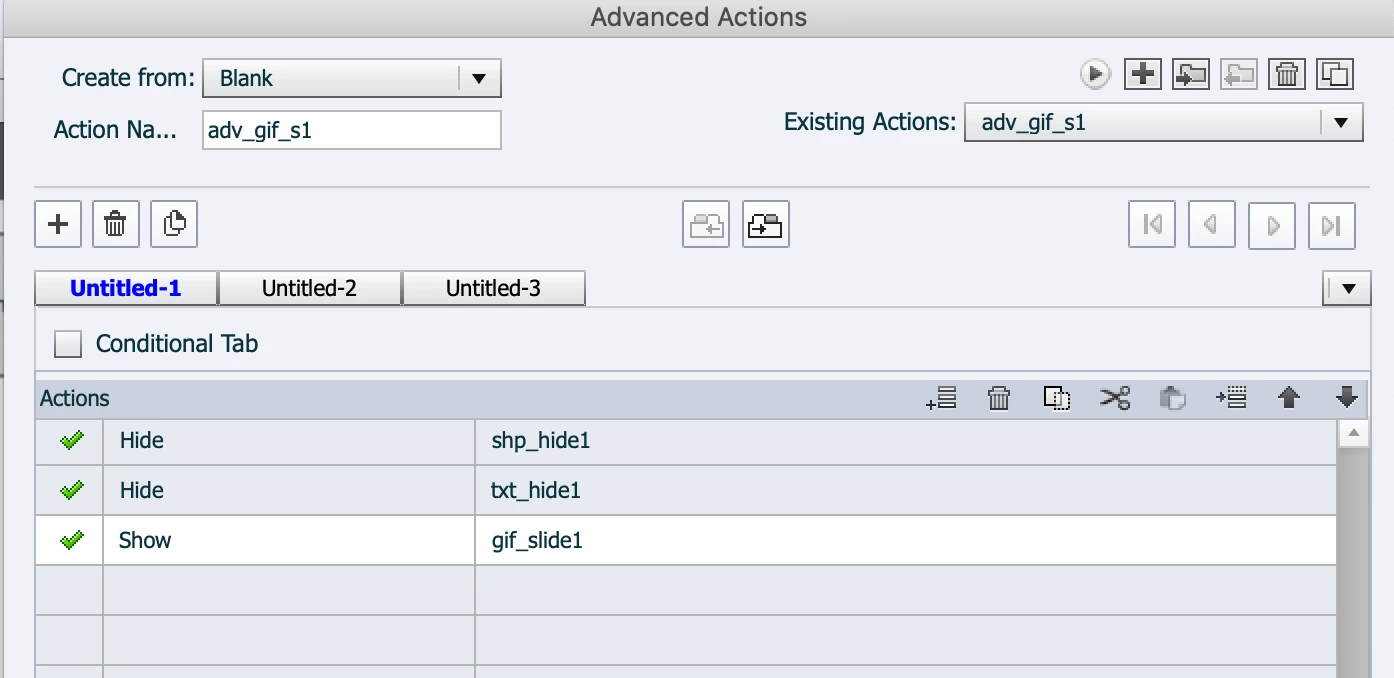
I have a colleague who is trying to add a .gif to several slides in a Captivate project. The idea is that when someone clicks a button a little .gif showing confetti plays. The advanced action she is using is very simple: on success of the button click, a shape disappears, a bit of text disappears and the confetti .gif plays. It works beautifully on the first slide, but then the .gif won't play on success of the button click on the second slide. We've tried everything we can think of (and were able to get it to work in a different program) so we're wondering if this is a glitch or if there is some reason Captivate won't let this happen or, of course, if we're missing something.


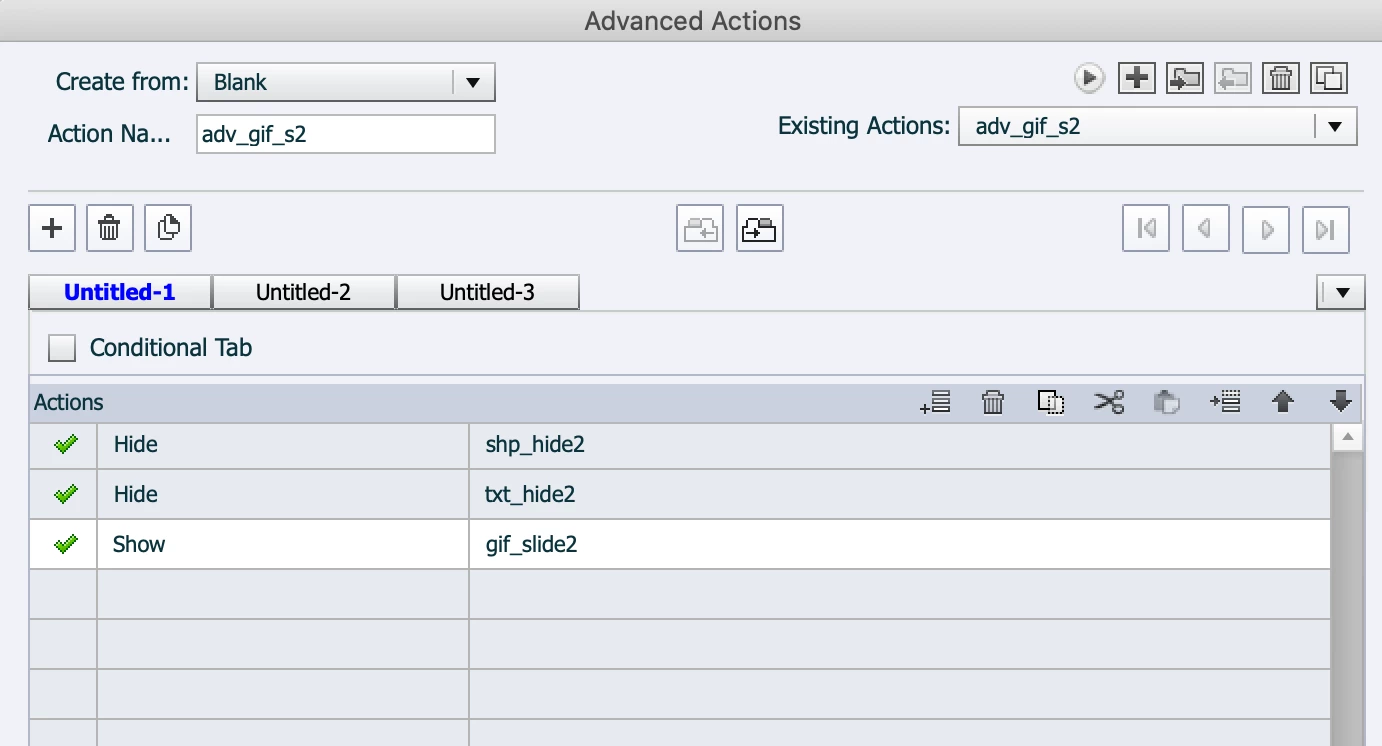
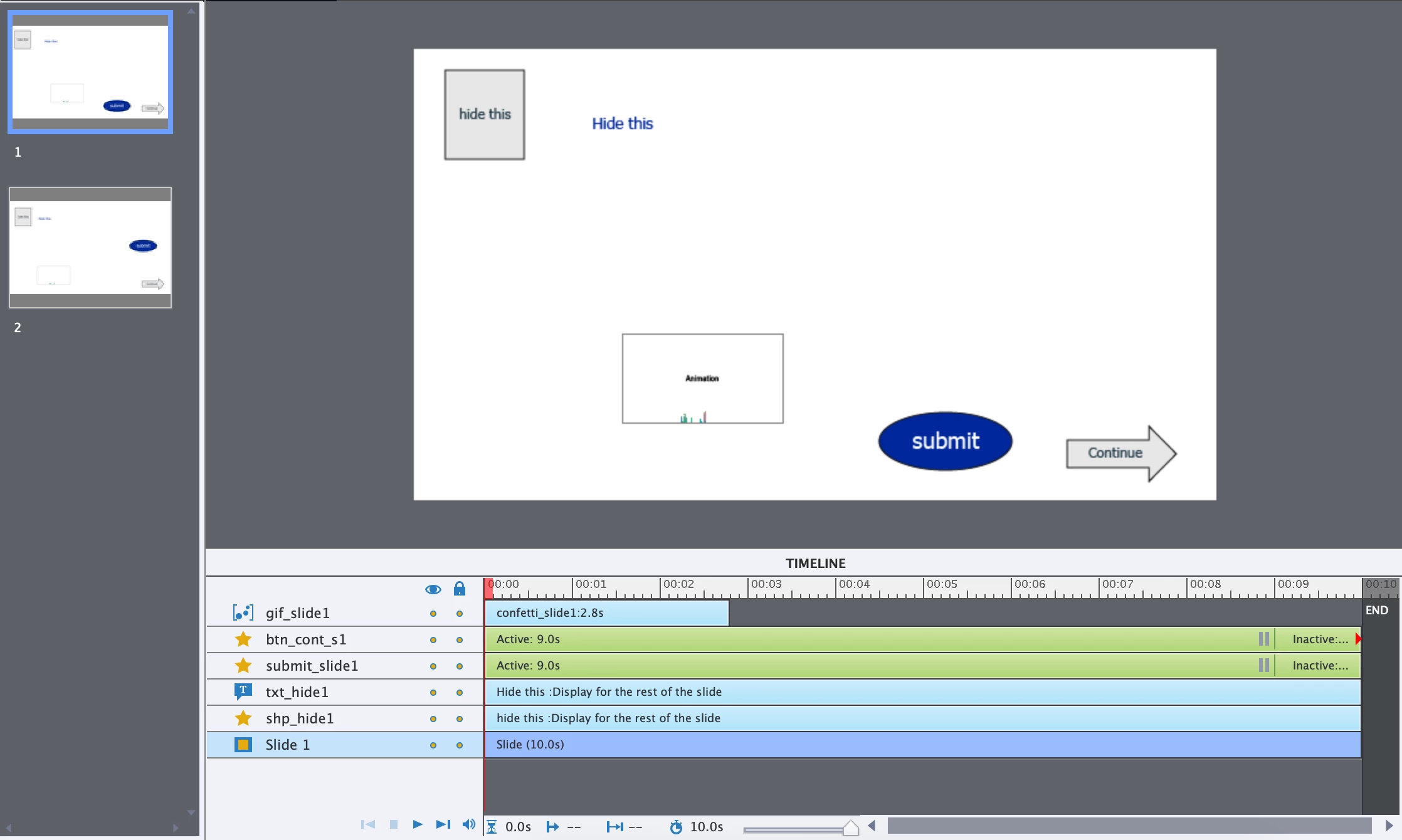
Here are some shots of a very small test I've done, recreating her issue, to try very simply to get the .gif to play on the second instance, but to no avail. and attached is a small clip of what happens on the first and second slides (the .gif should appear on the second slide too).


Any ideas?


TIA!

samamara
 

    This topic has been closed for replies.
    Correct answer Lilybiri

    I have somewhere a blog post about a similar problem, but I just tested a solution out for you in a short project.

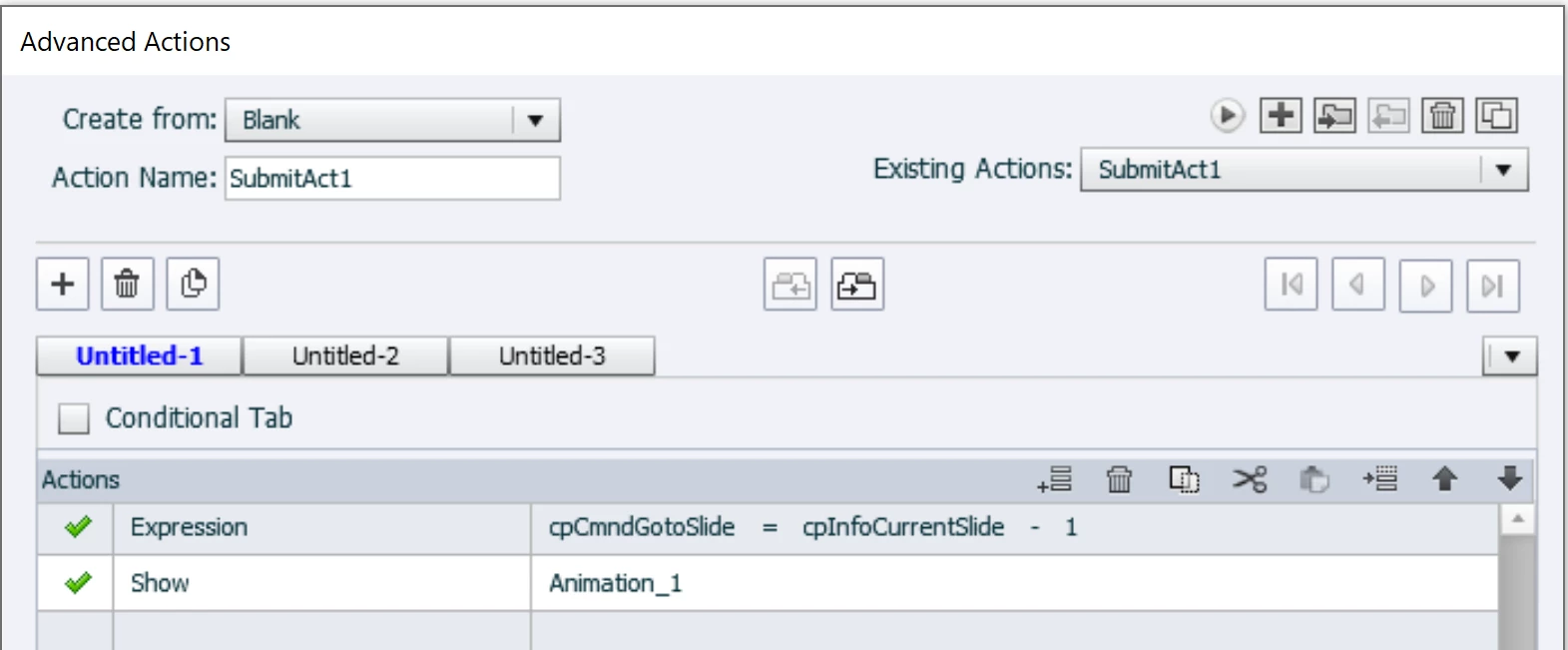
    Reason is that the animation is synchronized with the timeline, and it starts on the first frame. It astonishes me more that it works the first time, because the playhead will probably already be after the end of the GIF timeline. But if you take the test further and click that Submit button on the same slide a second time the animation will not play at all. This is what you see on the second slide, since the animation has already played once, it will not play again. You need an advanced action like this (sorry I didn't add the Hide commands, just focused on the animation):

    For the second slide act you need to refer to the second instance of the animation.


    BTW: this solution is only valid for Captivate Classic, is not possible in the new version because the category Movie control of the system variables has been deprecated. Even an alternative with using the first frame of the slide is impossible for the same reason.

    1 reply

    Lilybiri
    LilybiriCorrect answer
    Legend
    August 23, 2023

    I have somewhere a blog post about a similar problem, but I just tested a solution out for you in a short project.

    Reason is that the animation is synchronized with the timeline, and it starts on the first frame. It astonishes me more that it works the first time, because the playhead will probably already be after the end of the GIF timeline. But if you take the test further and click that Submit button on the same slide a second time the animation will not play at all. This is what you see on the second slide, since the animation has already played once, it will not play again. You need an advanced action like this (sorry I didn't add the Hide commands, just focused on the animation):

    For the second slide act you need to refer to the second instance of the animation.


    BTW: this solution is only valid for Captivate Classic, is not possible in the new version because the category Movie control of the system variables has been deprecated. Even an alternative with using the first frame of the slide is impossible for the same reason.

    sam_amara
    sam_amaraAuthor
    Known Participant
    August 23, 2023

    First of all, thanks once again @Lilybiri - I seriously don't know what the Captivate forum would do without you. You're always first in the pool with your support 🤩.


    What you're saying makes complete sense, but I tried to follow your lead here but I still can't get it to work. It still works fine on the first slide (and you're right, a second click on the same button produces nothing) but still no luck on the second. The video I included in my first post is still what happens. Here are the updates I made to the advanced actions...is there something I missed? Did you try it with two slides?


    Thanks!

    Lilybiri
    Legend
    August 23, 2023

    Yes, I tried with two slides although I was sure it worked. The expression command is meant to Replay the slide, so that the playhead gets back to the first frame of the slide, where the animation timeline starts. Proof to you: my second submit action:

    Is the Timeline of the second slide identical to the first one?.

    BTW not everyone appreciates me like you apparently do. Some hate me literally