
Knutcj2802307
Participant
April 8, 2019
Question

Animation stops for no reason and sound keeps playing

  • April 8, 2019
  • 2 replies
  • 740 views

Hi all. I have this problem reoccurring on multiple slides ... I'm using Captivate 2019.

The issue is that after a given point, no animation executes, although the sound keeps on playing.

The thing I see as a common point, is that the slides with the problem are long ones.

There are no buttons or other objects that I see will pause the project.

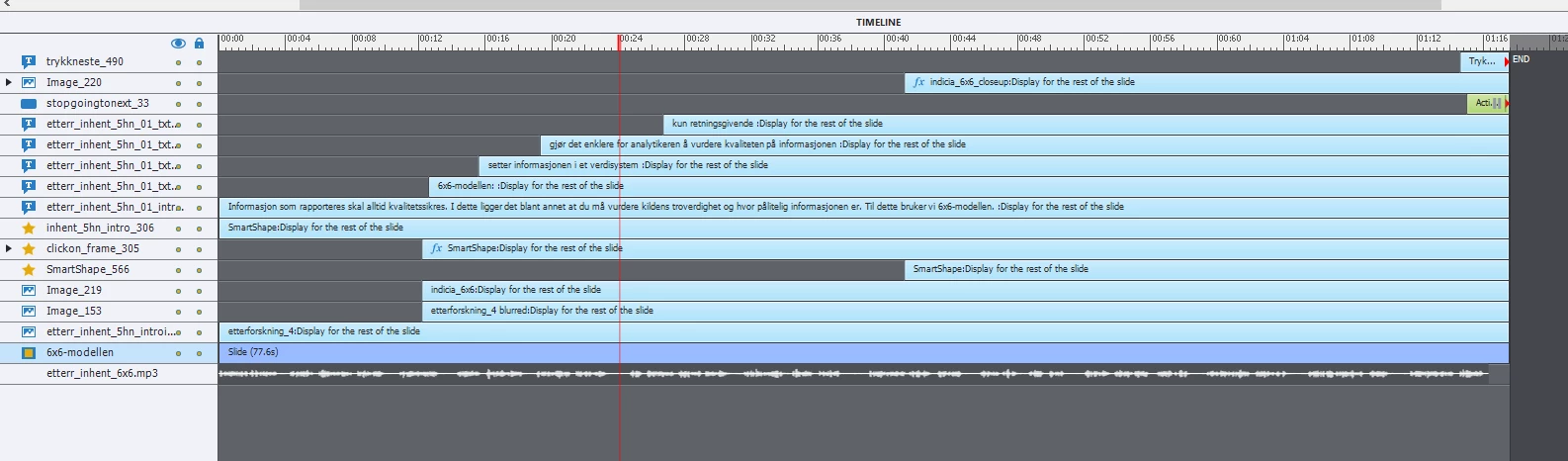
I have checked all relevant advanced actions, but there is nothing there that should make the timeline stop (se the screenshot of one of the timelines below).

The timeline/animation stops at different places on each of the slides with problems.

Can anyone help me figure out what is causing this?
This topic has been closed for replies.

2 replies

Lilybiri
Legend
April 8, 2019

Could you please expand all effects on the timeline?

Knutcj2802307
Participant
April 8, 2019

Hi and thank you for all quick responses.

Many items have fade in/out, and these were set to 0,5 sek.

One had a "Stretch in from top", also set to 0,5 sek.

A 1 sek animation is long!

On a different slide with the same problem I first tried to set all fades to 1 sek and deleted all other animation ... It still stopped. I then deleted all fades as well ... but it stil stops.

I guess I'll have to try to rebuild a sequence with no fades or animations, and see what happens.

Below is a screenshot of the timeline for the slide I

Lilybiri
Legend
April 8, 2019

Fade in/out are transitions, not effects. I don't see the Stretch in from top effect however.

This is indeed a too long slide, especially the audio clip will be big in size, has to load On Enter for the slide. At least leave a small gap at the start and the end of the clip.

See    http://blog.lilybiri.com/audio-in-captivate-more-tips

Audio in Captivate - More Tips - Captivate blog

It should be perfectly possible to distribute the same over multiple slides, when I view the wave-form of the audio. That would prevent a lot of problems.

Please tell which version you are using, full number please as you see under Help, About Captivate.

rht68685969
Inspiring
April 8, 2019

Do you have animations effects on objects? Please check the animation duration. When I had this problem, my animations were too short (like 0,5 sec duration). Try removing animations / changing their duration time.