


Community Manager
April 2, 2024
Question

Announcing the Launch of Adobe Captivate 12.3 - Reinventing the Legend

  • April 2, 2024
  • 5 replies
  • 1974 views


It's an immense endeavor.


Condensing two decades' worth of wisdom and experience into a fresh product, built on an entirely new technology stack, to drive us forward into the next era of learning innovation.


While it may seem daunting, it's becoming a reality. Our engineers have tackled this challenge head-on, demonstrating their progress through frequent launches over the past year, affirming that they're steering Adobe Captivate towards a resurgence, poised to surpass previous heights.


I'm excited to announce that with the Adobe Captivate 12.3 release, we're introducing a brand-new array of features for you.


View What's new in Captivate (12.3 update) for more information.


Share for Review

You can now distribute your Adobe Captivate project for review online. Your course is uploaded to the Adobe Cloud platform, generating a link to share with reviewers. No Captivate license is required for reviewers to access and provide feedback on the course. This Share for Review feature facilitates seamless collaboration with stakeholders, allowing you to share projects, receive immediate feedback, and alert collaborators once feedback has been addressed.
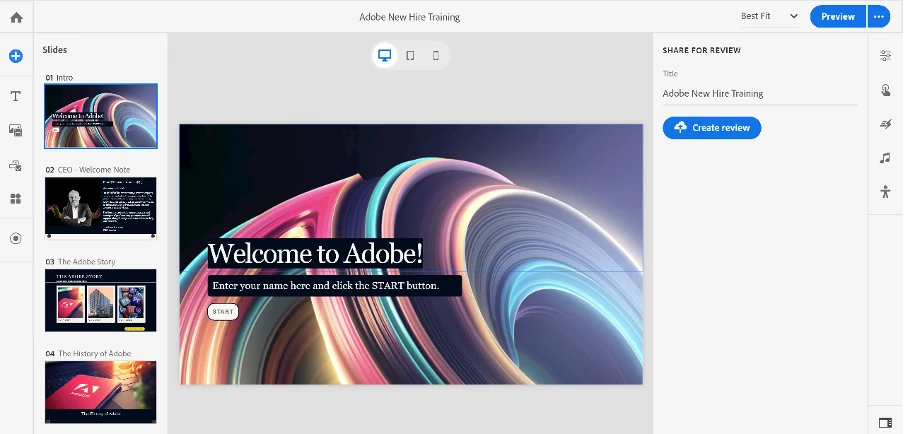


View the Share for review doc for more information.


Watch this Video - Dr. Allen Partridge. 


Import questions as CSV


With Adobe Captivate 12.3, you can seamlessly import questions from a CSV file to easily create question slides. This feature streamlines the quiz creation by enhancing efficiency, convenience, and minimizing errors.
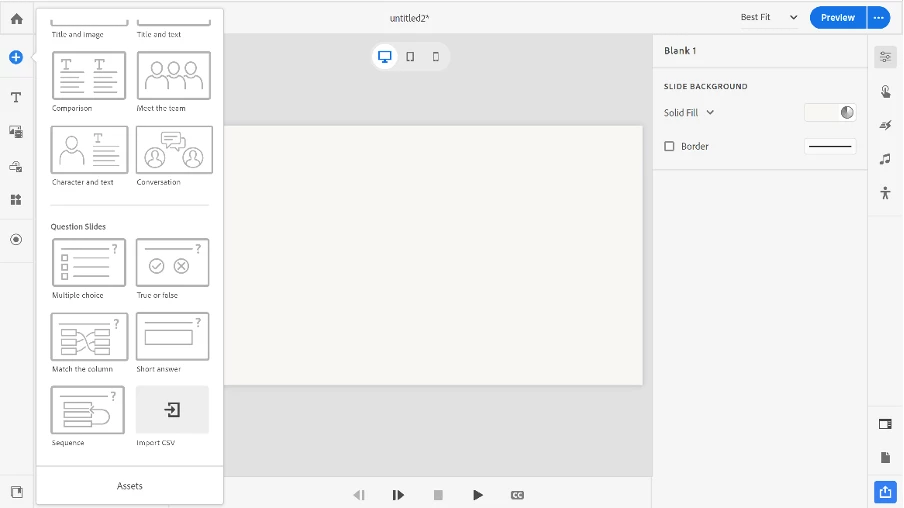


View Import questions as CSV for more information.

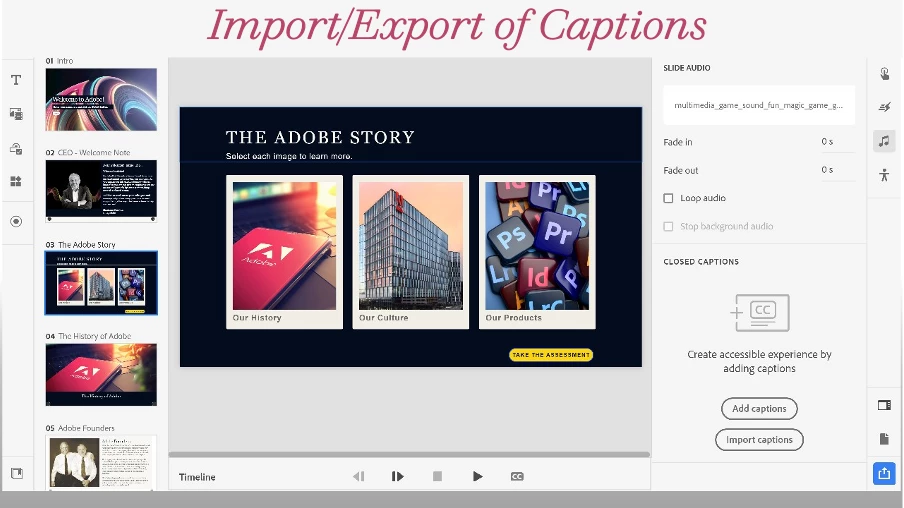
Import and export closed captions

Incorporating closed captions into your courses has never been simpler. Enhance your eLearning material by incorporating SRT and VTT files to add subtitles to audio and videos within your projects. With Adobe Captivate 12.3, you can also personalize the style and font of closed captions to suit your preferences.


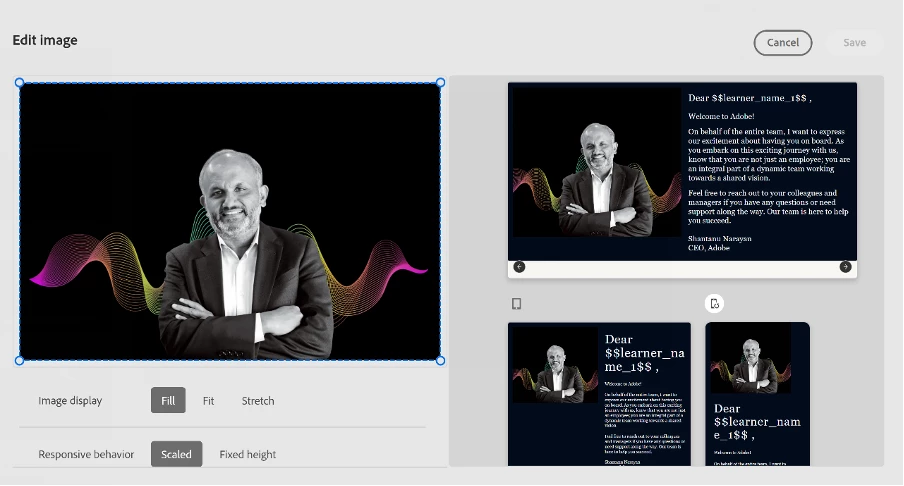
Enhanced image editing

The improved Image editing panel in Adobe Captivate 12.3 enables you to preview image adjustments on various devices and adjust the image properties accordingly.

  • Slide Background: Crop, adjust display type, image focus, and preview changes for desktop, tablet, and mobile devices.
  • Image Content Block: Edit images within content blocks. Resize, crop, and adjust the display behavior and focus for desktop, tablet, and mobile devices.
 

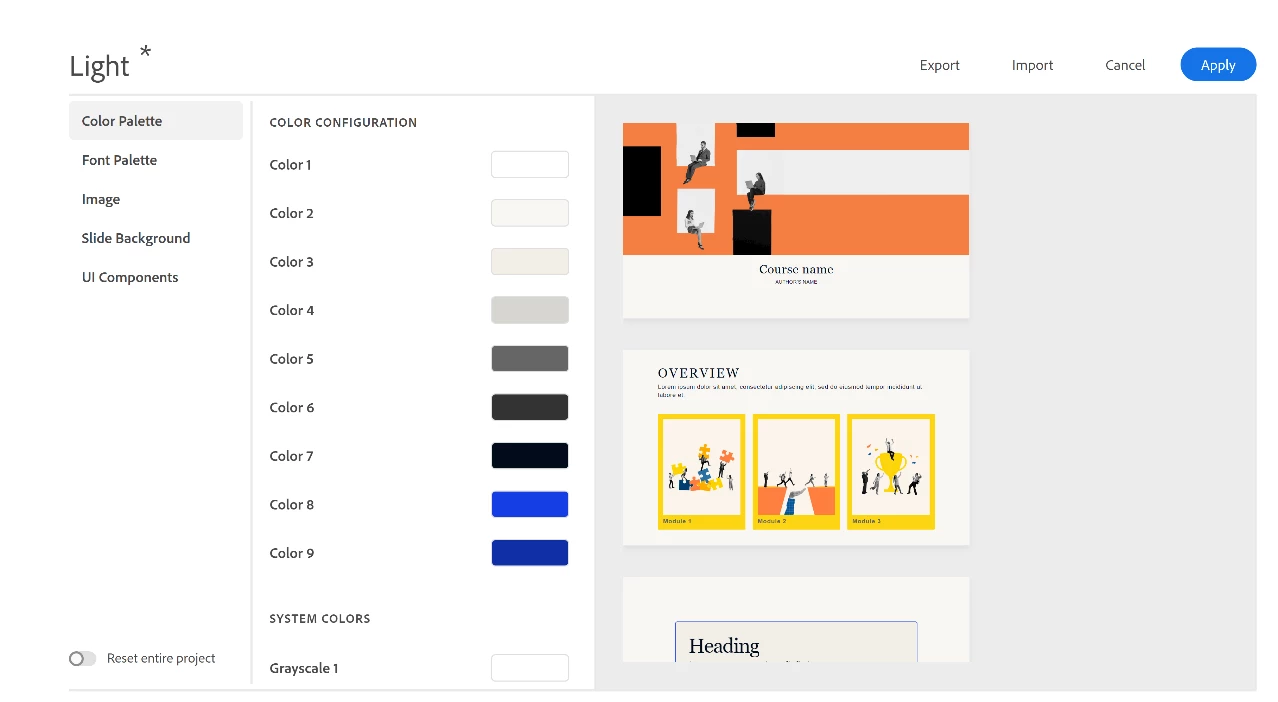
Enhancements to themes

Theme enhancements now include resetting a project, overriding all modifications such as text visual properties, ensuring consistent appearance throughout the project.
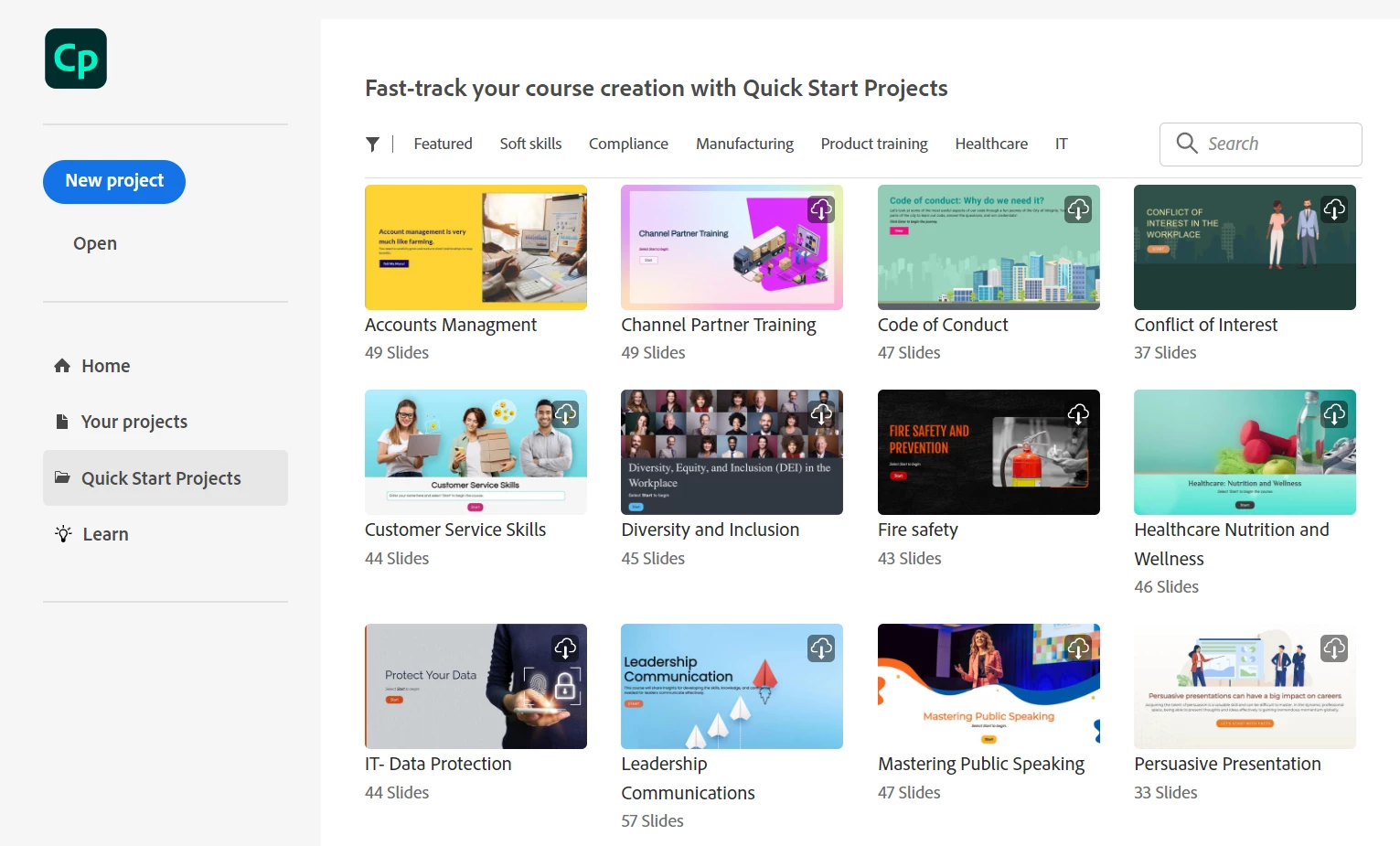
Quick Start Projects

Improve your course design efficiency by accessing Quick Start Projects directly from the Captivate launch page.

These projects feature pre-designed templates tailored for various course types, such as soft skills, compliance, leadership, and more. They allow you to kickstart your project swiftly, eliminating the need to start from scratch and offer a customizable foundation where you can seamlessly integrate your own content and branding.
 

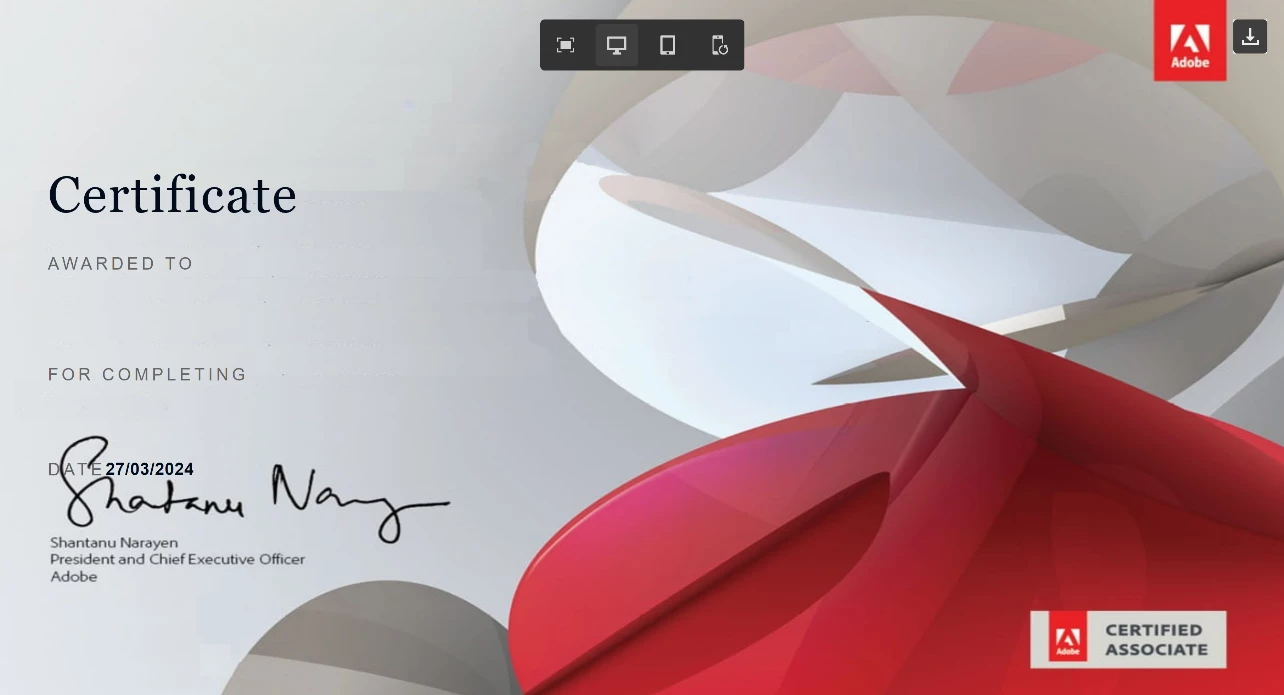
Download the certificate as PDF 

Adobe Captivate 12.3 lets learners obtain a PDF version of their certificate upon course completion. This capability can be activated by the author within the Settings panel. Once enabled, a download icon will be visible at the upper right corner of the certificate preview screen. Learners can simply click on this icon to receive their personalized certificate in PDF format.
 

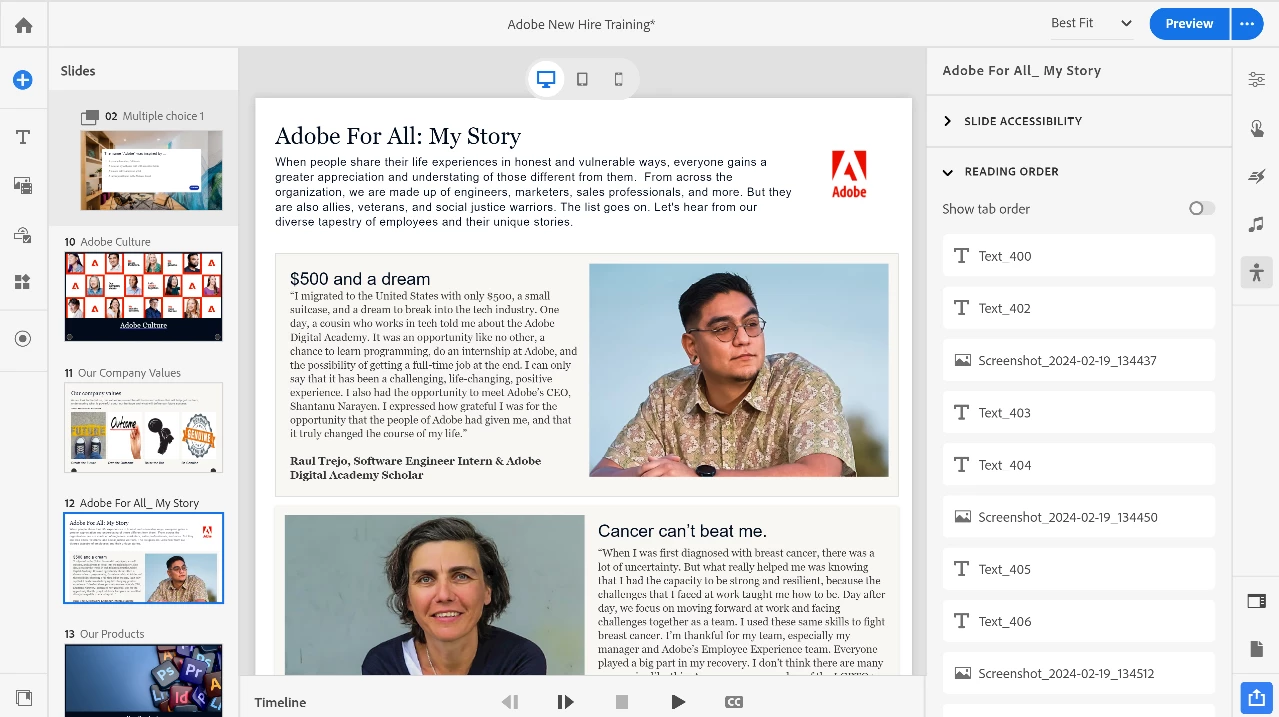
Enhancements to Accessibility

You Can Incorporate Titles And Subtitles For Every Content Block Within The Visual Properties Panel, Categorized As H1 (Title) And H2 (Subtitle) For Compatibility With Screen Readers. This Sequence Of Reading—Title, Subtitle, Followed By The Body—Enhances Slide Navigation Accessibility For Visually Impaired Users.
 

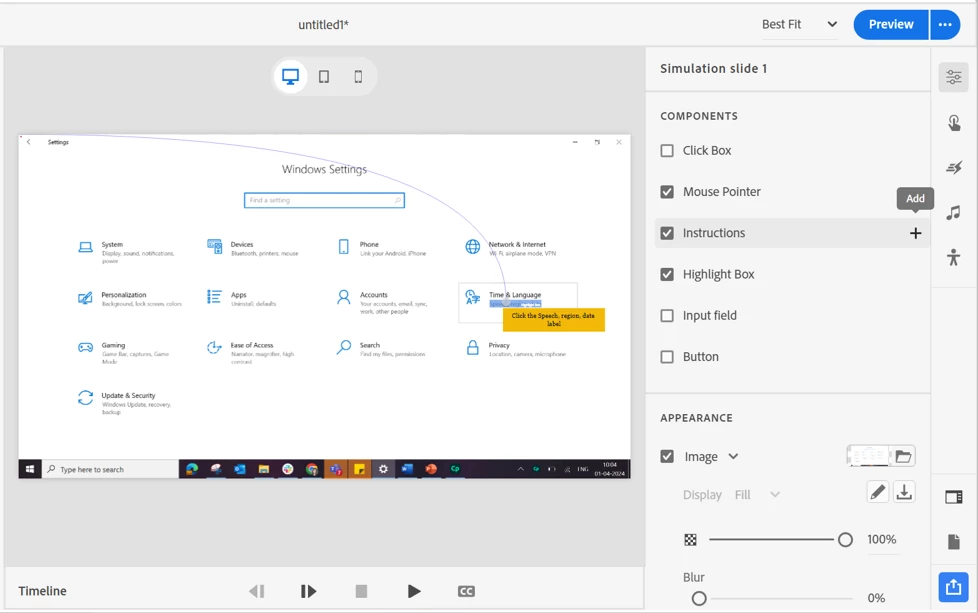
Add More Components to a Simulation Slide

In this latest update, you can incorporate multiple buttons onto a slide within a simulation project. Moreover, you can include up to 20 components (excluding the Mouse Pointer) from the Components section onto a simulation slide.
 

Webinar

Watch the webinar recording of Captivate 12.3 release to check out the latest and greatest in the update.

Adobe Captivate 12.3 Trial

Click here to download the 30-day trial version of Adobe Captivate 12.3. Hope you enjoy trying out the new features of Adobe Captivate 12.3 as much as I do.


Regards,
Sharath Ramaswamy
Senior eLearning Evangelist, Adobe Digital Learning

    5 replies

    Inspiring
    February 6, 2025

    Whoa, just cracked open the new version 12.4, coming from CP 19. I thought this would be easy to use. Ouch ... where is control over styles and master slides? Is it me, or this a dumb-downed approach to e-learning? In the past I always touted the software simulation of CP as it's strong point, but having seen folks use Storyline, I wonder if that platform has improved it's software sim features?

    Known Participant
    August 23, 2024

    Why for the love of good cant adobe just put the money and effort to enhance captivate classic. It's by far the best tool for us that wants to build courses from scratch without limitations. Our customers love the courses. We were trying out the all new version but quickly understood that this would never match the quality that our customers demand. Let Rise do what you are trying to do and make Classic even better.

    Participant
    July 29, 2024

    I am in complete agreement with Lilybiri, QzBassist, RodWard and I'm sure many more users out there.  In your efforts to bring Captivate to the Cloud, you have "thrown the baby out with the bathwater".  The list of functions that Captivate will no longer perform is much to long to list here.  Suffice it to say, the program no longer resembles the Captivate that we have grown to use and love.  At least when .swf files were no longer an option in websites, the name of the flash program was changed (Animate) while the program only recieved minor changes.  If you want to play "bait and switch", at least have the decency to change the name of the new Captivate so that everyone will recognize that it is a different program from the start.

    OzBassist
    Inspiring
    May 14, 2024

    I just had a 4 day contract to  teach this version to students belonging to  a large government organisation who was considering moving away from Storyline. I had instructional designers, developers (both Captivate 2019 and Storyline), as well as management in my room.
    Where they were impressed with the reasonably seamless responsive nature, they said that they deliver content only to a desktop environment (which I find in over 90% of my clients - I've only ever had a couple that wanted to deliver to a mobile phone environment). So the massive feature that seems to have killed replication of what used to be dead easy on CP2019 (ability to layer objects) was completely useless to them. A couple even laughed.

    While trying to demonstrate a really cool feature - the hotspot widget - they wondered why you could only place 6 hotspots on the screen at any one time, and why it was impossible to scale the hotspots to overlap areas with larger interactive requirements. Cp2019 offered a few solutions to this, including the ability to create odd-shaped polygons and add actions to them. Failed this test too, as expected.

    The only thing they really liked that they felt would be useful was the ability to add cue points (my bad - bookmarks) and assign functionality to them.

    Despite the availability of a myriad of pre-made templates, none of them were able to recreate the modules that they used, and the lack of the Master Slides and nameable object styles was pretty much the deal breaker.

    To cut a long story short, what was booked as a 4 day gig was curtailed after the first day because they couldn't understand why the hype about the product was lacking in such an obvious way.

    So the upshot is that they won't be specifying a wholesale move to Captivate 12, and they will be working hard to repurpose a few thousand CP2019 projects to another platform before the deadline expires.

    Having worked on the Charm Beta team myself, I'm pretty gutted that they'll not be using it, and even worse that I'll probably be losing the client as a result.

    Cheers Adobe - all the promises about reaching parity on CP2019 'soon' are just hot air.  As you can tell, I'm not really impressed.


    Lilybiri
    Legend
    May 14, 2024

    @John I completely agree, and refuse to do trainings for this new version because I don't want to see frustration and disappointment in the eyes of the trainees. My clients (as consultant) are already looking for an alternative as well, and I will completely retire at that moment.

    Lilybiri
    Legend
    April 2, 2024

    Just a question: when will the update process become as smooth as for the Adobe CC applications?

    I always use the Update option in the Help menu. In previous versions of Captivate this was available from the Welcome screen, in this 'New' version not, you need to open a new or existing project to access that option.  I had closed all projects in the new Captivate and closed Captivate Classic as well. I opened a new project in Captivate, and tried to install the update from the menu.

    Of course, you get an error because you need to close Captivate. But even if you closed it, the error continues to appear because I had not restarted my laptop, and Captivate didn't realize that projects were closed. So I needed to restart the laptop and the process: open Captivate, open a new project, start the update, close Captivate. This feels very user unfriendly.

    Known Participant
    July 30, 2024

    I will also add that updating Captivate on work-issued laptops can be troublesome if a user doesn't have administrative privileges. For me, updating CC apps is seamless because I don't need admin approval. Why isn't Captivate included in the suite of CC apps... even if a separate subscription is required?