

Question
Application interface not being captured during software simulation recording
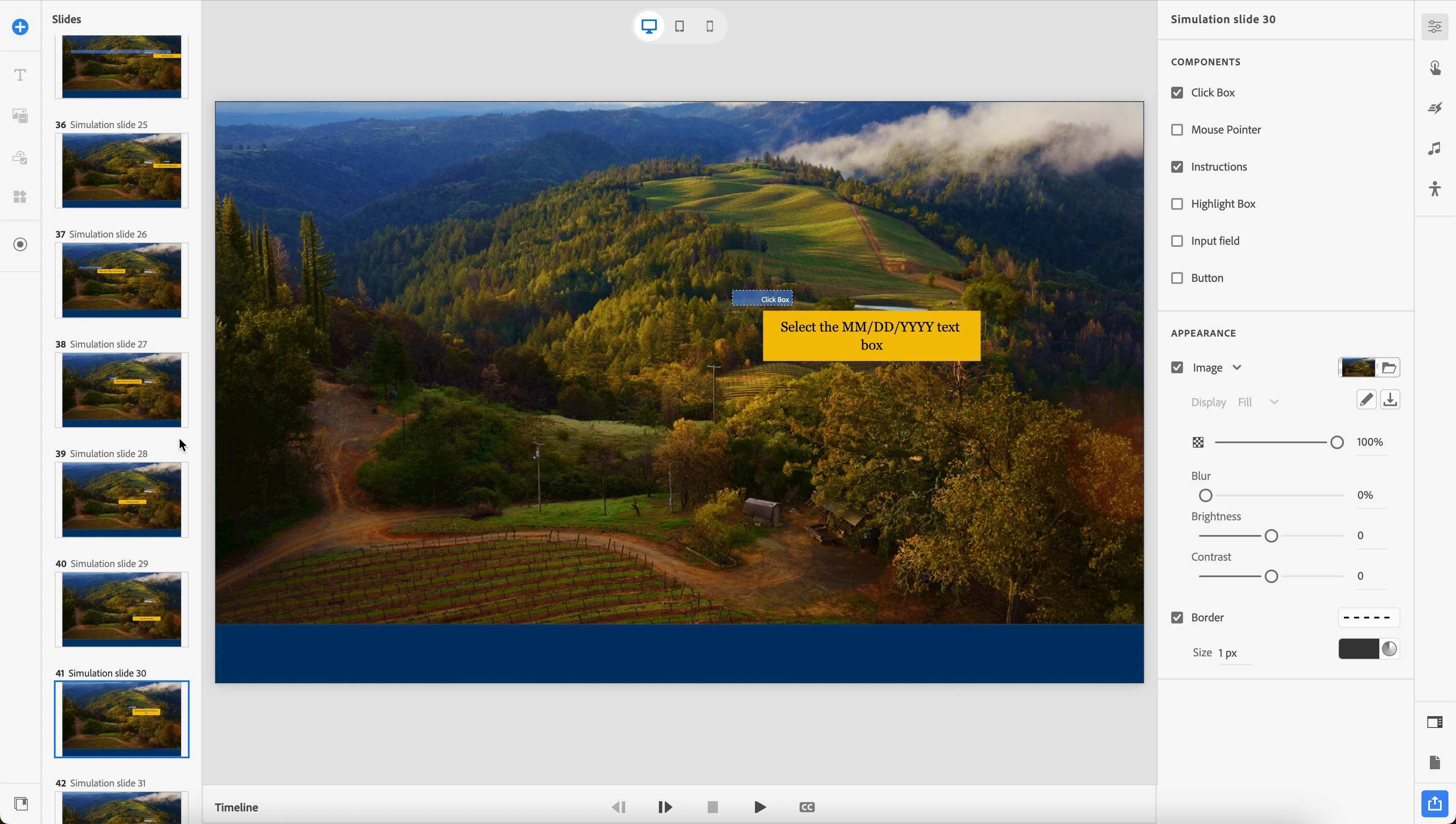
I am seeing an issue with Captivate 12.3.0.12 (not Captivate Classic) while recording a software simulation. I'm on MacBook Pro with Sonoma 14.5.
When I record, regardless of if it's demo, assessment or training, the actual application I'm trying to record (in this case, a web-based app in Chrome) does not get recorded. Instead, I see only my desktop background image (in my case, mountains with grasses and trees). The click boxes and instructions/text captions appear in the right spots, just not the actual application.
I found threads for a similar problem long ago in Captivate Classic, the solution being to make sure you are running as an admin.... I am. I've also uninstalled and re-installed Captivate. Any ideas?


 AdChoices