

usamas
Participant
October 23, 2019
Answered

Applied Effect List and Image fill problems

  • October 23, 2019
  • 1 reply
  • 327 views

Hello, I'm working with my team on a Captivate 2019 project, we are facing 2 problems:

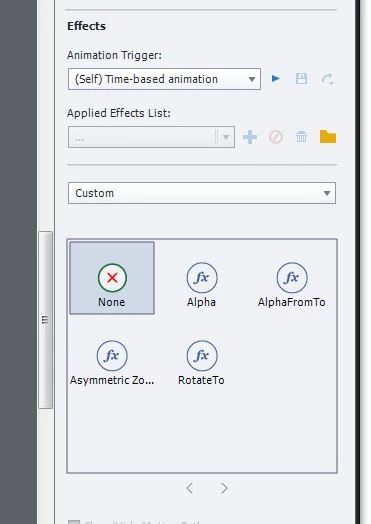
 - First: Applied Effect List is empty, we can't find any effect till we add effects one by one, and when we add it each one, it's not sorted as normal (Basic, Emphasis, Entrance, Exit, Motion Path),


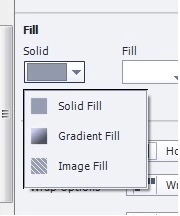
- Second problem : Image Fill is not working correctly, when we try to add "image fill" to a Shape, it not working unless this shape had "image fill" before (maybe made by other Captivate program )


What do you advice to solve these both issues ? is there a file maybe me or other team member change which affect these functions ?

    This topic has been closed for replies.
    Correct answer Lilybiri

    Usuale steps:

    1. Clear the cache, which can be done from Preferences, General Settings
    2. Clean the Preferences: close Captivate, find the subfolder 'utils' under the installation folder and run the CleanPreferences... file which fits your OS.

    1 reply

    Lilybiri
    LilybiriCorrect answer
    Legend
    October 23, 2019

    Usuale steps:

    1. Clear the cache, which can be done from Preferences, General Settings
    2. Clean the Preferences: close Captivate, find the subfolder 'utils' under the installation folder and run the CleanPreferences... file which fits your OS.
    usamas
    usamasAuthor
    Participant
    October 23, 2019

    Thank you very much Lilybiri,

    Both problems has been fixed after I do as you suggest

    - Cleaning Cache 

    - Close Captivate and run `CleanPreferences` file inside `utils` folder

    I greatly appreciating your help

    Lilybiri
    Legend
    October 23, 2019

    Glad it worked for you!