

Answered
Assets not appearing in MyAssets window.
I updated to Captivate 9.0.2. This is a first time using Assets so downloaded 4 characters from Learning Brothers. Confirmed images downloaded into Documents > Adobe > eLearning Assets > Characters_9_0 > Assets > Assets > Images > high. I have also one one file to all the folders in that path in case it is a configuration problem.
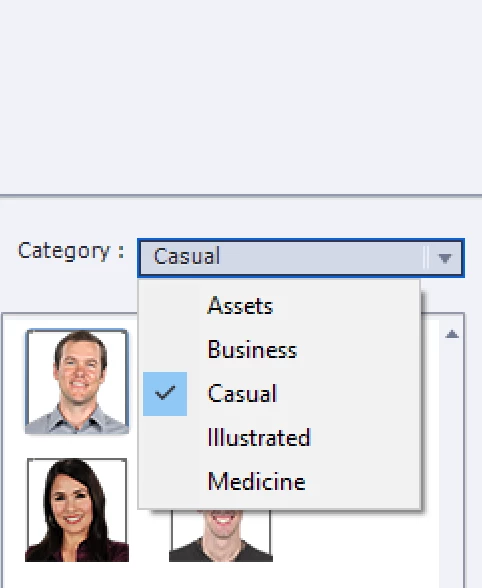
When I open MyAssets, Characters is selected and the category is Assets. The neither the assets icon nor any assets appear below. to select.
Any thoughts on how to fix?
Thanks
John



 AdChoices