
Attaching a PDF to Captivate 2019 in LMS
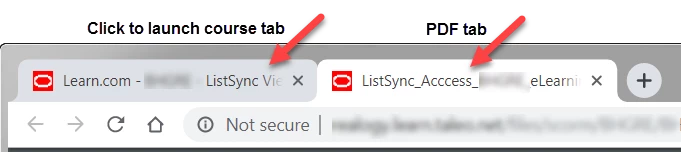
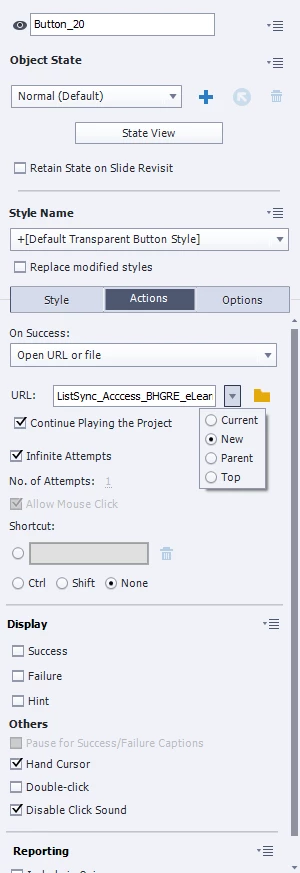
I have a course within which I'd like to attach two job aids for further details. I created two buttons and then assigned actions to them (I have a screenshot of the actions I selected below.) When I tested it, everything seemed to work the way I wanted. My issue is that within our LMS, once you select the course, a new tab opens with a Begin Course link. Clicking that link opens a new popup window with the actual course. When the user clicks one of my buttons, it successfully opens the PDF - BUT - it opens it in a new tab back in Chrome. So it is the second tab next to the one with the BEGIN COURSE option.
This means that when the user closes the PDF, they return to the Begin Course link window, not the course pop-up window, which is already open. I'd LIKE them to land back on the pop-up window.
I hope this all makes sense?
ACTIONS SELECTED:


 AdChoices