
Participating Frequently
Apr 22, 2018 8:48 PM UTC
Question

Attachment Bugs - File name text overlapping and notes text disappearing

We are experience two bugs with attached files and only on our client's server (we cannot reproduce the error on our server).

The first bug is that the file size overlaps the file name, which makes it illegible.
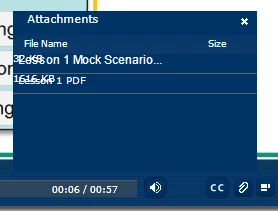
The other bug is that once a user selects a file from the attachment to download, and then advances to the next slide, the text disappears. Here is before the attachment is selected:
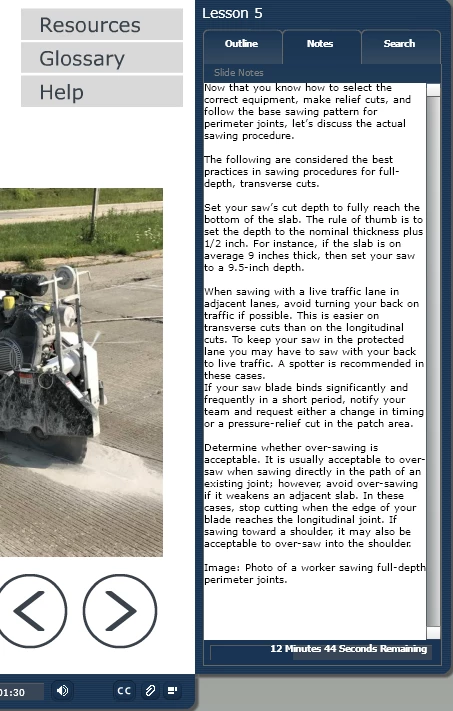
Here is after the attachment is selected.
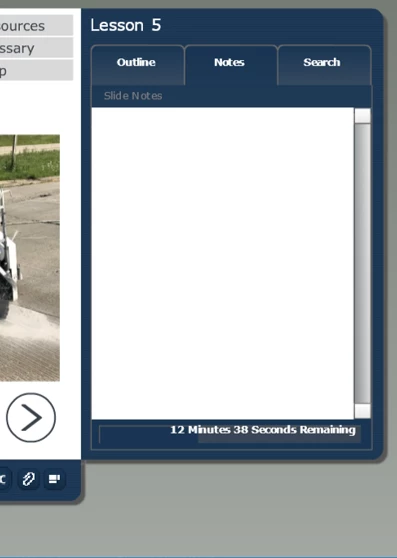
I can only produce the error the first time through the lesson. Subsequent attempts I can't reproduce it.

Both the client and our team are on Adobe Presenter 11.0 and using an Adobe Connect Server version 9.7.

Has this happened to anyone else? Any idea what could be causing these issues?

Thanks.

This topic is closed to new replies. Start a new post to keep the conversation going.

2 replies

Inspiring
Apr 23, 2018 4:31 PM UTC

I know for your very first item, the file name cannot be too long otherwise it will do that. I, however, don't know the character limit for the name, just know we have had that issue in the past.

Translate
Participating Frequently
Apr 23, 2018 9:10 PM UTC

Thanks, we'll try shortening the file names to see if it helps. However, on our system, the file names just have an ellipse at the end. This is the same file on our server:

Any idea why the same published file would work sometimes and not others? Should I be asking in the Adobe Connect group? We are both on the same version (9.7) but maybe there's an odd setting somewhere?

Comparing these - the fonts even look different. Again, this is the same published file uploaded to two different Adobe Connect Servers. It is very strange.

Translate