Participant
April 12, 2023
Question

Audio and advanced actions

  • April 12, 2023
  • 1 reply
  • 153 views

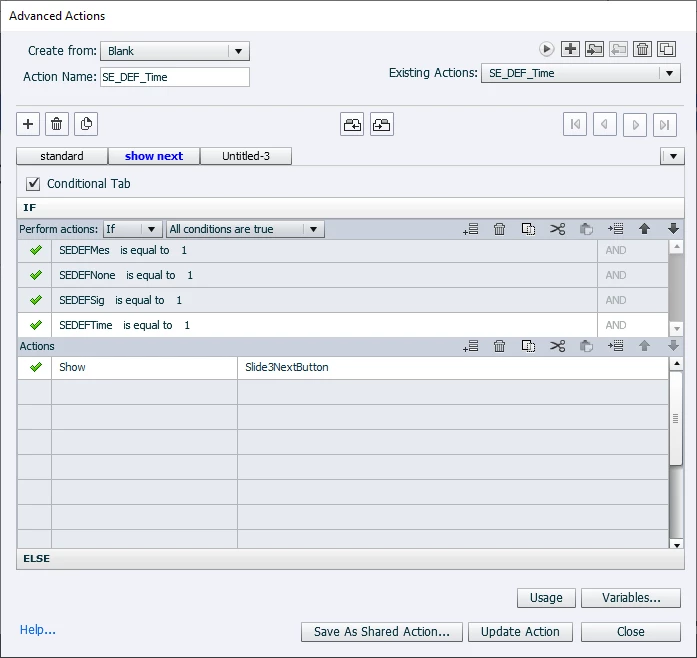
I created an advanced action so that the next button on the slide would only appear if all of the buttons on the screen have been clicked.  Below is the screen shot of the action that was applied to all four buttons in question (edited for each button to which it was applied).  
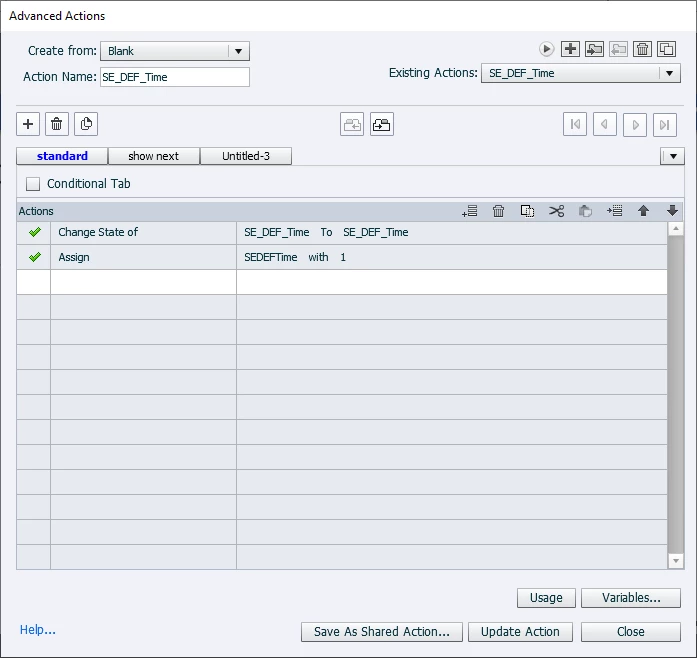
 

No problems so far.  But then I added an action to play audio.  I recorded a piece of audio in captivate, added a line in the "standard" tab of the advance action to play audio and selected the appropriate clip.  I changed nothing on the "show next" tab.
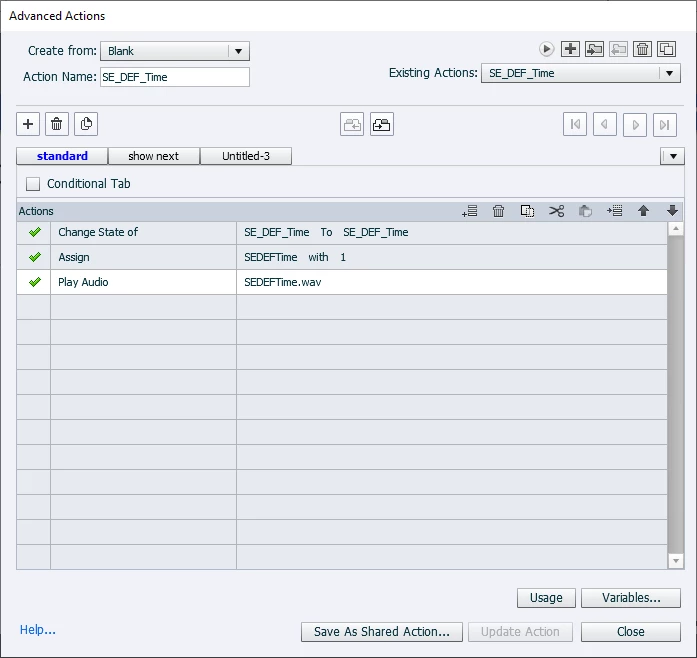
 

Ever since I added that simple audio clip, now the conditional part of the advanced action stopped working.  After clicking all four buttons, the next button no longer appears.  I feel like the audio should not have affected the other parts of the action, but I'm still very much a novice user of Captivate.  Did I mess up my advance action or is this something that Captivate is messing up?  

Thank you!


    This topic has been closed for replies.

    1 reply

    marsi1982Author
    Participant
    April 12, 2023

    I stumbled upon another post that made me wonder if the fact that the variable and the .wav file had the exact same name was the issue.  I changed the name of the .wav file and the issue persisted.  

    Lilybiri
    Legend
    April 12, 2023

    First of all a tip: when creating a screenshot of a multi-decision advanced action, use the Preview window which you can open with this button:

    It makes it much easier to understand the logic and the sequence of the decisions. More about the Advanced Actions dialog box in:

    https://blog.lilybiri.com/advanced-actions-dialog-box-in-captivate-2017

    The origin of your problem is immediately visible in the first screenshot: you are using the same name for the action and for a multistate object. That is NOT allowed. You probably detected that in another post where I mention this since many years and many answers here. Captivate requires a unique name for each item. There are some exceptions but I will not elaborate on them. You added another item, the audio clip, and again used the same name, although it is a totally different item. Keep to the general rule: every item needs a unique name, that will avoid you a lot of issues in the future.

    Since this action is applied to several buttons, any reason why you didn't use a Shared action? 


    Lilybiri
    Legend
    April 12, 2023

    Forgot to add this information about the Play Audio command. If the user clicks another button before the audio of the previous button has finished, the first audio will be stopped in favor of the second audio.